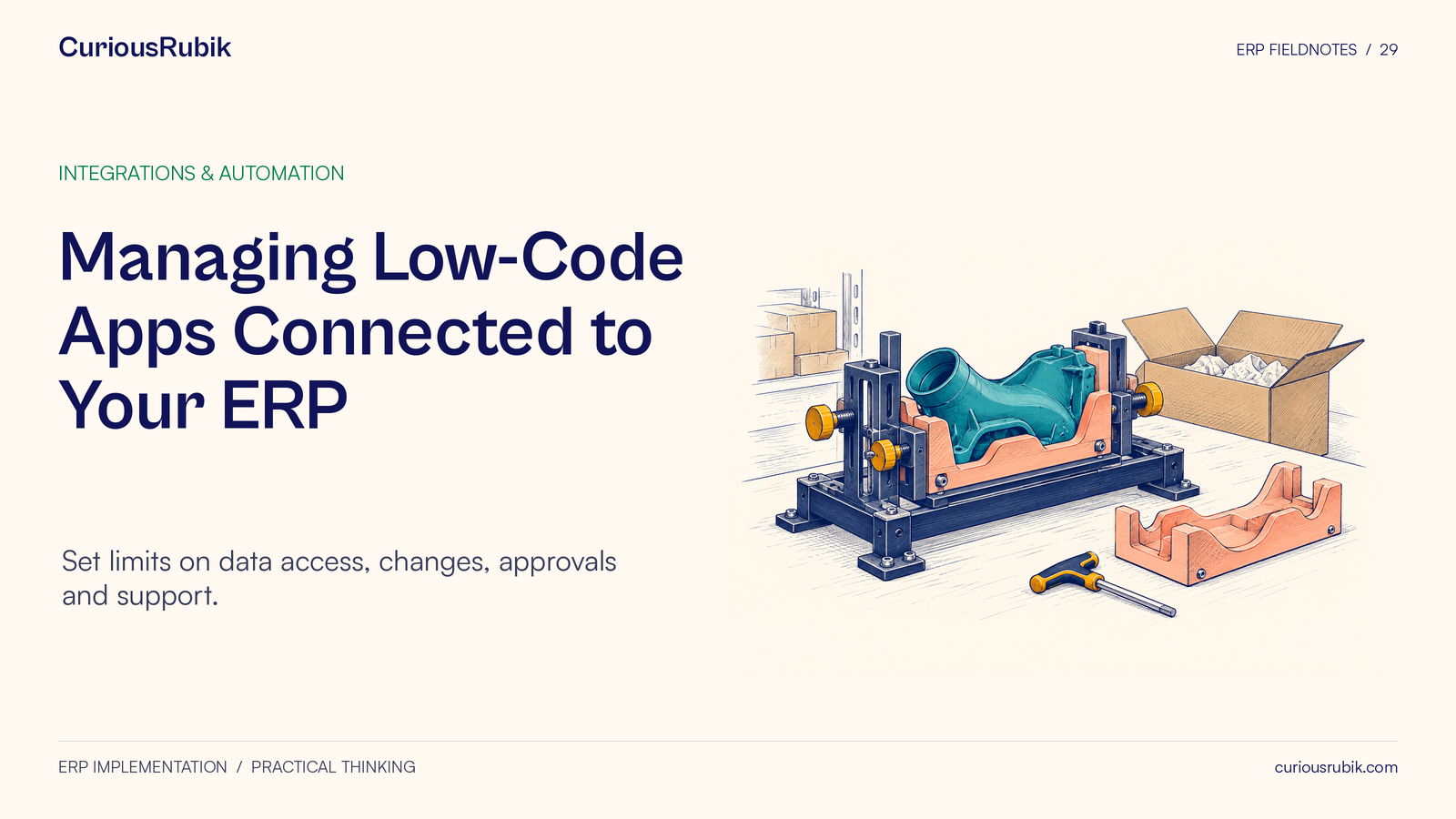
Managing Low-Code Apps Connected to Your ERP. Set limits on data access, changes, approvals and support.
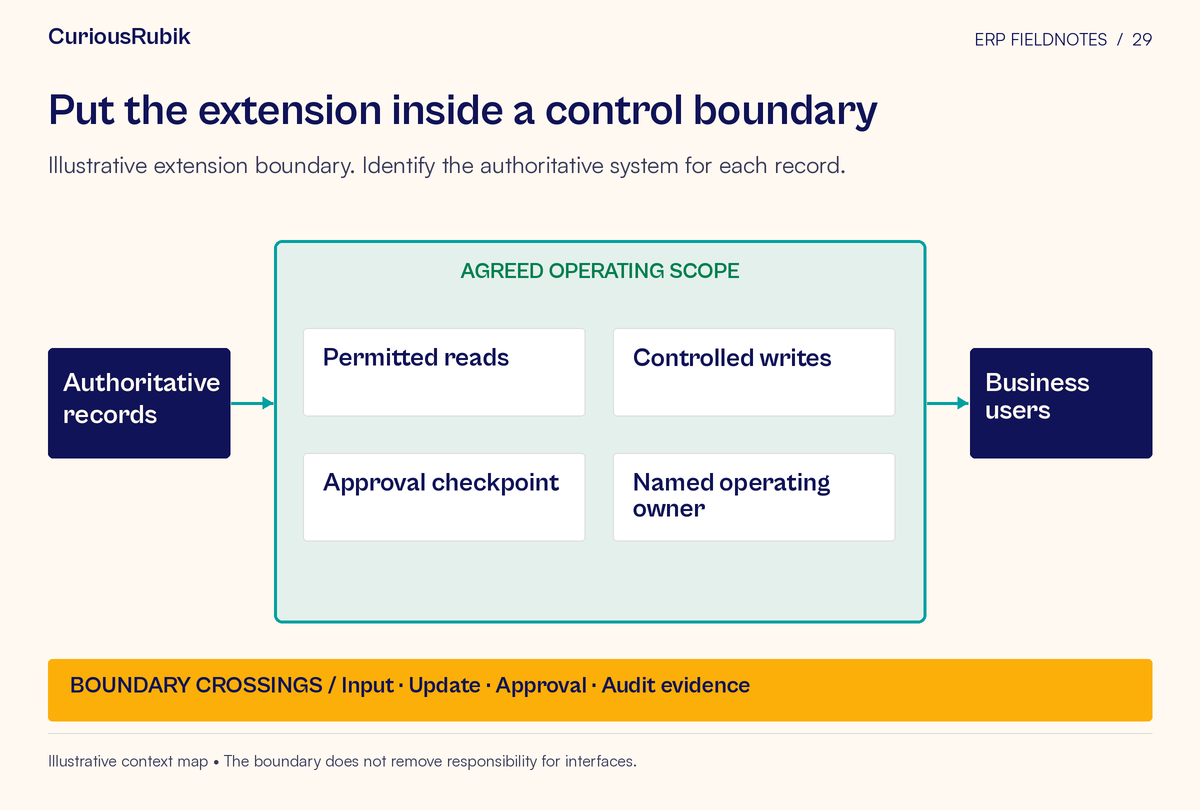
A business-built ERP extension should have a clear boundary: what it may read, what it may change, whose authority it uses, and who supports it when something goes wrong. Review that boundary according to the consequences of failure rather than the amount of code involved.
A small app can make useful local work easier. It can also become the place where a team approves exceptions, changes master data, or maintains a competing business rule. The design decision is whether those responsibilities are deliberate and supportable.
Use an extension register and a proportionate release gate to make useful development possible. The gate should give the builder a clear path to approval and make the business owner’s obligations visible before the app becomes part of daily operations.
Begin with the process change
Ask the sponsor to describe the work the extension improves. Who encounters the problem, what do they do today, and what will change when the app is introduced?
Then identify the business decisions inside the proposed workflow. A form that collects a discrepancy is different from an app that approves an inventory adjustment. An alert that suggests a follow-up is different from a process that automatically changes a customer commitment.
The distinction can be easy to miss because the same visual builder may support all of these behaviors. Review the actual actions and their consequences, including actions performed indirectly through a connector or automated process.
Document the expected benefit without inventing a performance claim. If reduced handling effort is the objective, establish how the team will measure the existing work and the result. A plausible benefit is a reason to investigate an extension, not proof that its control and support needs are small.
Register the extension before it becomes indispensable
Create a short registration card:
- Extension name, purpose, and sponsoring process owner: ______
- Users, locations, transaction population, and operating hours: ______
- Current process being replaced or supplemented: ______
- Data read, stored, exported, or transmitted: ______
- Records and fields the extension may create or change: ______
- Business approvals it requests or performs: ______
- Systems that remain authoritative: ______
- Identity and permissions used for each action: ______
- Dependencies, scheduled tasks, and connected services: ______
- Builder, technical maintainer, and support backup: ______
- Failure response, recovery approach, and evidence retained: ______
- Review triggers, expected lifetime, and retirement owner: ______
Keep the register accessible to the people who approve changes and provide support. Its purpose is to answer practical questions quickly: who owns this, what does it touch, and what breaks if it stops?
Existing apps should enter the same register through a review process that encourages disclosure. If teams expect every disclosure to trigger an immediate shutdown, the inventory is less likely to reflect the work the business actually depends on.
Separate a proposal from an authorized write
Consider a hypothetical warehouse team that wants a mobile form for recording stock discrepancies. Staff enter the item, location, observed quantity, reason, and supporting evidence.
One design creates a reviewable discrepancy case and links it to the authoritative inventory record. An authorized reviewer then approves any adjustment through the established process. Another design writes the new quantity directly into inventory when the form is submitted.
Those designs carry different responsibilities. The second may change stock availability, financial information, replenishment decisions, and customer commitments. It needs a review appropriate to those consequences, regardless of how quickly the form was built.
The first design still needs controls. The evidence could be sensitive, the case could be duplicated, or the proposal could become stale before review. The reviewer must be able to inspect the current record and the proposed change rather than approving an unexplained number.
Draw the boundary explicitly: which component collects information, which decides, which executes, and which holds the authoritative result? Keeping those roles clear helps the team improve the process without accidentally creating another inventory ledger.
Classify risk using consequence and exposure
Use a brief review to determine the level of scrutiny. Consider the sensitivity of the data, the authority to write, the reversibility of the action, the transaction population, external communications, and the dependency of daily operations on the extension.
A read-only app is not automatically low risk. It may expose confidential information to a wider audience or export a large data population. A write-enabled app may be low consequence in one setting and material in another.
A practical routing approach is:
- A bounded information aid goes through data-access, ownership, and basic support review
- An app that changes workflow or creates operational records adds process, authorization, exception, and recovery review
- An app that changes consequential records, commitments, or controls requires the relevant specialist and accountable business approvals before release
These routes are working categories, not a universal risk standard. The organization should adapt them to its policies and obligations. Where the consequence is unclear, investigate it rather than assigning a reassuring label.
Inspect the authority behind each connection
For every read and write, identify the identity used and the permissions it carries. Determine whether the app acts as the individual user, a service identity, or another delegated account. The answer affects what authority users may exercise through the extension.
Have the security team verify that the approved data and action boundaries are enforced by the relevant services. A field hidden on a form should not be the only protection for a prohibited action.
Use approved mechanisms for secrets and connection management. Do not embed a personal credential in a shared workflow or rely on the original builder’s account indefinitely. The supported design should address ownership transfer, access review, credential handling, and removal when the extension is retired.
Review who can modify the workflow itself. A user unable to approve a transaction directly should not gain that authority by changing the automation that performs it. Builder access and business-user access are different control questions.
Test the awkward path before approving the easy one
Build a small test pack around the extension’s boundary. Include the intended action, an unauthorized action, invalid or incomplete data, a repeated submission, a changed source record, and an unavailable dependency where relevant.
For the hypothetical discrepancy app, useful tests include two people reporting the same discrepancy, a source quantity changing before approval, a reviewer rejecting the request, and an approved adjustment failing to reach the authoritative system.
Specify the expected outcome for each case. A pending approval should not be displayed as a completed adjustment. A failed write should remain visible to an owner. Retrying should not create an additional business effect without detection and resolution.
The technical implementation depends on the platforms and interfaces involved. Record what the tests establish and what remains unverified rather than assuming a visual workflow provides transaction guarantees automatically.
Test permissions with representative users, not only the builder. The person who assembled the app may have access that ordinary users lack, or may be able to complete a recovery step that nobody on the support roster can perform.
Use a release gate that ends in an operating decision
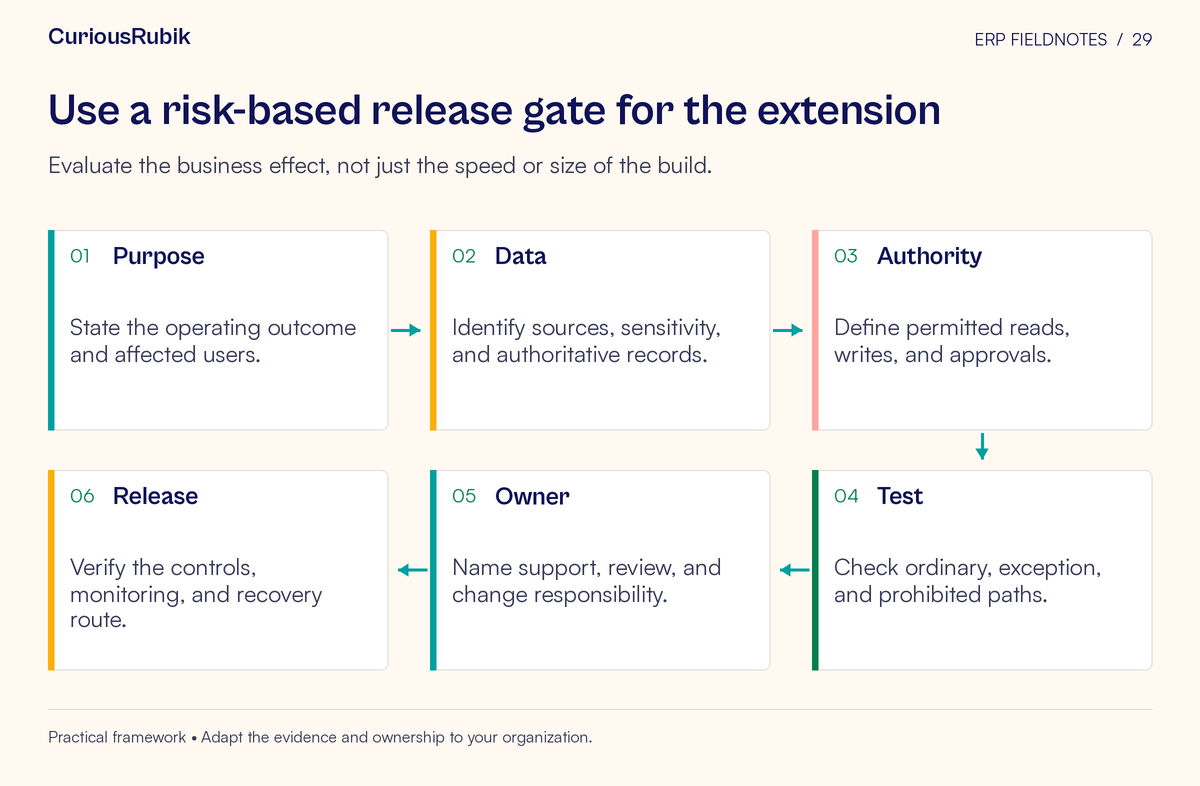
The gate should answer six questions:
- Is the business purpose and scope approved?
- Are data access and authoritative records clear?
- Are decisions and writes limited to approved authority?
- Do the relevant normal and failure tests support release?
- Is someone equipped to operate and support the extension?
- Are the release, pause, recovery, and retirement decisions assigned?
Record the decision as approved, approved with specific conditions, or held for defined evidence. Name the owner and due point for every condition. “Documentation to follow” is too broad if the missing information is needed to recover a failed transaction.
Where the platform supports separate development and production environments, establish a controlled promotion route. If it does not, the technical owner should assess the resulting limitations and approve a suitable alternative or decide that the proposed use is inappropriate.
Plan for the builder to be unavailable
Before release, have someone other than the builder use the support instructions. They should be able to identify a failed run, determine the affected business records, pause the relevant automation if authorized, and route the issue correctly.
Record dependencies that are easy to overlook: scheduled triggers, individual accounts, connection ownership, data-field names, limits on volumes, and assumptions about when another process finishes. Give changes to those dependencies a review route.
Define recovery in business terms. Restoring an earlier app version does not necessarily undo records already changed or messages already sent. The support plan may need reconciliation and approved corrective transactions. Identify which effects are reversible and who can authorize correction.
Reserve capacity for maintenance. If the app becomes operationally important, support cannot remain an informal favor from the employee who built it between other assignments.
Control emergency changes without making them invisible
A failed extension may need urgent repair. Establish who can authorize an emergency change, what evidence must be captured, how affected users are informed, and when normal review catches up.
Keep the changed version and its purpose identifiable. Test the affected boundary, verify the business result, and review whether a temporary workaround should remain in place. Avoid allowing an emergency permission or broad connection to become the permanent operating arrangement by default.
For routine changes, use the same consequence questions as the original review. A new data export, approval step, user population, or write capability can materially change the risk even when the visible interface changes very little.
Retire the duplicate rule when its purpose ends
Review extensions when the ERP process changes, a team reorganizes, or a supported capability replaces the local workaround. Ask whether the extension still has a distinct purpose and whether its business rules agree with the authoritative process.
Retirement includes more than deleting the app. Transfer open work, preserve required records, remove scheduled activity, revoke unnecessary access through approved processes, and update user instructions. Verify that no downstream report or team still relies on its output.
A useful extension earns its place through a clear purpose, bounded authority, and reliable ownership. Start with one app already used by a department. Draw its reads, writes, approvals, and dependencies, then close the most consequential gap before expanding its reach.