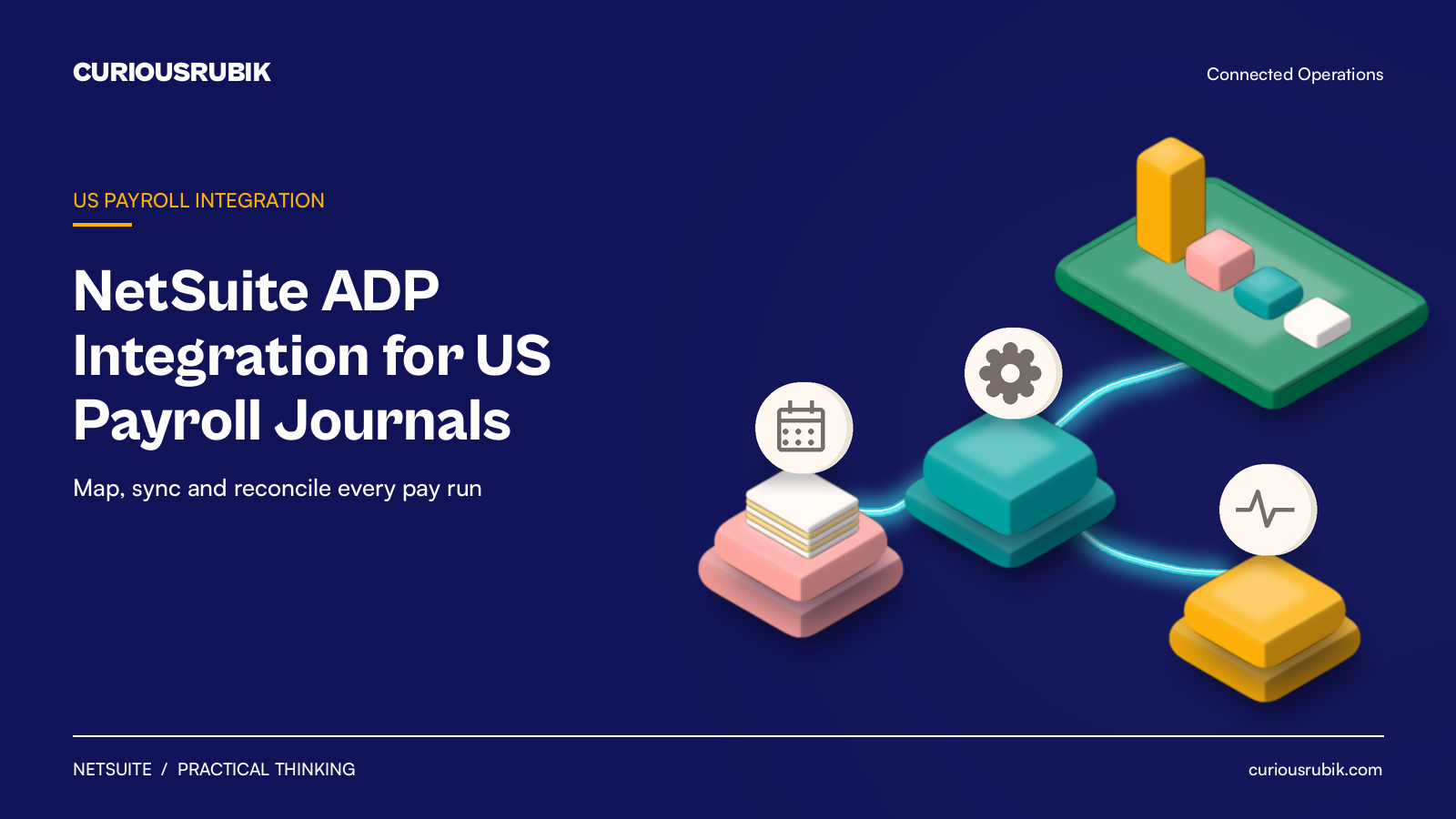
For US controllers and payroll leads planning the NetSuite Connector for ADP Workforce Now, from mapping to first reconciled pay run.
Last reviewed: 22 October 2026. Product details reflect this review date. Availability and behavior can vary by account, role and release.
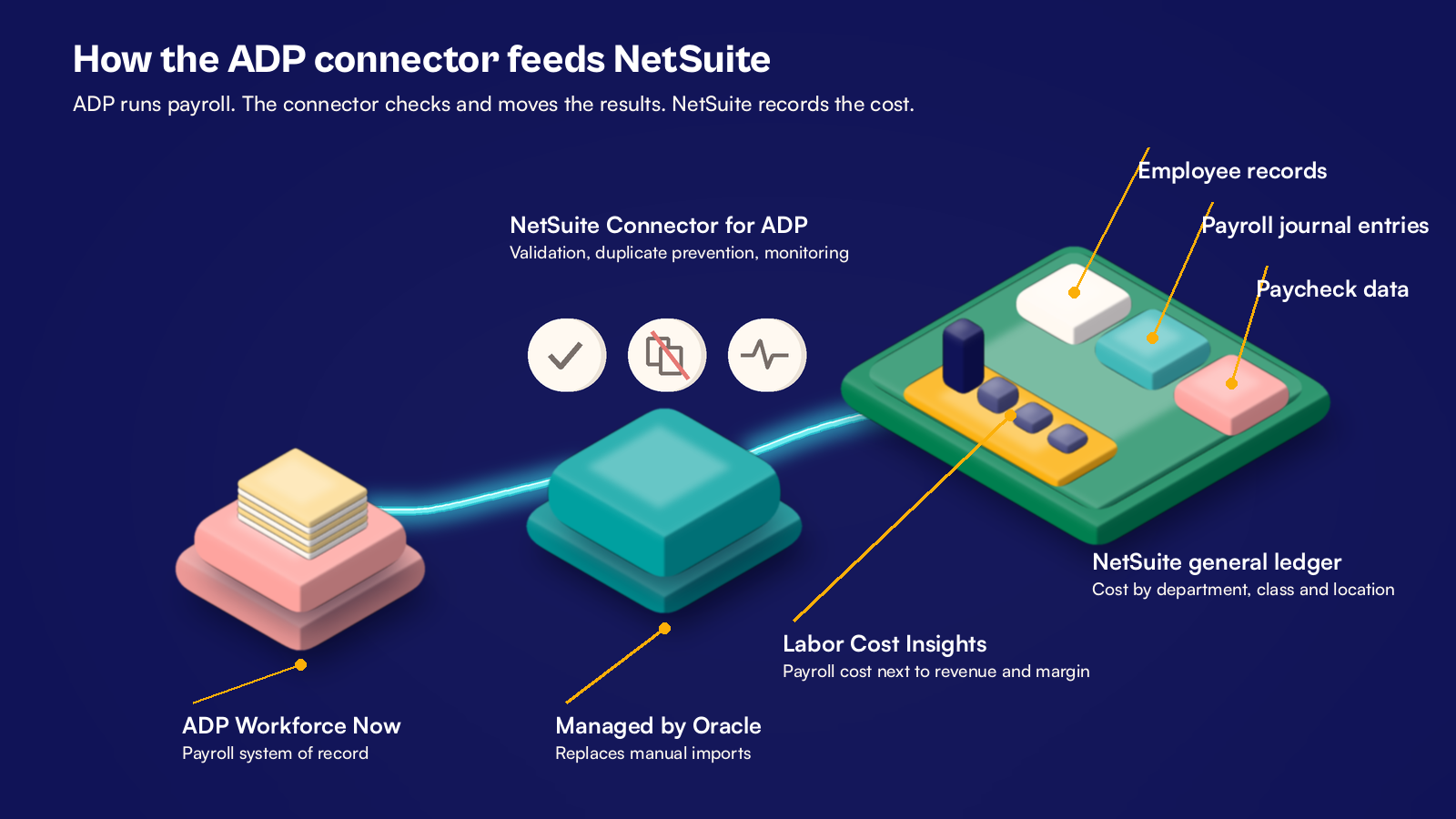
A NetSuite ADP integration moves payroll results from ADP Workforce Now into your NetSuite general ledger, so nobody rekeys a payroll journal. With NetSuite 2026.2, Oracle offers a managed connector that syncs employee records, payroll journal entries and paycheck data, with validation and duplicate checks. ADP still runs payroll. NetSuite records the cost.
Key takeaways
- The connector moves the data. Your GL mapping decides whether the numbers are right.
- Map every ADP earnings code, deduction and employer tax before the first live run.
- Post payroll by department, class and location, and keep employee detail in ADP.
- Reconcile the first three pay runs line by line before you trust the integration.
What is the NetSuite Connector for ADP Workforce Now?
The NetSuite Connector for ADP Workforce Now is an Oracle managed integration, released with NetSuite 2026.2, that syncs payroll and employee data between ADP and NetSuite. Oracle lists three types of data in its NetSuite 2026.2 release article:
- Employee records
- Payroll journal entries
- Paycheck data
It adds validation, duplicate prevention and central monitoring. It also includes Labor Cost Insights, which reports payroll cost next to revenue and margin in NetSuite.
Before 2026.2, many NetSuite customers brought payroll journals in by CSV import or a custom script. Our older guide to connecting NetSuite to a payroll provider covers those patterns. The connector replaces that custom work with a supported, monitored link.
Which payroll data should flow into NetSuite?
Start by agreeing which system owns each piece of data. ADP stays the payroll system of record. NetSuite owns the chart of accounts and your departments, classes and locations.
| Data | System that owns it | How finance uses it in NetSuite | Owner after go live |
|---|---|---|---|
| Employee record | ADP for pay data, NetSuite for department, class and location | Employee record | HR lead with the controller |
| Payroll journal | ADP | Journal entry by department, class and location | Payroll lead |
| Paycheck data | ADP | Paycheck detail for labor cost reporting | Finance analyst |
| Employer tax and benefit liabilities | ADP | Credits to liability accounts by tax or benefit type | Controller |
Keep employee level pay detail in ADP. The general ledger needs cost by department, not every person's paycheck on a journal line. That also limits who in NetSuite can see salary detail. Check in your release preview account which segments the connector can set on each journal line.
How do you map ADP earnings codes to the NetSuite general ledger?
Mapping is where most of the effort goes. Build a mapping workbook with your payroll lead and controller, then use it when you configure the connector.
- Export every active earnings code, deduction code and employer tax code from ADP.
- Assign each code a NetSuite account, such as salaries, overtime, bonus, or a liability account.
- Decide where department, class and location come from: the employee record or the cost center in ADP.
- Map employee withholdings, such as federal and state income tax and employee FICA, to liability accounts.
- Map employer taxes, such as employer FICA, FUTA and SUTA, to expense accounts and matching liability accounts.
- Map benefit deductions, such as 401(k) and health plans, to their own liability accounts.
- Set the bank or clearing account for net pay.
- Add a rule for new codes, so a code created in ADP next year is mapped before it is used.
The tax treatment of each code depends on your plans and states. Confirm it with your payroll provider and tax adviser.
Plan the pay date and month end accrual
Payroll runs on pay dates. Your books close on the last day of the month. When you pay twice a month or every two weeks, those dates rarely match.
Decide one rule and write it down. Many US finance teams post the payroll journal on the pay date, then accrue wages earned but not yet paid at month end. They reverse that accrual on the first day of the next month. The connector brings in the pay run. The accrual stays a finance task, so give it an owner and a due date in your close checklist.
A hypothetical US services company's first three pay runs
A hypothetical US professional services company has 220 employees and pays twice a month. Each run is about $1.1m gross across four departments. Here is the payroll journal each run should post in NetSuite.
| Journal line | Debit | Credit |
|---|---|---|
| Wages, Client delivery | $660,000 | |
| Wages, Sales and marketing | $198,000 | |
| Wages, Operations | $132,000 | |
| Wages, General and admin | $110,000 | |
| Employer payroll tax expense | $88,000 | |
| Net pay, cash clearing | $770,000 | |
| Employee tax withholdings payable | $242,000 | |
| Benefit deductions payable | $88,000 | |
| Employer payroll tax payable | $88,000 | |
| Total | $1,188,000 | $1,188,000 |
Gross wages are $1,100,000 and net pay is $770,000, after $242,000 of withholdings and $88,000 of deductions. Employer taxes are a round $88,000 for illustration, not a calculated rate.
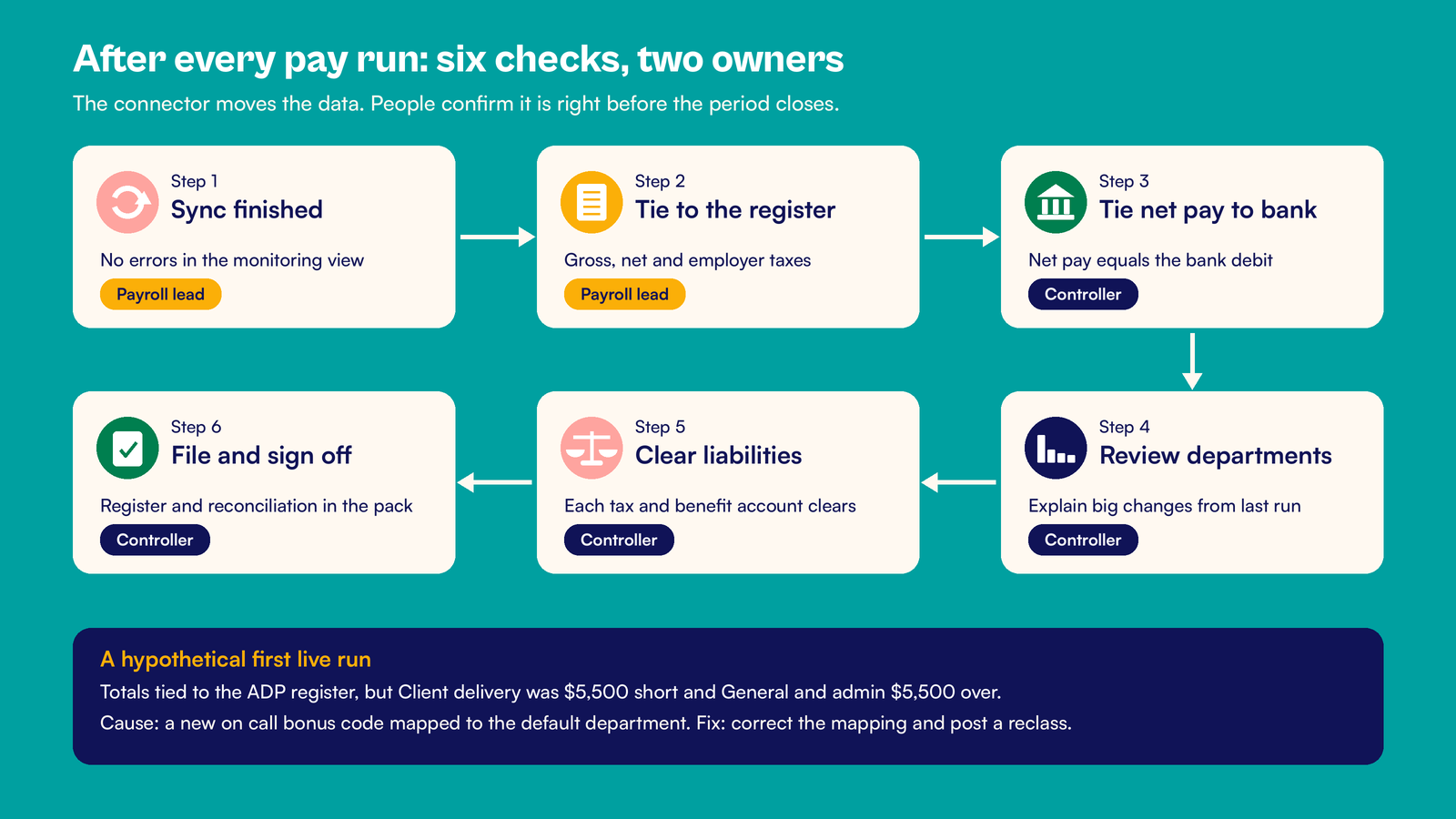
On the first live run, the totals tied to the ADP payroll register. The departments did not. Client delivery showed $654,500 in NetSuite against $660,000 in ADP. General and admin showed $115,500 against $110,000.
The $5,500 gap was a new on call bonus code. It had been mapped to the default department instead of the employee's own. The payroll lead fixed the mapping, and finance posted a $5,500 reclass journal. Runs two and three tied by department on the first check.
Who monitors the NetSuite ADP integration after go live?
Name one owner, usually the payroll lead, with the controller as backup. The connector's central monitoring shows each sync and any errors. Someone still has to look at it on every pay date.
After each pay run, the payroll lead and the controller split these checks.
- Payroll lead: confirm the sync finished without errors in the connector's monitoring view.
- Payroll lead: match gross pay, net pay and employer taxes to the ADP payroll register.
- Controller: match net pay to the bank debit.
- Controller: compare wages by department with the last run and explain any large change.
- Controller: check that each liability account clears when the tax or benefit payment goes out.
- Controller: file the register and the reconciliation with the month end pack.
For audit ready payroll evidence, see our posts on SOX controls in NetSuite for pre IPO companies and NetSuite audit evidence for journal and master data changes.
CuriousRubik's NetSuite finance and payments integration team can map your ADP codes, test the connector and reconcile your first three live pay runs with you. Our integration guide and our NetSuite services in the United States page explain how we work.
Frequently asked questions
Does NetSuite have a native ADP integration?
Yes. NetSuite 2026.2 introduced the NetSuite Connector for ADP Workforce Now, a managed connector from Oracle. It syncs employee records, payroll journal entries and paycheck data, with validation and duplicate checks. Availability can depend on your account, edition and release, so confirm it with your NetSuite account team before you plan the project.
Does the connector replace ADP payroll?
No. ADP still calculates pay and withholdings, handles payroll tax filing under your ADP service and pays employees. The connector carries the results into NetSuite, so finance can post the journal, report labor cost and reconcile liabilities. Think of ADP as the payroll engine and NetSuite as the system that records and reports what payroll cost the business.
Should payroll post to NetSuite by employee or by department?
Post by department, class and location in most cases. The general ledger needs cost by the segments you report on, not one line for each person. Keep employee level pay detail in ADP, where access is already controlled. Paycheck data in NetSuite can still support labor cost reporting where your roles allow it.
What is Labor Cost Insights in NetSuite?
Labor Cost Insights is included with the NetSuite Connector for ADP Workforce Now. It gives reports and analytics that put payroll cost next to revenue, margin and workforce measures in NetSuite. It works from the payroll data the connector brings in, so it is only as accurate as your earnings code mapping.
How do I test a NetSuite ADP integration before go live?
Run at least one past pay period through a NetSuite sandbox. Compare the journal with the ADP payroll register by total, by department and by liability account. Fix the mapping until every line ties. Then reconcile the first three live pay runs the same way before you reduce the checks.
Related reading
Connecting NetSuite to a Payroll Provider
The general patterns for payroll journals, from CSV imports to scripted links.
Preparing the First Payroll and Payment Run After NetSuite Go Live
What to check before the first payroll and supplier payments leave the bank.
SOX Controls in NetSuite for Pre IPO Companies
The controls auditors test, including payroll journals and access.