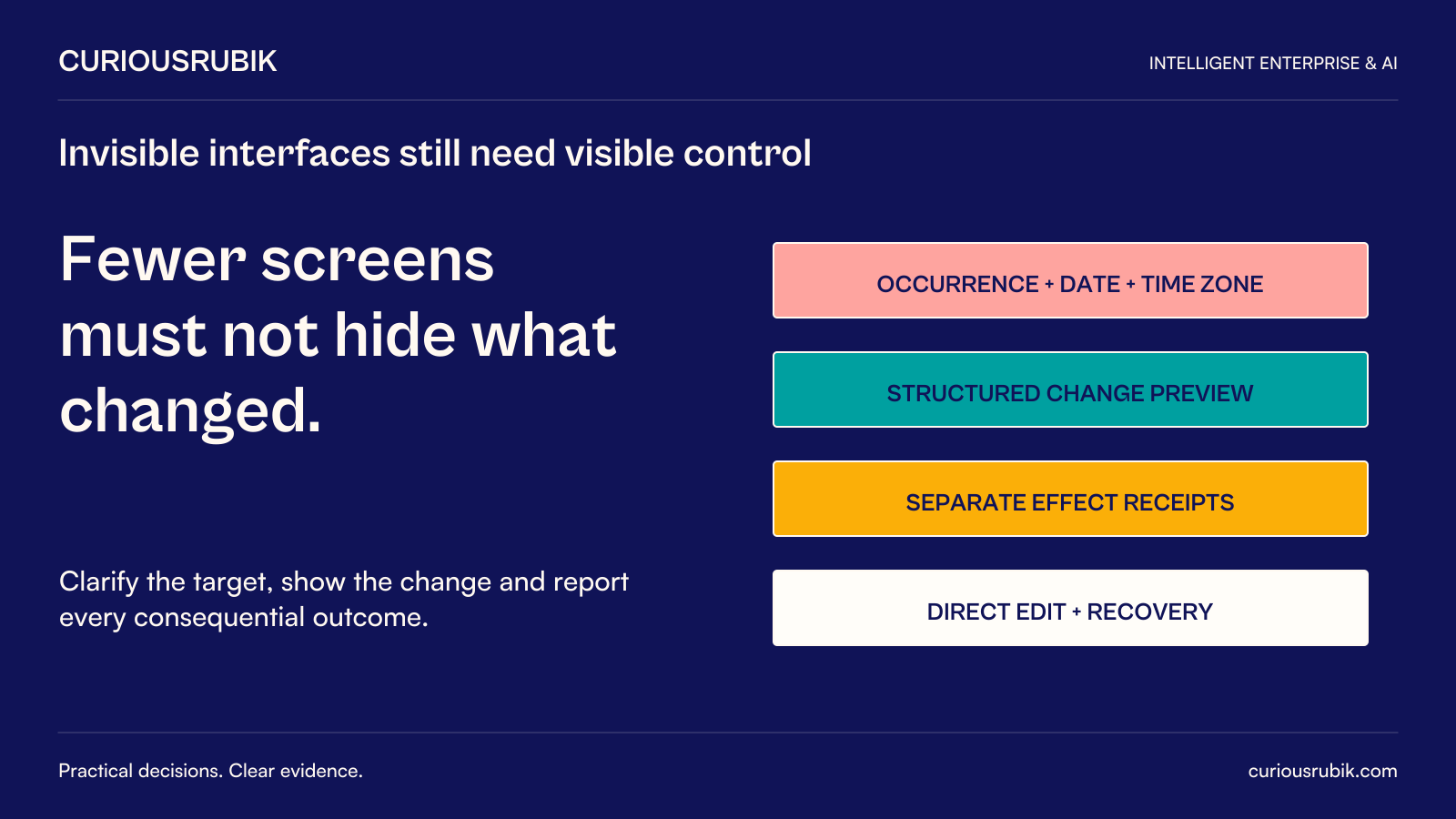
Some enterprise application steps may become less visible as AI helps users express a goal and navigate the systems needed to achieve it. The underlying records, permissions, and business states will still matter. The useful design objective is to reduce unnecessary navigation while keeping consequential choices and outcomes inspectable.
For an enterprise product leader considering a conversational work interface, the decision is which interaction can disappear and which information must remain visible. An employee should not need to remember several menu paths to request a change. They still need to understand which object will change, who will be affected, and whether the requested action actually completed.
This article uses a hypothetical internal workshop rescheduling task to examine that boundary. It treats conversational and adaptive interfaces as design possibilities, not a forecast that every application will become screenless. The strongest experience may combine a simple request with structured review, direct editing, and a reliable action receipt.
Separate navigation from decision content
Navigation helps a user find a capability. Decision content helps them choose correctly. AI may reduce the first burden by finding the relevant event, record, or workflow from a request. It should not remove the second simply because a shorter exchange looks more elegant.
A request such as “move the workshop to Thursday” contains unresolved meaning. Which workshop? Which occurrence? Thursday in which week and location? Does moving it include changing rooms, notifying attendees, and altering a recurring series? A familiar colleague might infer some answers from context, but the application needs a justified basis for each consequential interpretation.
Make assumptions visible when they affect the outcome. The system can propose the likely event and a date, then ask only for the missing decision. It should avoid both extremes: silently guessing everything or forcing the user through every field despite having reliable context.
Use a structured surface when comparison is easier visually. A schedule change can be reviewed as a before-and-after view. A set of affected locations can be scanned in a compact list. Conversation can initiate the task without becoming the only way to inspect it.
A hypothetical multi-location workshop
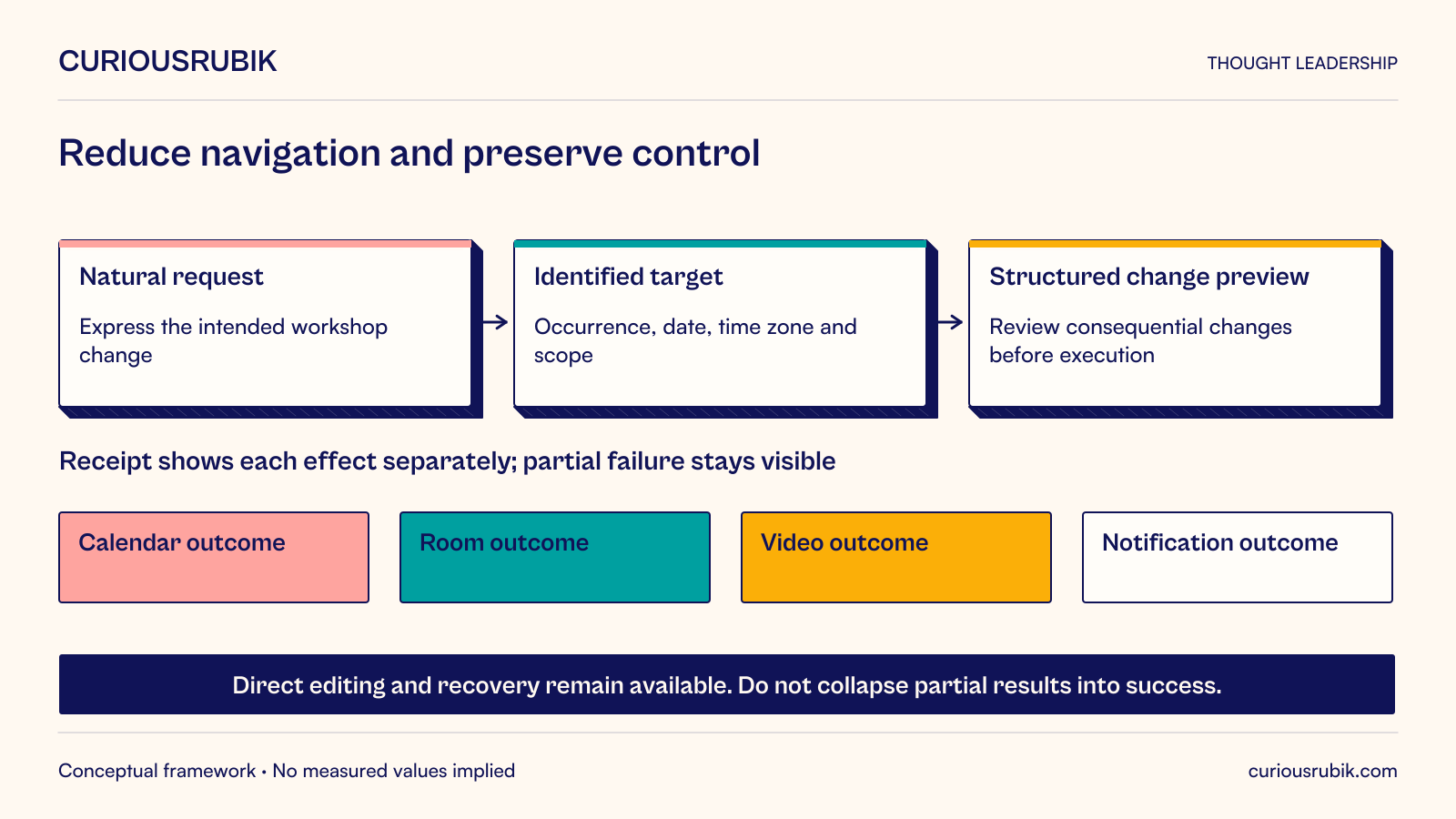
Imagine a hypothetical training coordinator managing an internal workshop delivered to employees in two locations. The coordinator asks an assistant to move next week’s session to Thursday afternoon. The calendar contains a recurring workshop series and a separate preparation meeting with a similar title.
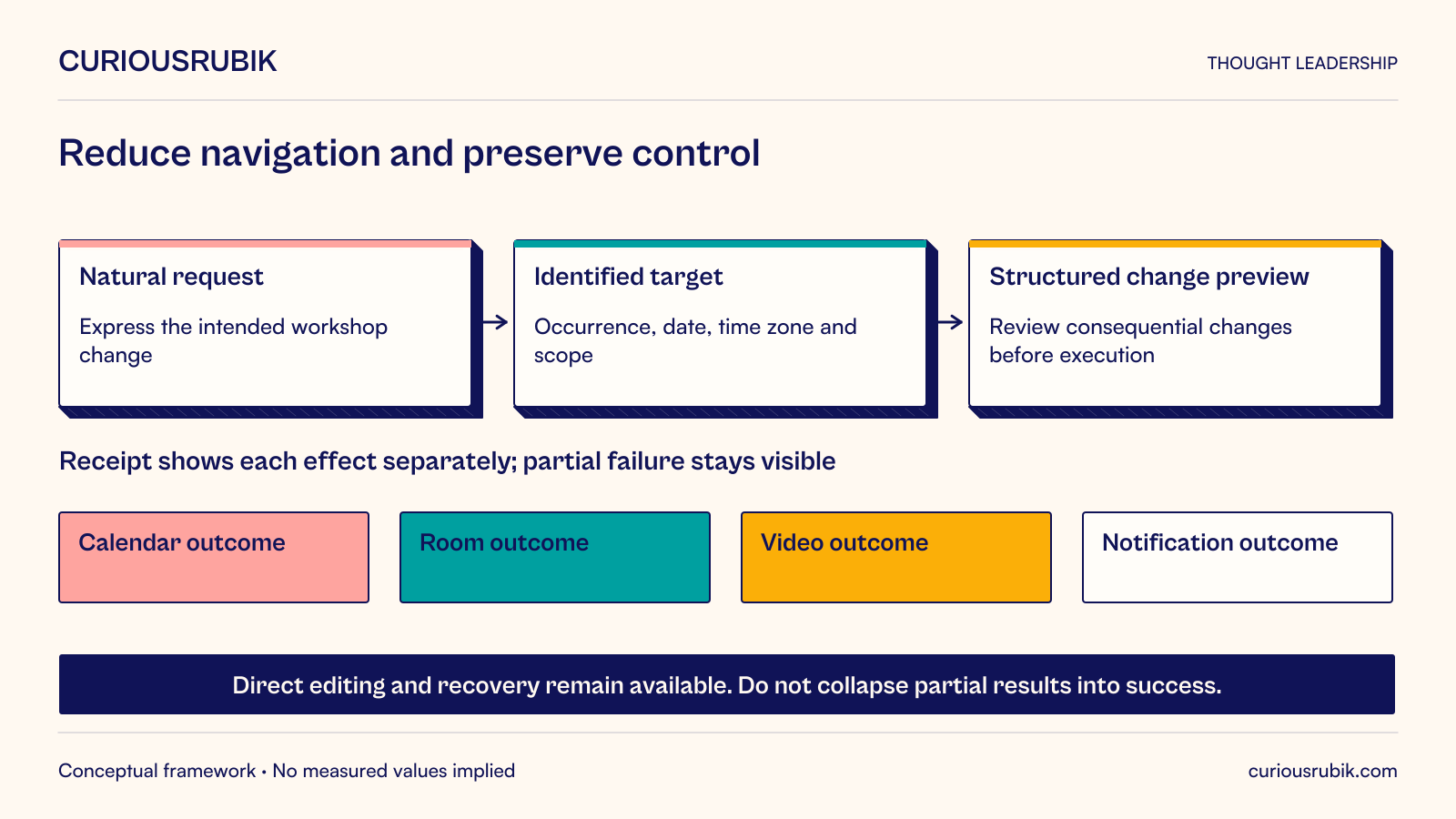
The assistant identifies the likely workshop occurrence but asks the coordinator to confirm the specific date and the reference time zone. It presents the current session, proposed time, affected locations, and any unresolved resource conflict. It does not treat the similar preparation meeting as interchangeable.
The coordinator selects one occurrence, not the entire series. The proposed change also affects a room reservation and a video-session record. Attendee notifications are a separate effect whose audience and timing should be clear under the organization’s authorized workflow.
A useful review surface shows the intended changes together. If the room is unavailable at the proposed time, the system can offer supported alternatives or leave that part unresolved. It should not say that the workshop has moved successfully while concealing that a necessary resource remains unconfirmed.
Suppose the calendar update succeeds but the video-session change fails. The final response should identify the completed and incomplete effects, explain the current usable state, and provide the authorized recovery route. A generic “Done” would make the interface simpler at the cost of operational uncertainty.
The coordinator can reopen the underlying event and inspect the changes. They can also use a conventional editing route when the request requires detailed comparison. The assistant has reduced navigation, but the evidence, scope, and state remain accessible.
Preserve the business object beneath the conversation
A conversation should point to stable objects and operations. The user needs to know which workshop, order, case, or document the assistant is discussing. Ambiguous references such as “that one” should be resolved against context before a consequential change occurs.
Keep the authoritative state separate from conversational memory. The assistant may remember an earlier schedule, but another person could have changed the event. Retrieve or validate the relevant current state before acting under the approved workflow.
Expose a direct route to the object. Users should be able to inspect, compare, correct, and continue work without reconstructing a long chat history. A useful interface can provide a concise summary and a link or control that opens the relevant record in context.
Design continuity across channels carefully. A task begun in chat and completed in a structured screen should preserve its identity and version. If the user changes a field directly, the assistant should not later execute an older proposal that overwrites the newer decision.
Make authority understandable at the moment it matters
The ability to understand a request does not establish permission to perform every associated action. A coordinator may edit the workshop but lack authority to change another team’s resource booking. The interface should reveal the boundary and route the unresolved action appropriately.
Distinguish a draft, a proposed change, an approved action, and a completed effect. Those states should be communicated in language that matches the actual system behavior. A friendly conversational style does not justify blurring them.
Use confirmation where the applicable policy and consequence require it, with the relevant details visible. A confirmation that says only “Proceed?” does little if the user cannot see that an entire recurring series or a larger audience is affected.
Do not infer expanded permission from convenience. If the user asked to move one workshop, the system should not automatically cancel unrelated meetings, alter travel, or contact external parties to make the request easier. Helpful orchestration remains bounded by the authorized task.
Keep correction easier than starting again
Users will change their minds, clarify a request, or discover that the assistant misunderstood. The interface needs a way to revise the pending proposal without discarding correct context. It should show what the revision changes and whether earlier approval still applies.
After execution, distinguish undo from a compensating action. Some changes can be reversed directly. Others, such as a notification already sent, leave an external effect that cannot be erased by restoring a field. Explain the available correction honestly.
Human-AI interaction guidance from Amershi and colleagues includes supporting efficient correction, dismissal, and user control. Those principles favor an interface that remains steerable when inference is wrong, rather than one that hides its controls in pursuit of a seamless experience. Guidelines for Human-AI Interaction, 2019, Table 1
Retain a dependable manual route for supported tasks. This is useful when the assistant is unavailable, the request is unusual, or the user prefers direct manipulation. A system should not make a common correction dependent on persuading a language interface to understand it.
Avoid making important work undiscoverable
Traditional applications expose available actions through menus, labels, and visible state. A conversational interface can reduce clutter, but it can also leave users unsure what it can do or what they should ask. Provide examples, clear scope, and context-sensitive choices.
Show pending work and exceptions outside the chat transcript. The coordinator should not need to remember which earlier conversation contained the unresolved room booking. A task list or status view can preserve visibility across many assisted interactions.
Support different abilities and working preferences. Test keyboard use, assistive technologies, text scaling, language clarity, and alternatives to voice-only interaction. A more natural input mode for one person may be less usable for another.
Respect situations where precision is better served by conventional controls. Selecting several rows, comparing versions, or reviewing a complex plan may be faster and clearer in a structured interface. The product should let the task determine the interaction rather than require every task to prove the value of chat.
Evaluate trust through observable behavior
Test whether users can identify the target, predict the effect, recognize uncertainty, and establish the final state. These are more meaningful measures than how often the interface completes a conversation without asking a question.
Include ambiguous names, multiple occurrences, changed records, partial failures, denied permissions, and user corrections. Observe whether the interface asks for the right missing information and preserves the work already completed. A clean single-step demonstration is insufficient.
Measure total task effort, including checking the result and repairing mistakes. Removing navigation may create more verification work if the assistant’s interpretation is unclear. Conversely, a short structured preview may add a step while reducing costly misunderstanding.
Inspect the support experience. Can an operator identify which action was attempted and what occurred without reading an unrestricted conversation containing unrelated information? Keep operational traces focused on objects, permissions, action results, and relevant versions.
Choose what should become less visible
Review one existing workflow and classify its friction. Some steps exist only because systems are disconnected or navigation is awkward. Others establish meaning, authority, or confidence in the outcome. Remove or simplify the former where possible; preserve the purpose of the latter even if their presentation changes.
For the workshop task, finding the right screen can recede. Selecting the intended occurrence, understanding affected resources, and seeing partial completion remain important. The design can make these decisions concise without making them disappear.
Enterprise applications may become less prominent as destinations users must visit, while their records and controls continue to organize work. The product leader’s next step is to prototype that balance on one real task. Let users express the goal naturally, inspect the consequential change, and recover when something fails. A successful experience makes the work easier to understand and complete, not merely harder to see.