Last reviewed: 10 October 2026. Product details reflect this review date. Availability and behavior can vary by account, role and release.
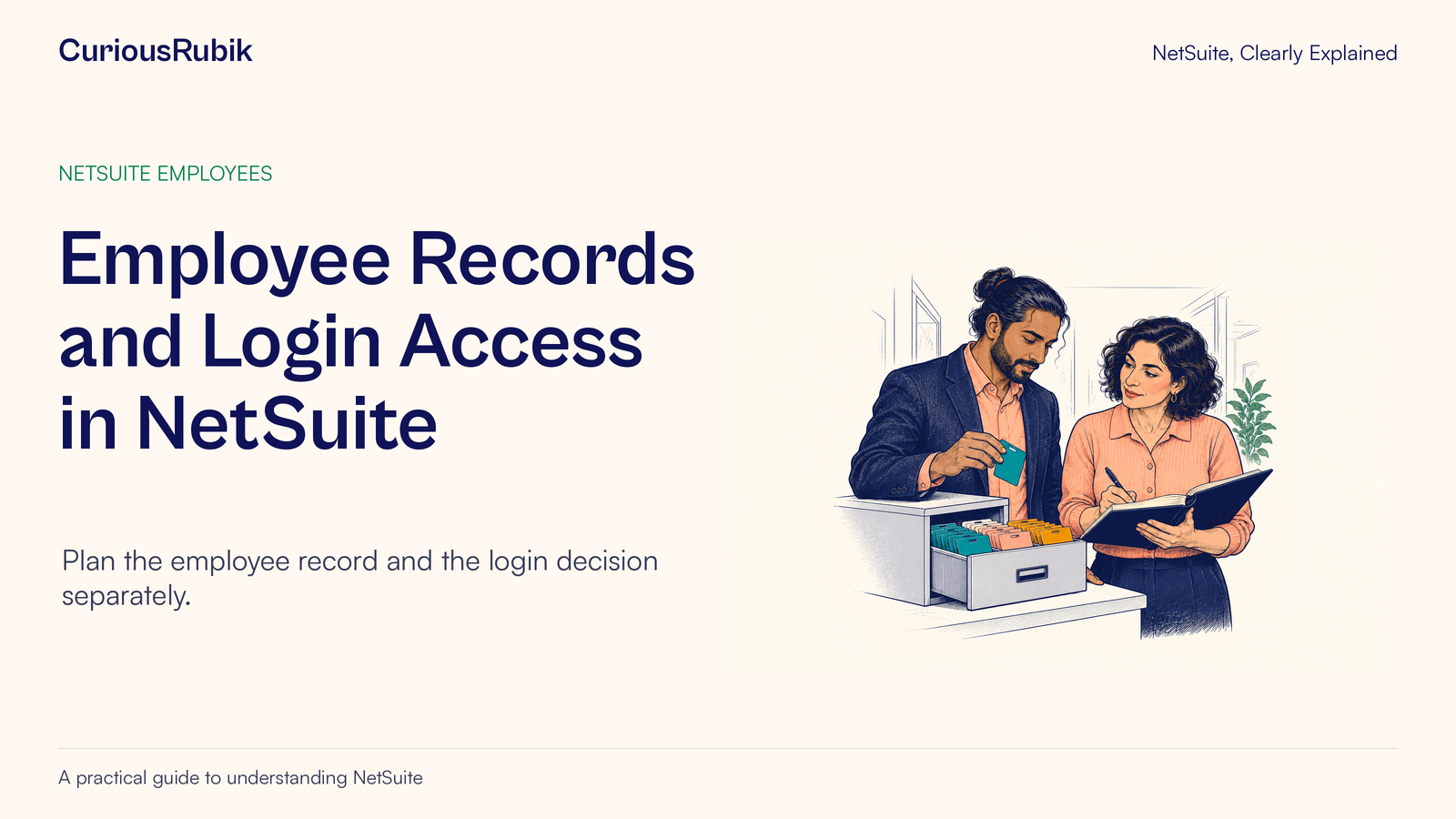
Editorial ink illustration: Two colleagues review a specific access change together.
An employee record can be needed before a person should be able to sign in. A new hire may have a future start date, or the team may be preparing project assignments and organizational information ahead of time. That preparation should not be mistaken for an instruction to grant access immediately.
In NetSuite, employee information and login access are separate setup concepts. Employee access requires an email identity, the Give Access setup, and assigned roles. The roles determine the work and data the user can access.
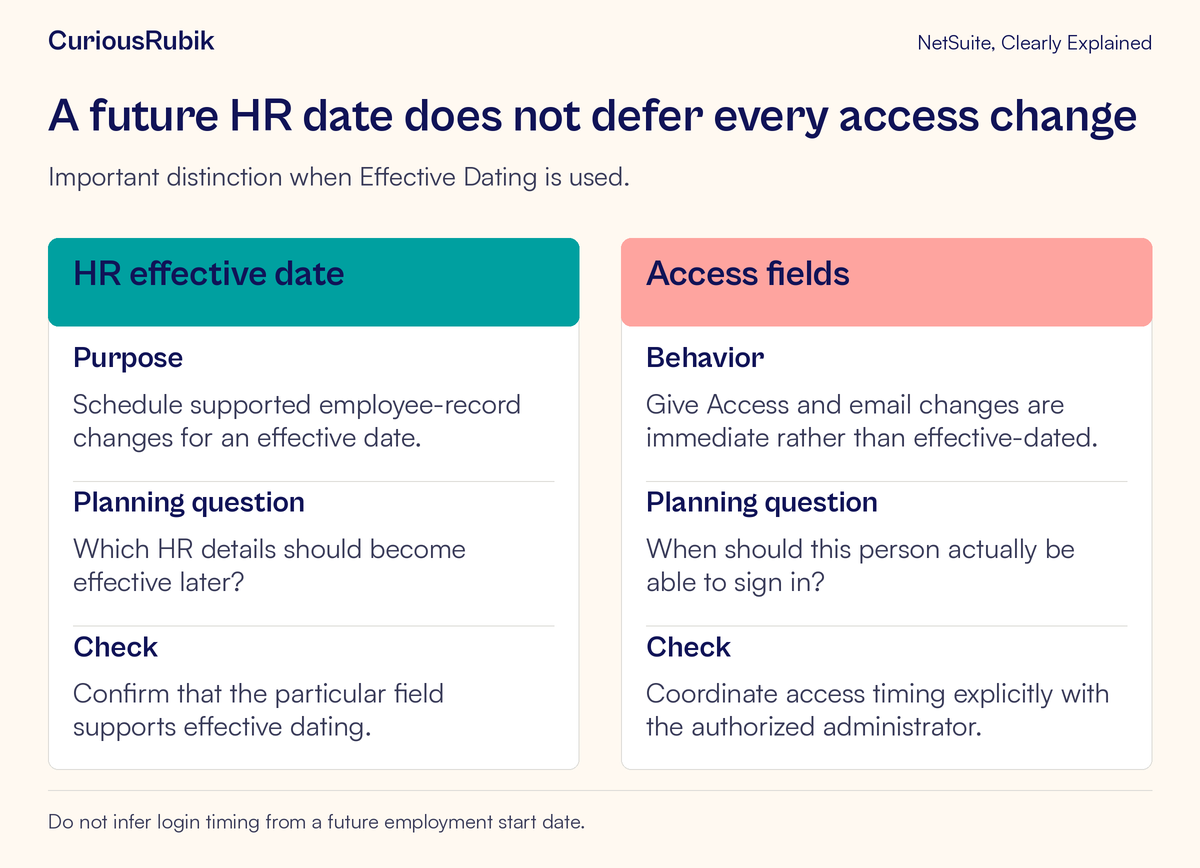
One timing detail deserves particular attention: when Effective Dating is used, changes to Give Access and the employee’s email address are immediate. They are not deferred by an effective date. This lesson explains how to plan the record, identity, roles, and access timing without relying on an employment date to enforce the decision.
Begin with the task the person needs to perform
“Give the new hire NetSuite” is an incomplete access request. Start with the actual responsibility: enter project time, review purchase requests, maintain approved customer information, or perform another defined task.
List the records the person needs, the actions they should take, and the boundaries they should respect. A user who needs to view an order may not need to edit it. A person entering time may not need access to every employee’s private information.
Name the business approver and the administrator responsible for implementation. The manager confirms the responsibilities; the access owner determines the appropriate approved roles and restrictions. These may be the same person in a small organization, but the two decisions still exist.
The account, role and center lesson explains why menus can differ between users. A missing menu is a reason to investigate the task and role context, rather than a reason to grant broad access automatically.
Understand what the employee record contributes
The employee record represents the person in business processes. Depending on the account’s features and permissions, it may support organizational information, project resources, time-related processes, and other employee functions. The available SuitePeople and employee capabilities are account-specific.
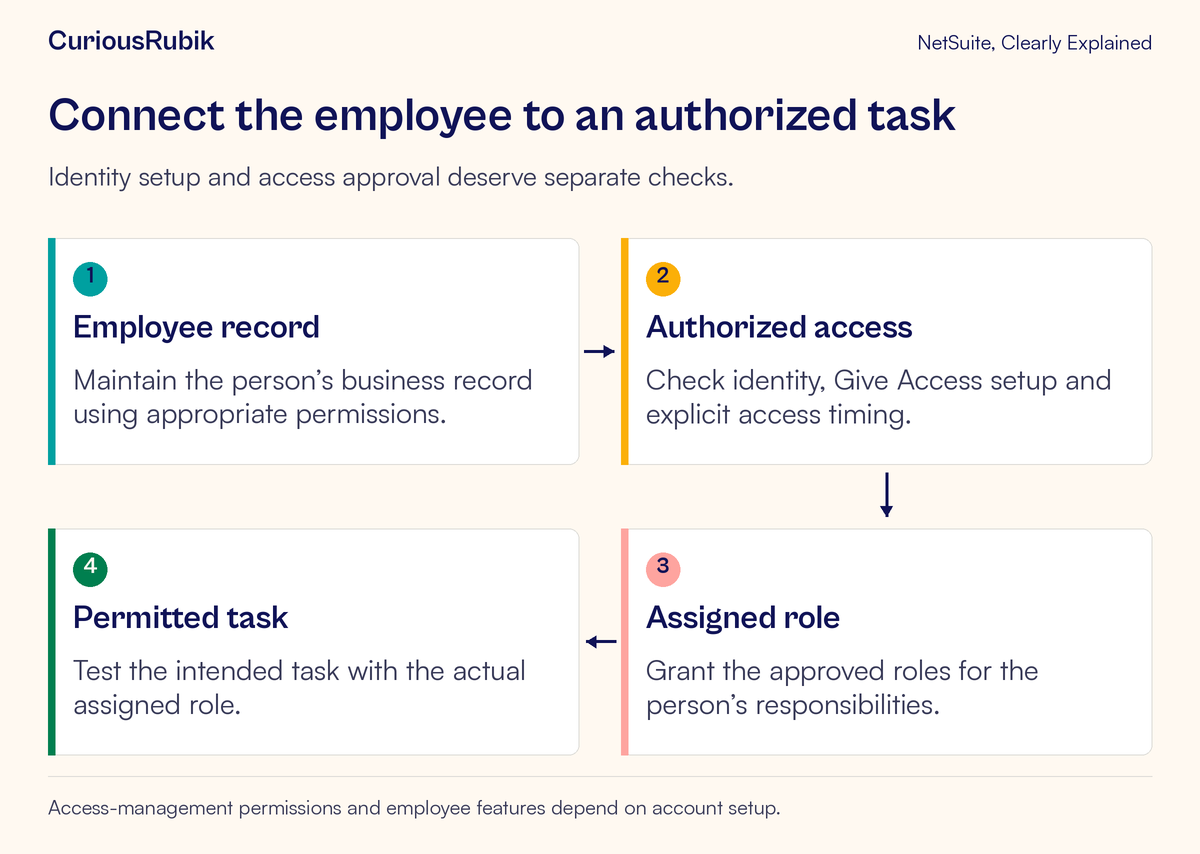
Creating or maintaining that record is not the same as approving login access. Keep the employee-data decision clear even if one administrator performs both tasks during onboarding.
For example, the team may need to establish who the employee reports to or which project work they will perform. That does not answer when they may sign in, which role they should use, or who authorized the access. Record those decisions in the organization’s onboarding process.
Handle employee information with appropriate care. Training screenshots do not need payroll, compensation, home addresses, personal identifiers, or other private details. Use sanctioned fictitious data in a permitted training environment and show only what the lesson requires.
Connect identity, access and role deliberately
An employee’s email address serves as the user ID for NetSuite access. Confirm the individual and the authorized address before making access changes. Do not use an unknown employee, a shared identity, or a generic test address as a shortcut.
The access setup includes Give Access and role assignments. With Advanced Employee Permissions enabled, the Employee Access permission is needed for the role that manages employee access and assigns roles. Being able to maintain some employee information does not prove that the administrator has every access-management capability.
Before implementing the approved setup, check that the correct account and employee record are open. Review the requested access time and the intended roles. Confirm any account-specific authentication arrangements through the organization’s authorized process.
The purpose is to establish one accountable person’s approved access. Do not share another employee’s credentials to demonstrate the experience or bypass a login problem. Use an approved role-testing method and the person’s authorized sign-in process.
Work through a future-start example
Imagine a fictional employee, Leena, is due to join as a project coordinator on a future date. HR asks for her employee information to be prepared now. Her manager wants her to enter project time after she starts and to view the project information needed for that work.
The administrator has three questions to resolve. Which employee details can be prepared now? Which approved role supports the intended work? When is access authorized to become available?
Suppose the account uses Effective Dating. It would be unsafe to select a future effective date and assume that all changes made during that edit will wait. Give Access and email changes take effect immediately, even when made as part of an effective-dated change.
The administrator therefore separates record preparation from the access action. The onboarding plan names the authorized access time and the person responsible for carrying it out. If the organization has an approved provisioning process, its owner verifies how it enforces the timing. This lesson does not assume a built-in future-access scheduler or promise that the hire date controls login.
When the authorized time arrives, the access owner performs the approved setup and checks the intended role experience. Preparing the employee information early has not become an accidental early-access decision.
Use a short access handoff record
A useful onboarding handoff should be understandable without exposing unnecessary personal information. Include the verified employee identity, approved responsibilities, account, approved roles, authorized timing, approver, implementer, and evidence of the final task check.
Add any limits that matter to the role. For example, specify that the employee needs to enter their own project time and identify the intended project scope. Avoid broad phrases such as “same access as the last coordinator” unless the access owner has reviewed that comparison and confirmed it remains appropriate.
Copying an existing user’s access can carry forward permissions accumulated through temporary duties or an older job. Start with the responsibility and verify the role choice against it. If temporary access is part of the approved plan, identify its review or removal owner rather than leaving the duration implicit.
The NetSuite roles and permissions access review guide provides a fuller review framework. The handoff for one employee should remain small enough to use during ordinary onboarding.
Test both useful access and its boundaries
A successful sign-in is the start of the check. Confirm that the employee can perform the approved task with the intended role. For the fictional coordinator, use an authorized training or test example to review the project and time-entry process.
Then check a relevant boundary. A role designed for limited project work should not be assumed to need broad employee-data access. The specific negative test should come from the organization’s approved access design, using data and methods permitted for testing.
Separate role permissions from other prerequisites. A person might have an appropriate role but still lack the required project-resource setup or assignment. The project-task lesson explains why resources, tasks, and time-entry restrictions need their own review.
Capture the result with the role, task, record context, and observed outcome. “Login works” is too narrow if the person cannot complete the job. “Administrator can do it” is also insufficient because that is a different access context.
Diagnose the failure before broadening permissions
If the employee cannot sign in, have the authorized administrator review the verified identity, access setup, account context, and applicable authentication process. Keep passwords and recovery information out of chat messages and ordinary support screenshots.
If sign-in succeeds but the task fails, inspect the active role and the task’s record prerequisites. If a project is missing, ask whether the user should see it and whether its assignment or restrictions have been set appropriately. If an administrator cannot manage access, check the account’s employee-permission configuration, including Employee Access where Advanced Employee Permissions applies.
If access becomes available earlier than intended, treat it as an access-control issue. Follow the organization’s approved response process and preserve the relevant change evidence. Do not assume changing an HR start date will undo the access decision.
The audit-evidence guide explains how change records can support an investigation. Change evidence helps establish what was done; the approval record establishes why the action was authorized.
Keep the decisions separate after onboarding
A change in job responsibilities deserves a role review. A changed email identity deserves careful access review. A future employee-record update deserves a field-specific timing check. An employee leaving the organization needs the approved offboarding process, including explicit attention to access.
Do not rely on one organizational field to prove that every access-related action has occurred. The responsible owner should verify the intended state using the account’s supported controls and the organization’s security process.
Before closing the onboarding task, confirm:
- The employee identity and address are verified.
- The actual business tasks and limits are approved.
- The correct account, employee record, and roles are identified.
- Access timing is explicit, including the Effective Dating exception.
- The implementer has the necessary access-management permissions.
- The intended task and relevant boundary have been checked.
- Evidence and any unresolved issue have an owner.
CuriousRubik’s NetSuite administration services can help make this handoff consistent. The result should be straightforward: the right person can perform the approved work at the authorized time.