Last reviewed: 10 October 2026. Product details reflect this review date. Availability and behavior can vary by account, role and release.
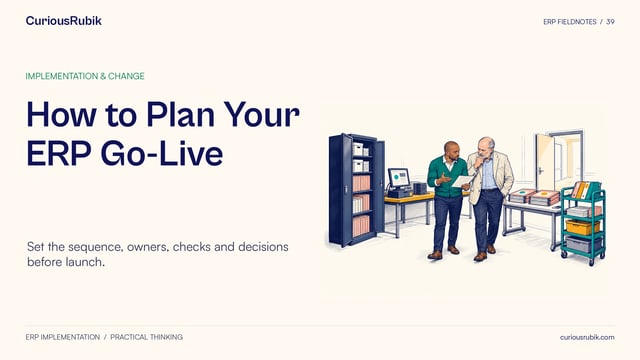
Editorial ink illustration: Three colleagues compare documents and a sample tray before gathering their findings.
A useful release test begins with a piece of work your team needs to keep doing. Someone enters an order, a colleague reviews it, and the next person receives the right information. A release note helps you decide which part of that journey deserves attention. The test then establishes whether that work still produces the outcome your business expects.
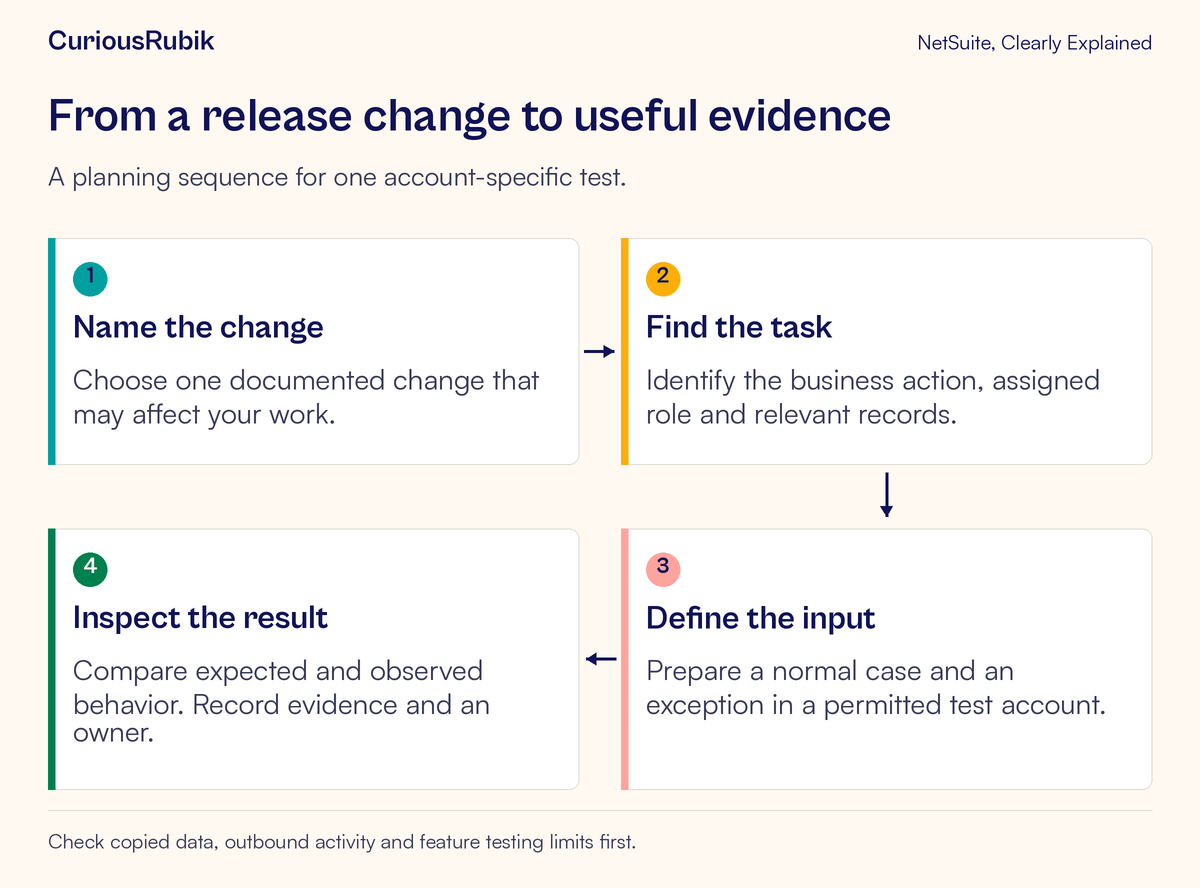
This guide shows an administrator and a process owner how to turn one relevant change into a small, repeatable test. You will define the affected task, choose representative records, run an ordinary case and an exception, and keep evidence that supports a clear decision. You do not need to test every new feature to get started.
Release Preview availability, copied data, and supported testing depend on the account and release. Before using this method, confirm the target release, the provisioned preview account, your authorized access, and any restrictions on the features involved. A conceptual example cannot establish how your own configuration behaves.
Start with the business consequence
Imagine a release note concerns something used during sales-order entry. Your first question is: where does our business depend on this capability?
An order-entry team may depend on a custom form, a required field, an approval workflow, and a saved search used by the approver. A change that appears small on the page can matter at the handoff between two people. Equally, a large announcement may have little relevance if your account does not use the feature.
Write the consequence in ordinary language: “The order must reach the correct approver with the information needed to make a decision.” That sentence tells you what to observe. “Check the new release” does not.
For a broader program of upgrade checks, use CuriousRubik's Release Preview testing checklist. This lesson concentrates on defining and proving one scenario.
Give the test a boundary. It might cover entering an order and verifying its approval outcome, without covering fulfillment, invoicing, or payment. Those later activities can have their own tests. Clear boundaries make a failed result easier to investigate and a passed result harder to overstate.
Know what Release Preview is checking
Release Preview provides an environment for checking existing business processes against an upcoming NetSuite release. It is especially useful for finding unexpected interactions with the way your account has been configured or customized.
The word workflow has two meanings here. A business workflow is the sequence of work people and systems complete. SuiteFlow is a NetSuite capability that can implement part of that sequence. Your business test may include a SuiteFlow workflow, but it should follow the whole agreed handoff rather than stop at the automation itself.
Also identify which change you are reviewing. A main NetSuite release, a monthly change, and an installed SuiteApp update may have different scope and timing. Record the release or update identifier in your test notes. Avoid putting several unrelated changes under one result called “upgrade tested.”
A passing scenario establishes evidence for the role, records, actions, and conditions you exercised. It does not establish that every integration, volume level, or exception will work.
Build a test card before opening a record
A short test card keeps the administrator and process owner aligned. Include these fields:
- Business task: what the person is trying to finish
- Change under review: the specific capability and release identifier
- Account: the approved Release Preview environment
- Role: the role the business user actually uses
- Starting records: the customer, item, transaction, and other required data
- Action: the bounded sequence to perform
- Expected result: what should be visible when the task succeeds
- Evidence: the record identifiers, observations, and permitted screenshots to retain
- Owner: who decides whether the result is acceptable
Define the expected result before running the test. Otherwise, it is easy to see an unfamiliar outcome and quietly adjust the expectation to fit it.
Use business rules that already exist in your organization. If approval depends on a custom amount threshold, record that threshold and who confirmed it. Do not assume that an example threshold, status name, or field label in a tutorial exists in your account.
Check the setup that your test depends on
A preview environment is based on copied account information, with documented exceptions. Missing history or an inactive process can be a preparation issue rather than a release defect.
For example, production System Notes and SuiteFlow history are not copied into Release Preview. Existing workflow instances are also excluded. A test that expects to inspect an old production approval journey may therefore need a freshly created test transaction and a deliberately established starting state.
Scheduled behavior needs special attention. Scheduled SuiteFlow workflows do not run automatically in Release Preview, although they can be tested manually. A manual test can establish what the workflow does when invoked; it does not, by itself, prove that an unattended schedule will run in production.
Have the administrator review email routing, integrations, and any other external effects before the exercise. Some features have limited testing support, and some credentials or settings require separate preparation. Keep real customer communications and live external transactions outside an unapproved exercise. Use only the data and connections authorized for testing.
If a separate sandbox is also part of your preparation, planning a sandbox refresh without losing work helps frame the refresh coordination that this single test assumes is already agreed.
If the test cannot be performed under supported conditions, mark it blocked and state why. A blocked test should not quietly become a pass because the team ran out of time.
Work through a fictional approval example
Consider an invented distributor, Cedar Lane Supply. Its existing custom sales-order process requires an internal delivery reference before an order can be submitted for approval. This is a hypothetical company rule, not a standard NetSuite requirement.
The team has identified a release change relevant to its order-entry experience. It wants to know whether its existing approval handoff still behaves as intended. The administrator confirms the test account and copied configuration. The process owner confirms the current rule. A sales user performs the task using the intended role, and an approver checks the result using the appropriate approval role.
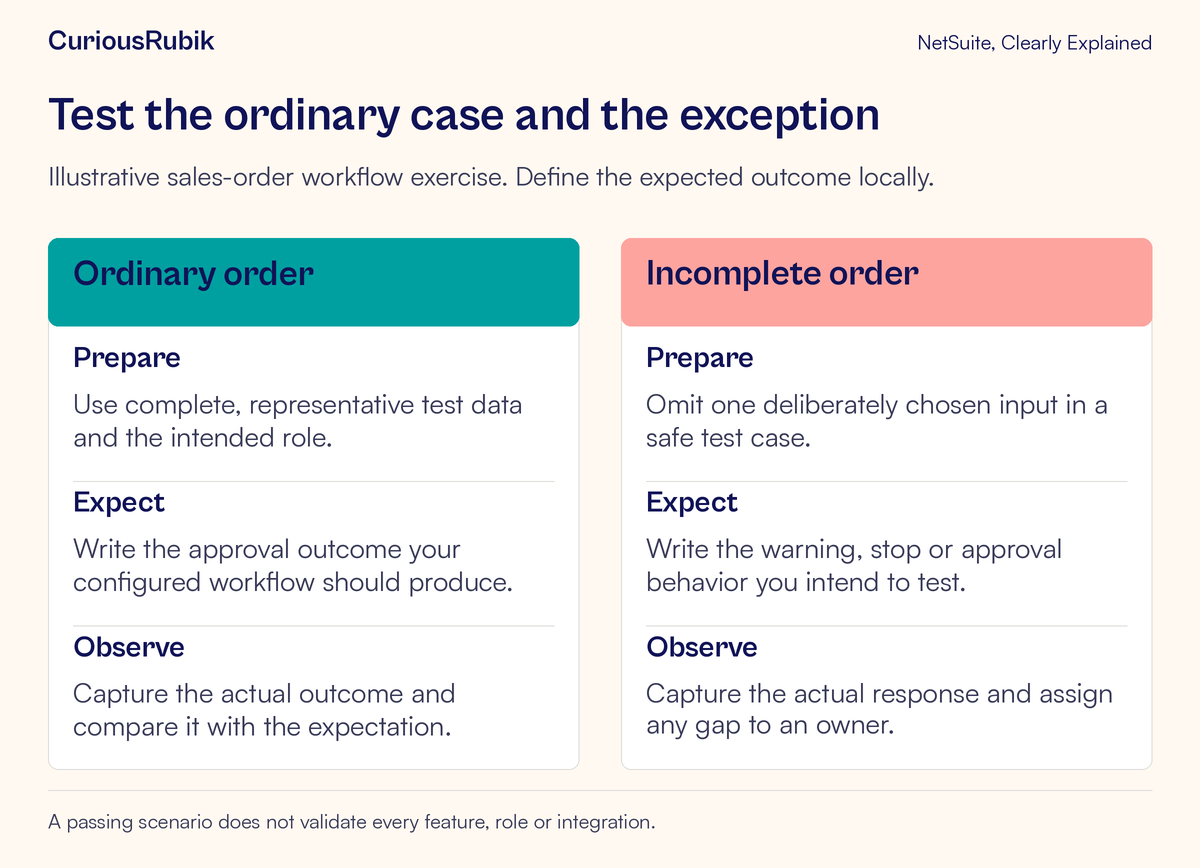
The team creates two test cases with fictional customers and items. Both start from the same agreed business conditions so that the missing reference is the important difference.
Case one has complete information
The sales user enters a permitted test order containing the required delivery reference and completes the agreed submission steps. Before testing, the team has specified that the order should enter its configured approval stage and be available to the designated approver.
The tester records the created transaction identifier, the observed approval state, and whether the approver can find the order through the normal approved route. If the state is correct but the approver cannot see the record, the handoff has not yet passed.
The team also checks that the reference remains on the saved record. Seeing a value during entry is weaker evidence than seeing the expected value after saving and reopening.
Case two deliberately omits the reference
The second case starts with a fresh test order and leaves out the same custom reference. The agreed rule requires the process to prevent submission and explain what needs correcting.
The tester records what actually happens. Does the account stop the action? Is the explanation understandable? Can the user correct the omission and continue? If the order moves ahead anyway, the team records a failed control and investigates its configuration and execution conditions.
These outcomes are expectations for this fictional setup. The exercise does not claim that a release introduced an approval defect or that every NetSuite account uses this approval design.
Separate an unexpected result from its possible cause
Suppose the complete order fails. Several explanations are possible: the copied record is incomplete, the tester used a different role, a customization is behaving differently, or the release changed a relevant behavior. The first observation cannot distinguish among them.
Preserve the failing record and exact steps before changing settings. Compare the starting conditions with the intended setup. If appropriate, reproduce the baseline safely in an authorized environment. Change one test condition at a time so that a second result answers a specific question.
If only an administrator can complete the task, repeat the investigation with the actual business role. Administrator access can conceal a permission dependency. Giving every tester broad access would make the result less representative.
If an integration behaves unexpectedly, pause the affected test and have its owner inspect the environment and destination. Repeatedly submitting the same transaction can create confusing downstream evidence. Resume only when the connection and retry behavior are understood.
If performance seems slow, distinguish functional correctness from timing. A preview account is not a promise of production-equivalent performance. Record the measurement conditions rather than declaring a production capacity problem from one observation.
Finish with a decision someone can use
For each case, record pass, fail, or blocked against the original expectation. Add the account, role, test date, transaction identifiers, observed result, and evidence location. Use a concise description of business impact: “The approver cannot see a submitted order” is more useful than “screen issue.”
A failed or blocked case needs an owner and next step. A corrected case needs a rerun using the original test definition, plus any nearby scenario the correction could affect. Keep the earlier result so that the reason for the retest remains visible.
The process owner should review what was demonstrated and what remains outside scope. For a production upgrade decision, combine this scenario with the other critical process checks your organization requires. A small test is valuable precisely because its conclusion is specific.
Your next-test checklist
- Identify one relevant release change and the business task it could affect
- Confirm the preview account, target release, authorized roles, and testing limits
- Verify copied records, required configuration, and safe external connections
- Write the expected outcome before testing
- Run one ordinary case and one meaningful exception
- Verify saved records and the next person's handoff
- Preserve failed or blocked evidence before changing the setup
- Assign an owner, a follow-up action, and a retest where needed
The next useful step is a test that another person can repeat and understand. Start with one important handoff, make the expected result explicit, and keep enough evidence to explain the conclusion.
Continue learning
Choose the right place for the exercise with Production, Sandbox and Release Preview. Then learn how to interpret change evidence in NetSuite System Notes.
If your team needs help organizing account settings, role checks, and test ownership, explore CuriousRubik's NetSuite administration services.