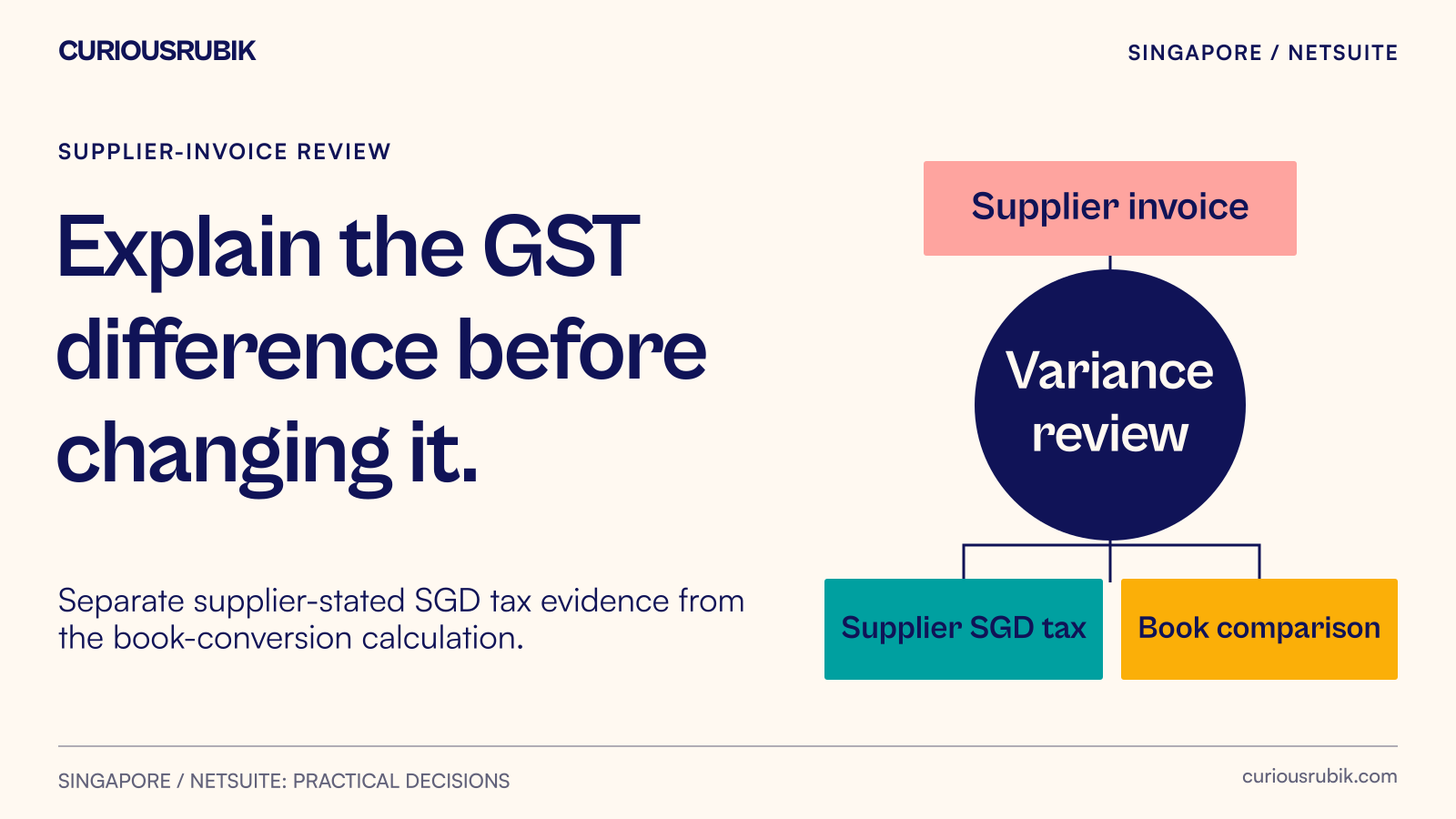
Preserve the tax-invoice amount and explain any difference from the accounting conversion.
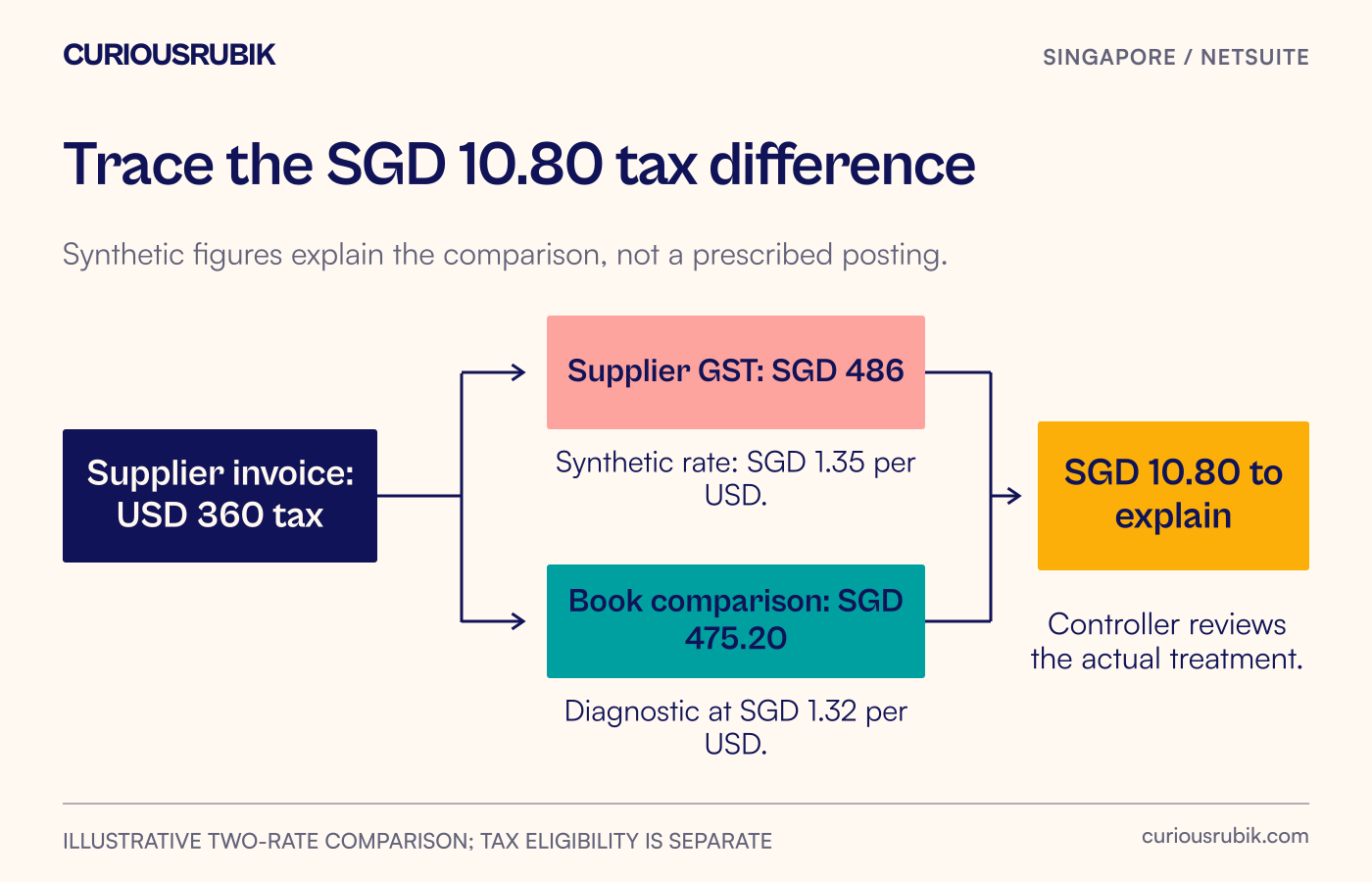
A supplier invoice shows SGD 486 of GST, but a calculation using the buyer’s book rate gives SGD 475.20. Which number belongs in the input-tax review? In this illustrative purchase, the SGD 10.80 difference comes from two exchange rates applied to the same foreign-currency tax amount. The underlying invoice has not changed.
IRAS says that the input-tax amount for a foreign-currency purchase is based on the SGD GST shown on the supplier's tax invoice. Where the books use a different exchange rate, the book-converted amount should not replace that figure for the claim. Eligibility, documentary validity and the correct claim period still need to be established.
The practical task for AP is to preserve the invoice evidence, explain the conversion difference and obtain an approved treatment. Changing a rate simply to make two numbers agree can conceal the reason they differ.
A two-rate purchase example
The following is an illustrative local purchase billed in USD by a fictional Singapore GST-registered supplier. It is not an import-permit example. All amounts and rates are invented for the calculation, and neither rate is presented as current or approved market data.
The supplier invoice shows USD 4,000 before GST, USD 360 GST and USD 4,360 in total. Assume the sale is standard-rated at 9%. Using a synthetic SGD 1.35 per USD tax-invoice rate, the supplier also shows SGD 5,400 before GST, SGD 486 GST and SGD 5,886 including GST.
The buyer's illustrative book-conversion input is SGD 1.32 per USD. Recomputing the same foreign-currency figures at that rate gives SGD 5,280 before GST, SGD 475.20 for the foreign-currency tax component and SGD 5,755.20 in total.
| Component | Supplier invoice SGD | Illustrative book conversion SGD | Difference SGD |
|---|---|---|---|
| Before GST | 5,400.00 | 5,280.00 | 120.00 |
| GST component | 486.00 | 475.20 | 10.80 |
| Total | 5,886.00 | 5,755.20 | 130.80 |
These are comparison calculations, not a prescription for the ledger entries. The tax-component difference is USD 360 multiplied by SGD 0.03 per USD, giving SGD 10.80. The total difference is USD 4,360 multiplied by 0.03, giving SGD 130.80.
For an otherwise eligible claim supported by the valid supplier invoice, the relevant GST amount is SGD 486. The buyer should not substitute SGD 475.20 merely because it can be derived from the accounting rate. The controller must separately approve how the account represents the purchase and reconciles the difference.
First establish whether this is really a rate difference
Retrieve the original invoice before opening a correction screen. Confirm the supplier, buyer entity, invoice number, document date, currency and line amounts. Check whether the document has been replaced or adjusted. A credit note or revised invoice can explain a difference that initially looks like an exchange-rate problem.
Then record the supplier-stated SGD GST exactly as shown. If required information is missing or the invoice appears invalid, follow the supplier clarification process before claiming input tax. Do not create a supposed supplier-stated amount by applying your preferred rate to an incomplete document.
Next inspect the accounting record and relevant tax-reporting output. Determine whether the figure being compared is an actual reported tax amount, a display conversion or a manually calculated diagnostic. Those are different pieces of evidence. A worksheet estimate should not be described as a confirmed NetSuite posting.
Finally, compare the rate directions, dates and precision. A rounded on-screen rate may not reproduce a calculation made with a more precise stored value. Record the precision used in the test rather than changing the source invoice to remove a small unexplained difference.
Use a three-value review worksheet
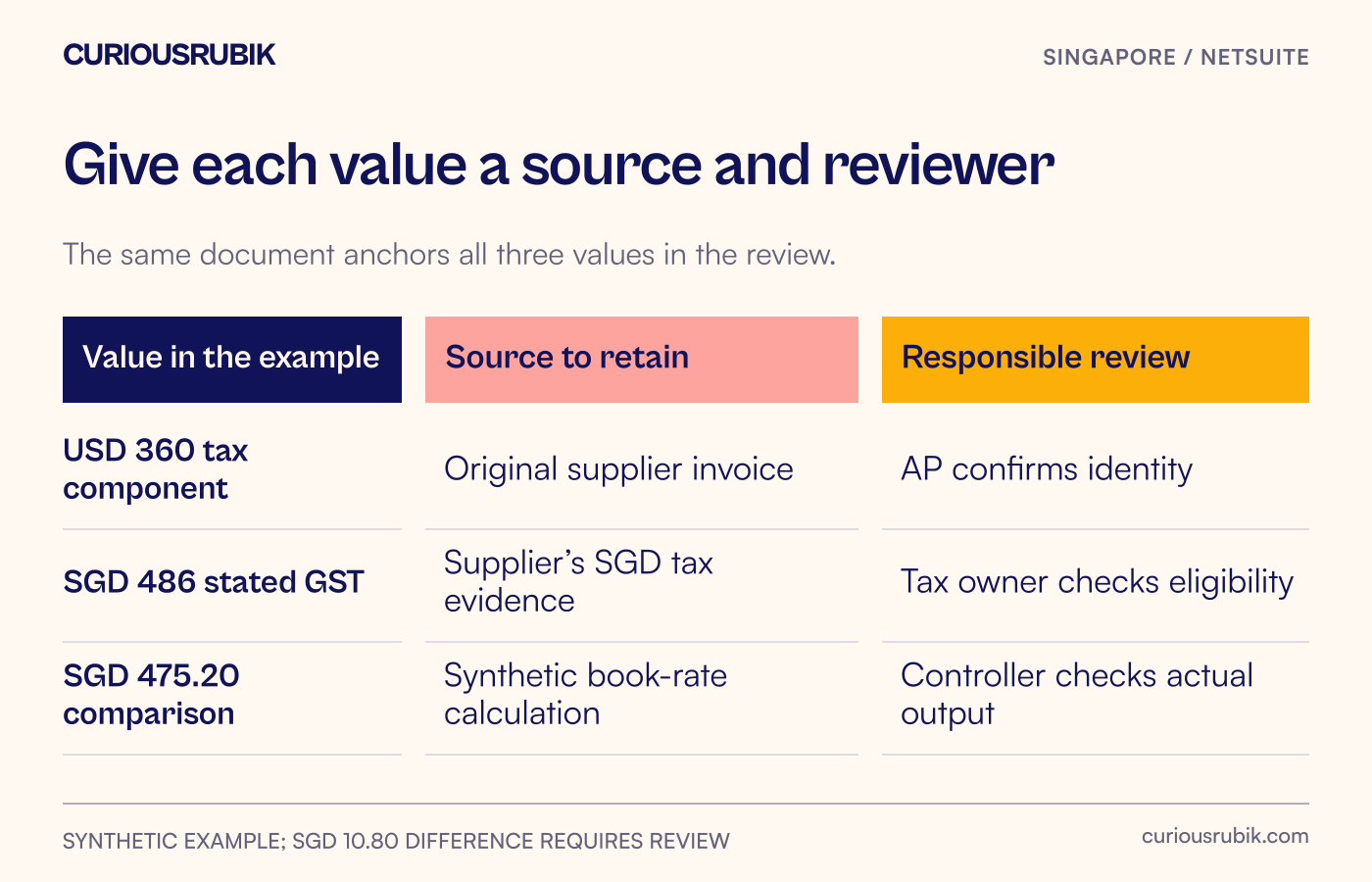
Create a worksheet with three named values: the original foreign-currency amount, the supplier-stated SGD tax and the book-converted comparison. Add source references and reviewers to each value.
For the illustrative purchase, the entries would read:
- USD 360 tax component: source is the original supplier invoice; AP confirms the document identity and arithmetic.
- SGD 486 GST: source is the SGD tax figure on that invoice; the tax reviewer confirms documentary validity, eligibility and period.
- SGD 475.20 comparison: source is the synthetic 1.32 rate calculation; the controller confirms whether and how this relates to actual accounting output.
The worksheet also records the SGD 10.80 difference, its explanation, the approved system treatment and the supporting posting or reporting references once verified. Keep the review decision dated and tied to the exact document version.
Avoid using a generic “FX variance” label for every mismatch. A missing credit, incorrect tax code, wrong supplier document or duplicated line needs a different remedy. Separate the arithmetic diagnosis from the accounting decision so that the proposed correction can be checked by someone other than its preparer.
Prove the chosen NetSuite treatment in a test account
The account's tax engine, localised reporting and transaction configuration determine which supported process is available. Oracle's Singapore Localization SuiteApp requires SuiteTax and Tax Reporting Framework; its existence should not be taken as proof that every account has the same tax fields or override options.
Ask the implementation team to demonstrate the approved treatment using this two-rate scenario. Have them identify the transaction record, the relevant ledger effect and the amount reaching the tax-reporting output. If additional configuration, a controlled adjustment or custom work is proposed, label it and document the owner.
The acceptance test should show the supplier evidence alongside the accounting representation. It should also show how the reviewer will find the explanation during the period close. A correct one-off calculation is insufficient if the normal AP role cannot retrieve it later.
No universal journal entry is suitable for every deployment. Accounting policies, tax eligibility, multi-book configuration and the supported transaction route can change the treatment. Approve the design with the controller and tax owner rather than turning this illustrative difference into an automatic posting rule.
Decide what to release and what to hold for review
A purchase is ready for the relevant reporting review when the team can answer all of these questions:
- Is the supplier document valid and is the purchasing entity correctly identified?
- Is the SGD GST preserved from that document rather than reconstructed from the buyer's rate?
- Has the responsible reviewer confirmed eligibility and the relevant period?
- Does the variance explanation reproduce the actual amounts being compared?
- Has the supported accounting and reporting treatment been tested and approved?
- Can another reviewer retrieve the source invoice, decision and resulting evidence?
If the invoice is valid but the accounting representation remains unclear, assign a controller decision. If the source invoice is defective, assign a supplier-document action. Do not merge both into a technical “tax mismatch” queue with no business owner.
At period close, carry the resolved worksheet into the Singapore GST reporting reconciliation. The useful result is an explained bridge between the source document and the reported amount, with unresolved cases still visible for the people authorised to decide them.