Last reviewed: 10 October 2026. Product details reflect this review date. Availability and behavior can vary by account, role and release.
Editorial ink illustration: A fitted component is checked in a fixture beside an alternative assembly.
A customer wants the smaller enclosure and the most powerful module. Both choices exist in the catalog, but they cannot be sold together safely in your product design. The sales conversation needs a clear response: explain the incompatibility, offer a valid alternative, and carry the selected combination accurately into the transaction.
NetSuite CPQ Configurator supports selecting predefined product characteristics under configured business logic. Validation feedback and pricing behavior can respond to the user's choices, and configured outputs can populate transaction values. The quality of that experience depends on the rules and data your team supplies.
This lesson shows sales operations and product administrators how to turn one compatibility rule into a practical test. It uses fictional equipment and prices. It does not assume that your account has a particular CPQ module, product, rule, or interface already configured.
Describe the product before describing the screen
Start with the thing the customer is buying. For the invented company Cedarline Controls, the configurable product is an equipment package with two selectable characteristics: enclosure size and module output.
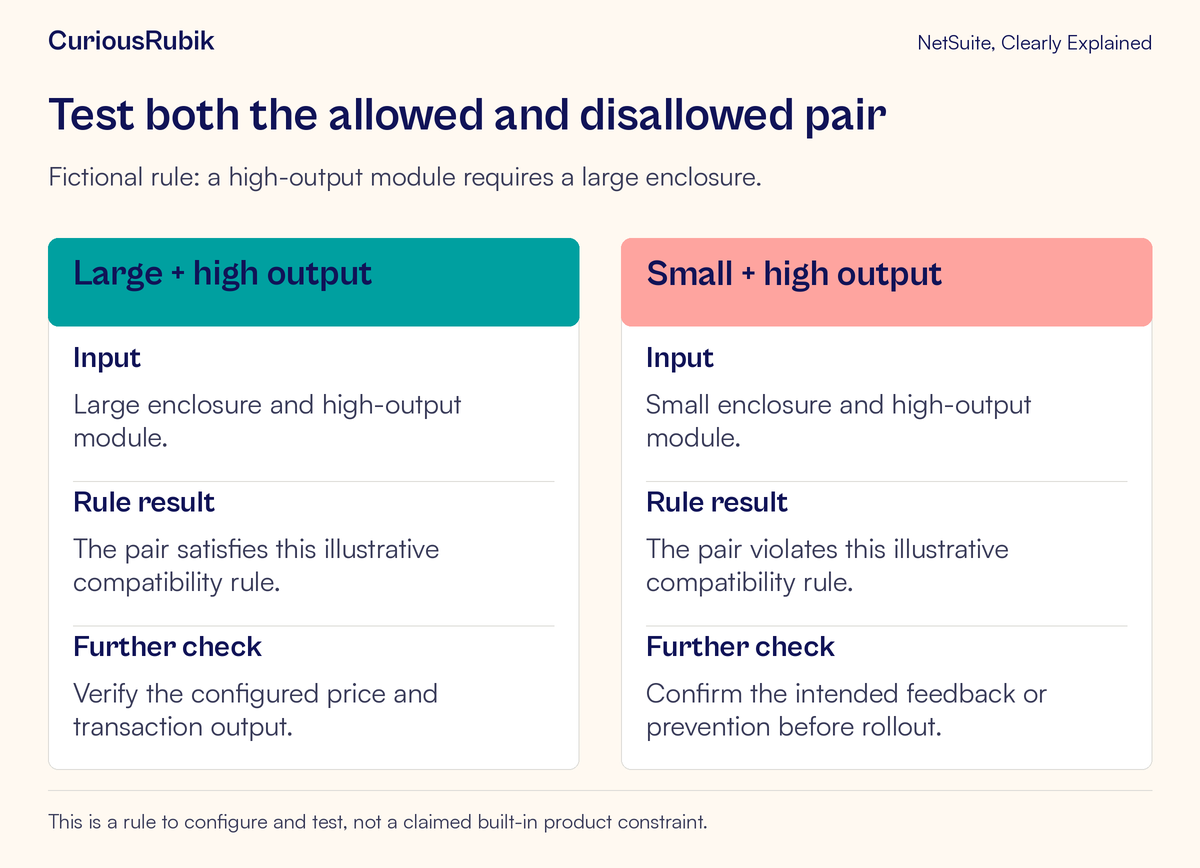
The enclosure can be small or large. The module can be standard-output or high-output. Cedarline's approved engineering rule says that the high-output module requires the large enclosure. This is a fictional teaching constraint, not a built-in rule in NetSuite.
Write down why the constraint exists in language salespeople can use. The lesson's example might be “The high-output module needs the space provided by the large enclosure.” The explanation should come from an authorized product owner. Avoid inventing a technical justification simply to make a validation message sound persuasive.
Also define the product boundary. Are accessories part of the configuration, separate optional items, or required components? Is installation included? The initial exercise keeps those questions outside the two-choice rule, but a real team must resolve them before quoting an actual package.
Separate a choice from the rule governing it
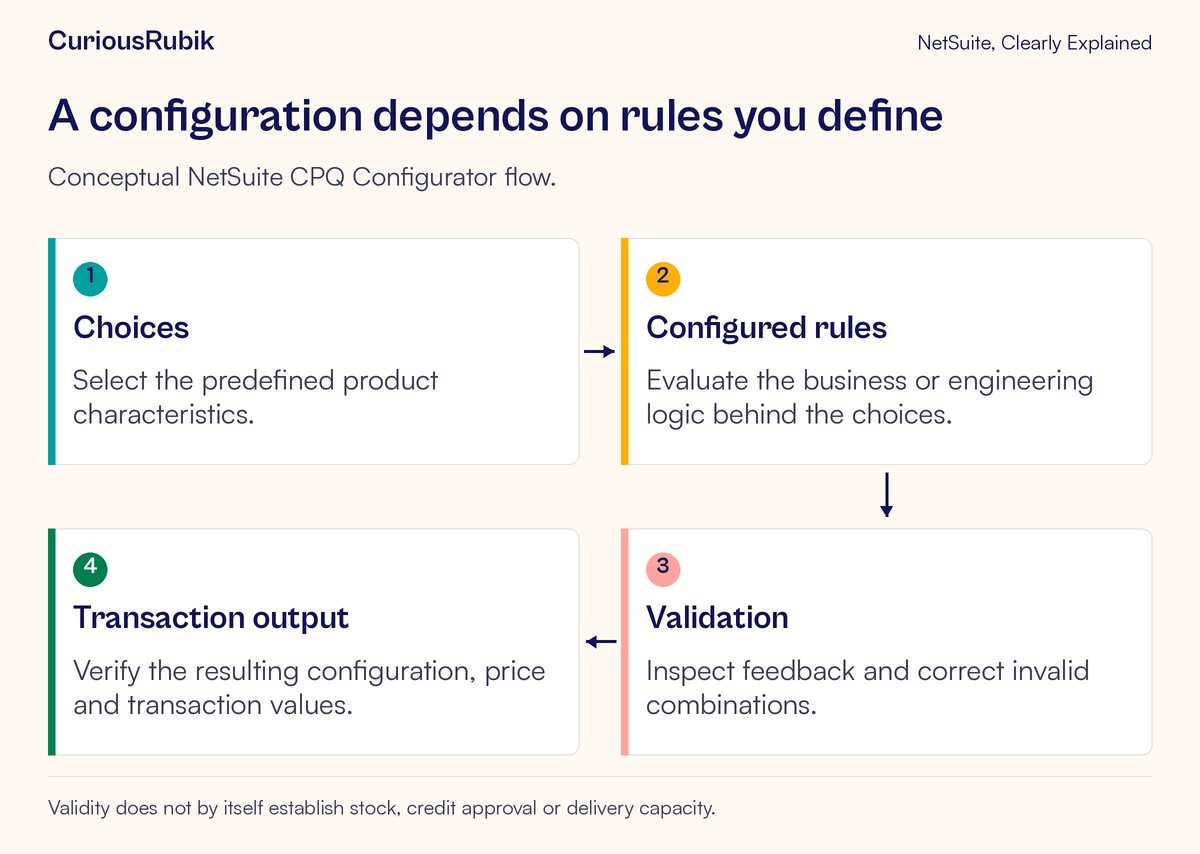
A choice is an answer the user can provide. A rule expresses how that answer affects what is permitted, shown, calculated, or produced. CPQ Configurator products use configurable building blocks activated through rules; the administrator must map the approved requirement into the supported product setup.
For Cedarline, “high-output” is an option. “High-output requires large enclosure” is the compatibility rule. The message shown when the user selects an invalid pair is another design decision.
This separation helps resolve disagreements. If sales wants to allow the small enclosure with high output, changing the screen is not the first step. The product owner must decide whether the underlying engineering rule has changed. If it has not, a softer warning must not quietly become permission to sell an invalid combination.
Keep the business rule readable outside the configuration editor. That plain-language statement becomes the reference for training, testing, and later change review.
Build a tiny combination matrix
Two binary choices create four combinations, which makes this example easy to test thoroughly. List all four before running the configurator:
- Small enclosure with standard output: permitted by the illustrative rule
- Large enclosure with standard output: permitted by the illustrative rule
- Large enclosure with high output: permitted by the illustrative rule
- Small enclosure with high output: prohibited by the illustrative rule
The word “permitted” here applies only to this one compatibility rule. Other requirements might still make a combination unavailable or unsuitable. A real product may have voltage, certification, customer, region, or component constraints that also need review.
For each pair, write the expected behavior. Should the invalid option be unavailable, should a message explain the conflict, or should completion be prevented until the user corrects it? Have the administrator confirm how the supported setup can implement the intended behavior.
Do not leave “show a warning” as the entire acceptance criterion if the business requirement is to prevent an invalid sale. A user may acknowledge a warning and continue unless the design deliberately prevents that outcome.
Make validation useful during a sales conversation
An effective explanation identifies the conflict and gives a legitimate next action. For Cedarline, the intended message could communicate: “High output requires the large enclosure. Choose the large enclosure or select standard output.” This is proposed original wording for the fictional product, not a claim about a default NetSuite message.
Test whether the user can recover without losing unrelated valid choices. If the configurator corrects an option automatically, the user should understand what changed and how it affects the result. If it merely hides an option, make sure the remaining configuration is still valid.
Ask a salesperson to explain the rule back in ordinary language. Someone who can repeat the message but cannot explain the customer's alternatives may need a clearer product definition or a better training example.
Avoid making the feedback promise things the configurator has not established. “This combination is valid” should not become “This product is in stock and can ship tomorrow.” Those are separate business checks.
Verify price with a small worked example
Cedarline invents a training price schedule in one currency: the basic small-enclosure, standard-output package is 1,000; the large enclosure adds 150; the high-output module adds 300. There are no discounts, taxes, freight, or other adjustments in this simplified exercise.
Under those assumptions, the permitted large-enclosure, high-output configuration should produce a configured price of 1,450. The large-enclosure, standard-output configuration should produce 1,150. The prohibited small/high-output pair must not be accepted merely because arithmetic could produce a number for it.
Have the product owner approve the expected calculations before testing. Then select each permitted pair and compare the displayed result with the expected price. Change from standard to high output and back again, checking that the added amount appears and disappears appropriately.
In a real account, pricing may include more factors than this example. Use the actual approved pricing rules, customer treatment, currency, and transaction context. A correct number under the training assumptions does not prove every commercial case.
Test the order of the choices
Users do not always answer questions in the same order. First choose a large enclosure and then high output. Next start again, choose high output, and attempt to select the small enclosure. Both paths should respect the same approved rule.
Then test changing a completed valid configuration. Begin with large/high-output, switch to small, and observe the result. Does the system prevent the change, explain the conflict, or update the other selection under an approved rule? Verify the final combination and price rather than judging only the message.
This catches stale answers: a value chosen earlier may remain influential even when a later choice changes the product. The correct behavior depends on the configuration, so document both expected and observed results.
If saved or default configurations are used, include a permitted example in the test. Ask what happens when a product rule changes after a configuration was saved. The administrator should establish the supported behavior instead of assuming every old configuration is automatically revalidated in the same way.
Follow the result into the transaction
After a permitted configuration is added through the supported transaction flow, inspect the resulting record. Confirm the product identity, selected characteristics, quantity, configured price, and any relevant body or line values produced by the setup.
Do not stop at a visually convincing preview. The downstream salesperson, fulfillment team, or manufacturing planner needs the saved transaction to communicate the same product definition. Record the transaction reference and compare it with the configuration used to create it.
The lesson on NetSuite item types helps clarify what business item the transaction represents. Sales-order quantities and statuses explain why a configured order still has later fulfillment and billing steps. When manufacturing is involved, bill-of-materials revisions and effective dates provide another important boundary: product selection alone does not prove the intended production definition is in effect.
CPQ Manufacturing is additional functionality with its own setup. Guided Selling and Proposal Generator also serve distinct purposes. Do not assume that installing or using the Configurator supplies every related capability, and do not treat an attractive proposal as independent proof that all product checks passed.
Investigate the mismatch at its earliest point
If the prohibited pair is accepted, verify that the relevant rule is active for this product and covers the actual answers used in the test. Check both selection orders. A similar-looking product or inactive rule can make a test misleading.
If the price is wrong, capture the complete set of inputs and the expected calculation. Look for a missing surcharge, a value applied twice, or an additional pricing condition. Compare the configured price with the transaction's wider commercial treatment rather than assuming all visible totals have the same scope.
If the transaction differs from the configuration, inspect the output mappings and any later process that changes the transaction. Separate an incorrect configurator result from a correct result that was subsequently modified.
When raising an issue, give the product identifier, configuration inputs, role, environment, time, expected result, and observed output. Use sanitized examples and omit customer-specific prices or confidential engineering details unless the recipient is authorized to see them.
A checklist for a usable configuration
- The product owner approved the choices and compatibility rule
- The plain-language rule has a clear business or engineering meaning
- Valid and invalid combinations have explicit expected behavior
- Validation explains an allowed correction path
- Different selection orders lead to consistent validity checks
- Price examples are hand-calculated under stated assumptions
- Saved transaction values match the intended configuration
- Stock, delivery capacity, credit, and other approvals are checked separately
- The team knows who owns rule changes and retesting
For a team that needs to practice these decisions together, CuriousRubik's NetSuite training can connect product rules with realistic selling and verification exercises. The aim is a configuration that the salesperson can explain and the next team can trust.