For Singapore finance and IT leads choosing monthly NetSuite coverage, with a guide to scope, fees and response targets.
Last reviewed: 25 November 2026. Product details reflect this review date. Availability and behavior can vary by account, role and release.
Choose NetSuite managed services in Singapore by matching the scope to your monthly work, the fee to your demand and the response targets to your busiest periods. Keep approval with your own team. Ask for a written plan that covers routine support, small changes, release testing and the work you may need to buy separately.
- Put routine requests and planned work on the same calendar.
- Compare fees using the same list of tasks and hours.
- Agree on who responds, who approves and when each person is available.
What do NetSuite managed services in Singapore cover?
A NetSuite managed service is an ongoing arrangement to run and improve an account within an agreed scope. It can cover support tickets and planned work. Your own team still decides who may access data, how finance rules should work and when changes can go live.
Routine work and user help
Put common requests in scope by name. These may include adding access through an approved role, fixing a saved search filter or helping a buyer find an order stuck in approval. List the roles the team can use. In NetSuite OneWorld, check each role’s subsidiary restrictions and send any request to expand access to the named owner.
Give finance a way to check the work. A saved search is a query you can run again with the same criteria. NetSuite can export saved search results to CSV, a plain text table. For a change to a finance search, save an approved sample before editing and compare the results after the change.
Small changes and work that needs a project
Write down what counts as a small change. Adding a field to an existing form may be routine. If the field also feeds a script, invoice or file sent to another system, ask for an estimate before changing it. Include the time to test and document the result.
Plan for upkeep of existing SuiteScript, the code used to extend NetSuite. Identify the scripts behind payments, invoices and order processing. Ask the support team to keep notes on what each script does, who owns it and how to test it. A new link to a warehouse system can have its own scope and budget.
For a baseline, use the Singapore NetSuite health check to decide what to review first. If finance keeps a second copy of older records, agree who maintains it and who can retrieve it. Use the Singapore GST archive retrieval drill to test that process.
Set a boundary for monitoring
For each feed, record who checks the queue and how they know a message arrived. A link may show that a file went out while the receiving system still has it waiting for review. Ask the support team to trace a sample from the NetSuite record to its final status.
Keep changes to rules under the business owner. Suppose a sales team asks to change when NetSuite sends an invoice. The finance owner should confirm the trigger and the right customer contact. The service team can then check the workflow and test the agreed behavior with a sample record.
How should you compare monthly fees and service models?
Use two recent months of work and one busy period when you ask for a proposal. Include time spent on user help, scheduled tasks and planned changes. Ask for the cost of those same three periods under each model. Mark any work that would have needed separate approval.
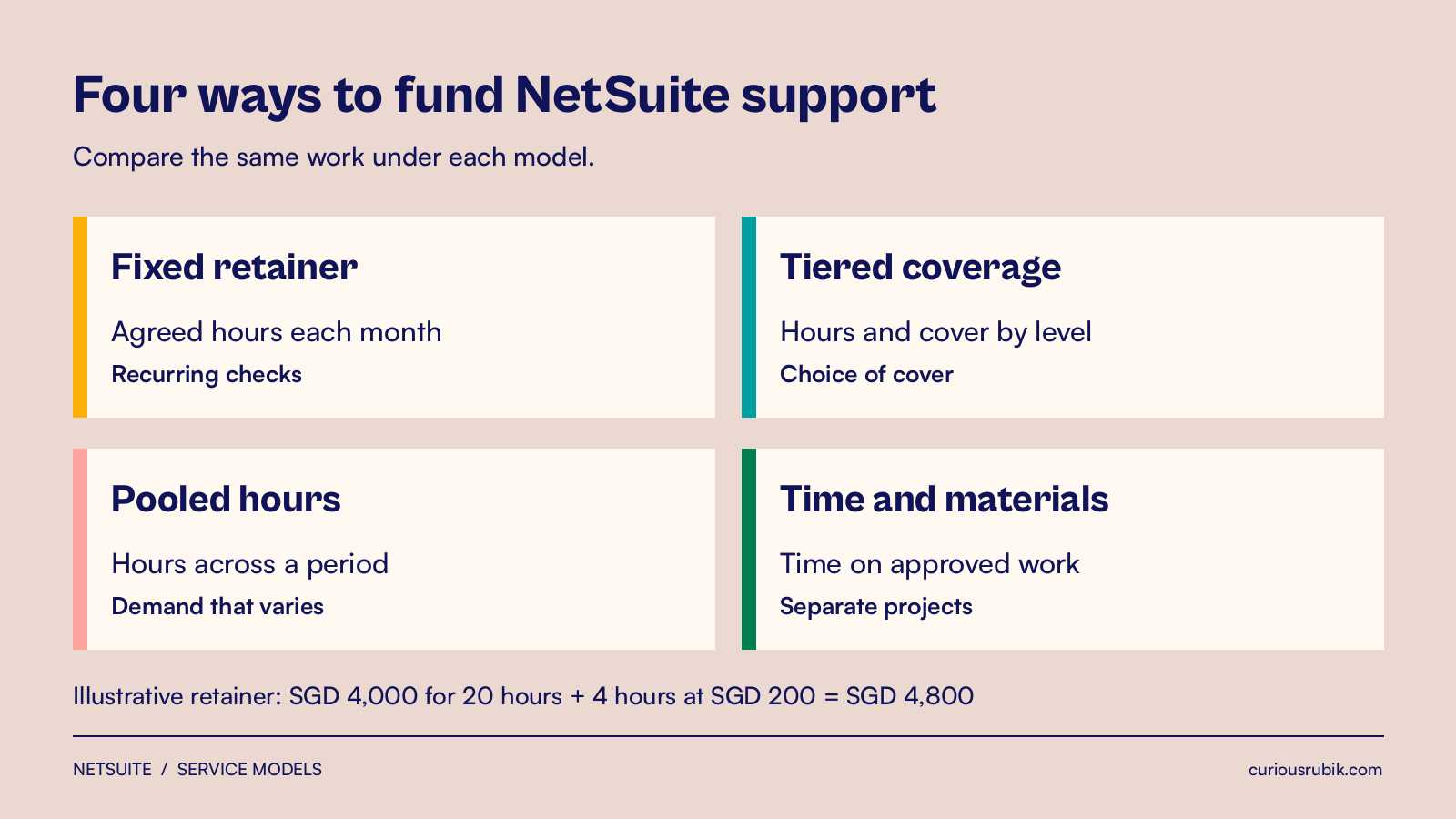
| Service model | What you pay for | Where it fits | What to write down |
|---|---|---|---|
| Fixed retainer | Monthly fee for an agreed scope and hours | Steady requests and recurring checks | Included work, overage rates and unused hours |
| Tiered coverage | Monthly fee based on a named level of service | Teams that need a choice of hours or cover | Scope, response targets and hours at each tier |
| Pooled hours | Hours shared across an agreed period | Peaks at close, filing or release time | Expiry, rollover rules and access during busy weeks |
| Time and materials | Time used on a separately approved scope | Projects with their own test and delivery plan | Rates, spending cap and approval steps |
Price the work on the same terms
A hypothetical Singapore distributor uses 8 hours for user requests, 6 for routine finance checks and 6 for a saved search change. A retainer of SGD 4,000 for 20 hours would cover the month if all three tasks qualify. The figures are illustrative.
Suppose preview testing takes 4 more hours in the same month. At a hypothetical overage rate of SGD 200 per hour, the bill rises to SGD 4,800 with approval. Ask if you could reserve those hours from a pool or set a separate budget for release testing. Check whether a higher tier changes coverage as well as the bill.
Clarify how time gets recorded. A ticket may take an hour to investigate and another hour to test with finance. Ask which work comes out of your hours and whether there is a minimum charge per ticket. Read the NetSuite pricing guide if you also need to separate the support budget from your software costs.
Check what happens when two teams need the same hours. Name who can move an enhancement to the next month or approve more hours. Ask for a note before the allowance runs out so you can choose what to finish. Have the monthly statement show time against each ticket and task.
Compare the handover terms
Find out what you receive at the end of the contract. Ask for a list of open cases, the latest test scripts and notes for each change made during the term. Include the name of the person who can explain a change after it goes live. Set a date to review the register before access is removed.
If the work includes help for new staff, ask how they will get it. A short guide or a recording may be enough for common tasks. Keep the material where your own staff can find it and nominate someone to update it after a form or role changes.
What should a service level agreement say?
A service level agreement, or SLA, sets out the support hours and the actions you can expect when you raise a case. A response target tells you how soon someone should acknowledge the case and begin triage. A resolution target deals with restoring the work or fixing the cause.
For illustration, compare a one hour response target during coverage with a separate target to restore invoicing within four hours. Ask when each clock starts.
Define urgency by the work affected
Agree which cases stop a team from completing work. A failure that blocks a batch of invoices due that day can justify a higher severity than a search layout change. Write down how a viable workaround changes the severity. Include a contact who can explain the deadline and confirm when the work can resume.
Use Singapore time on the coverage page. Include the days and hours people can call, any public holiday arrangements and the route for a case outside those hours. State when the response clock starts and how it runs outside the coverage window. If month end needs different cover, agree on the dates in advance.
Give the first response a job
Ask what comes back in the first reply. It should name the person handling the case, confirm which process is affected and set the next update time. Agree who can raise a case with Oracle when one is needed. Have that owner track the case and tell users when there is a workaround or a fix to test.
Send enough detail for the team to start. Include the role, subsidiary, record reference, time and steps to repeat the issue. Use a safe example when the record contains personal data. The Singapore NetSuite support guide covers the evidence to look for when comparing support commitments.
System Notes can help the team see changes to supported records. The notes may show who changed a field, when it changed and its old and new values. Check your role and the NetSuite help for your release before relying on a view or export. Keep the ticket open until the process owner has checked the result.
How do you plan the Singapore monthly rhythm?
Fit the work around your own close and filing dates. In Singapore, businesses on quarterly goods and services tax periods generally file their GST F5 within one month of period end. Confirm your filing dates with IRAS or your tax adviser. The finance owner should sign off on the return and decide when the figures are ready to review.
Check when the phased GST InvoiceNow requirement applies to you. If it applies, have someone check for IRAS acknowledgments through your InvoiceNow solution and investigate missing ones.
Central Provident Fund (CPF) contributions are due at month end. Enforcement can follow if payment is missed by the 14th of the next month, or the next working day if the 14th is a weekend or public holiday. Keep payroll approval with your authorized team.
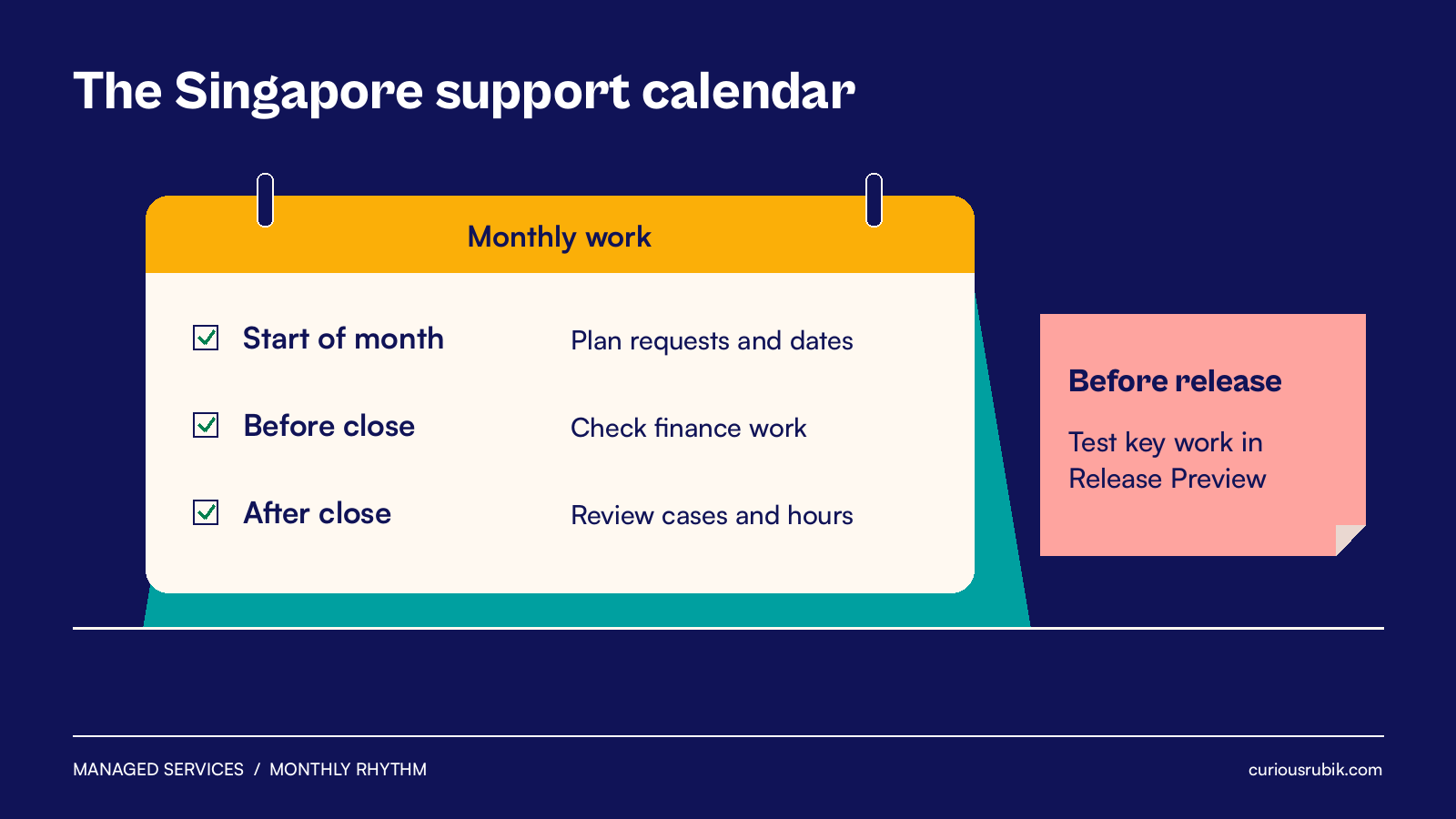
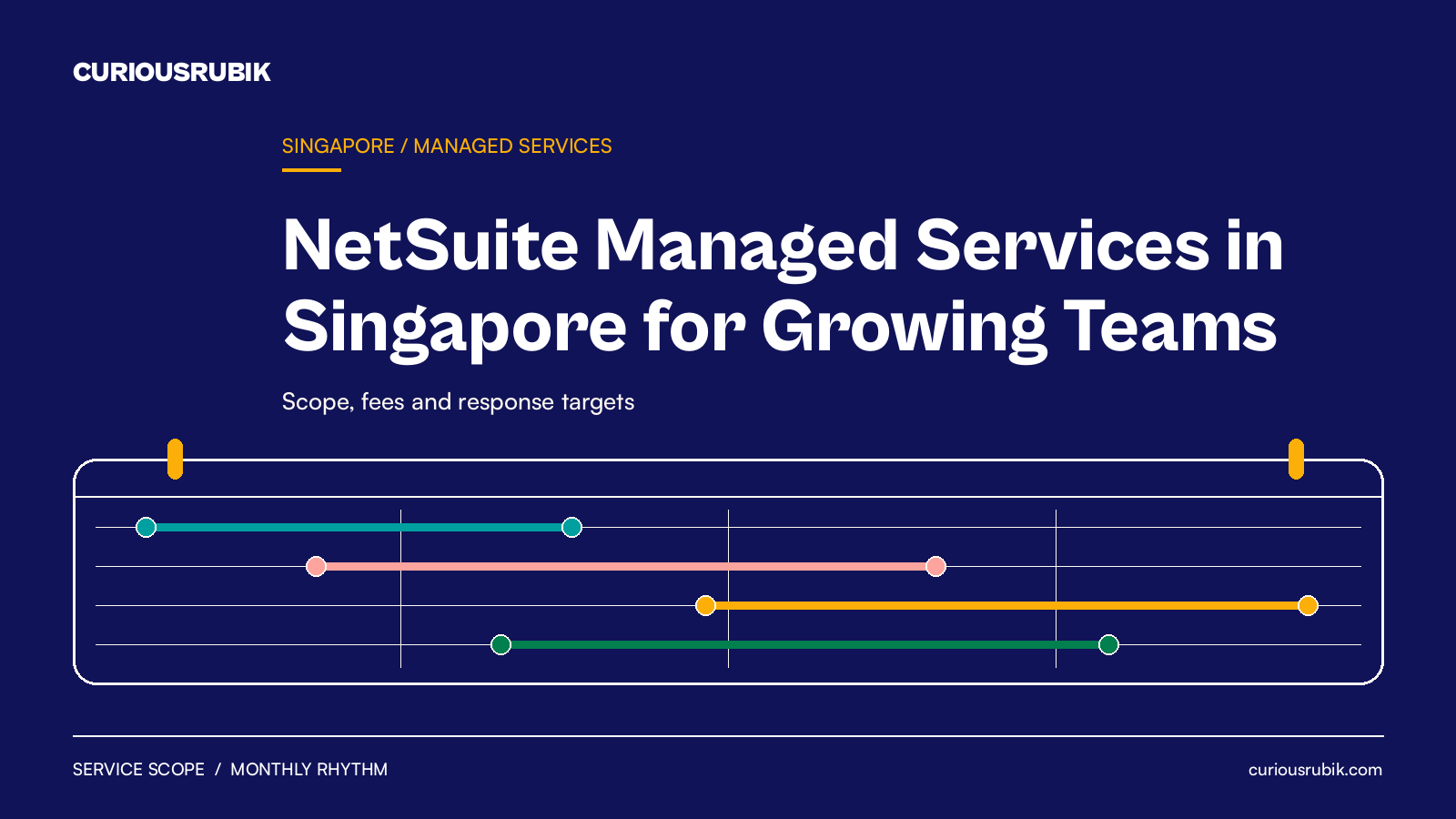
- Plan at the start of the month. Mark close dates, payroll review and any GST review in the shared calendar. Put urgent work and planned changes in the same queue so the owner can see when they compete.
- Check before close. Compare the payroll journal with the payroll register and scan the invoice message queue where it applies. Route differences to the person who can approve a correction.
- Test before release. NetSuite has two major releases each year. When Release Preview is available, test key processes with the roles your team uses. Set aside time for the first run and any retest.
- Review after close. Read the ticket history and hours used with finance and IT. Pick one repeat request worth fixing at the source, then add it to the next month’s queue with a named owner.
Ask each process owner to write the expected result before preview work starts. For invoicing, record what should post and which output should be sent. For purchase approval, record which role should see the request and who can sign it off. Use approved samples and confirm whether connected systems can be tested safely.
Reserve a window to move approved changes into the live account. Write down how the team will restore the earlier setup if a change needs to be reversed. Ask the person who ran the test to check the live result after the change. Log what they checked and where the evidence is kept.
Talk through what you would move if a release lands during close. A small dashboard change could wait until finance has filed its reports. A test for payment approval may need to stay in the plan. Put the choice in the monthly notes so everyone sees what moved and why.
CuriousRubik’s NetSuite managed support team can help you turn one month of requests into a scope with owners, hours and review dates. See our NetSuite services for Singapore teams for the local context.
Frequently asked questions
Can we keep our own NetSuite administrator?
Yes. Keep your administrator in charge of account policy and give the service team a named list of tasks it can do. The two teams can share a queue if each item has one owner. Agree who can approve role changes, move changes to production and reopen a case.
Can we share a pool across subsidiaries?
Ask for a shared pool if demand comes from different subsidiaries at different times. Name who can use the pool and who decides which request comes first. Keep time by subsidiary even when the fee is shared. That gives finance the detail it needs to plan the next period.
Who should own our NetSuite support records?
Keep a copy of the ticket log, change approvals and test results in a place your company controls. Have the service team record the NetSuite objects it changed and the date each change went live. Your account owner can use those notes to brief a new administrator or trace a past decision.
Can we start with one workflow?
Yes. Pick a workflow with a clear owner and a steady set of requests, such as vendor bill approvals. Write down the cases the service team can handle and who signs off on any change. Review the first month of work before you add another process to the plan.
Related reading
NetSuite support in Singapore
How to compare support coverage and case handling.
NetSuite health checks for Singapore teams
Areas to inspect before agreeing on a support scope.