See how Australian finance teams can send and receive Peppol invoices while keeping their usual NetSuite checks in place.
Last reviewed: 29 November 2026. Product details reflect this review date. Availability and behavior can vary by account, role and release.
One invoice can test both sides of NetSuite Peppol in Australia. Give the sender and receiver the same purchase order reference. The sender checks where the invoice went. The receiver checks the supplier, receipt and tax before approving the bill. Together, those checks show whether the setup works for finance.
- The access point carries the invoice between the two businesses.
- NetSuite still holds the sales invoice or vendor bill your team works from.
- Keep a record of delivery and a separate record of approval.
What does NetSuite Peppol in Australia change?
Peppol is a network that lets businesses exchange invoices between their systems. An accredited access point connects each business to that network. The supplier sends a file with agreed fields for the invoice number, amounts and tax. Ask your access point which Australian and New Zealand billing profiles it supports.
The Australian Business Number, or ABN, is commonly used to route invoices in Australia. Ask the buyer for the registered address it wants you to use. Check that the address can receive the document type you plan to send. Keep the approved address with the correct customer record and legal entity.
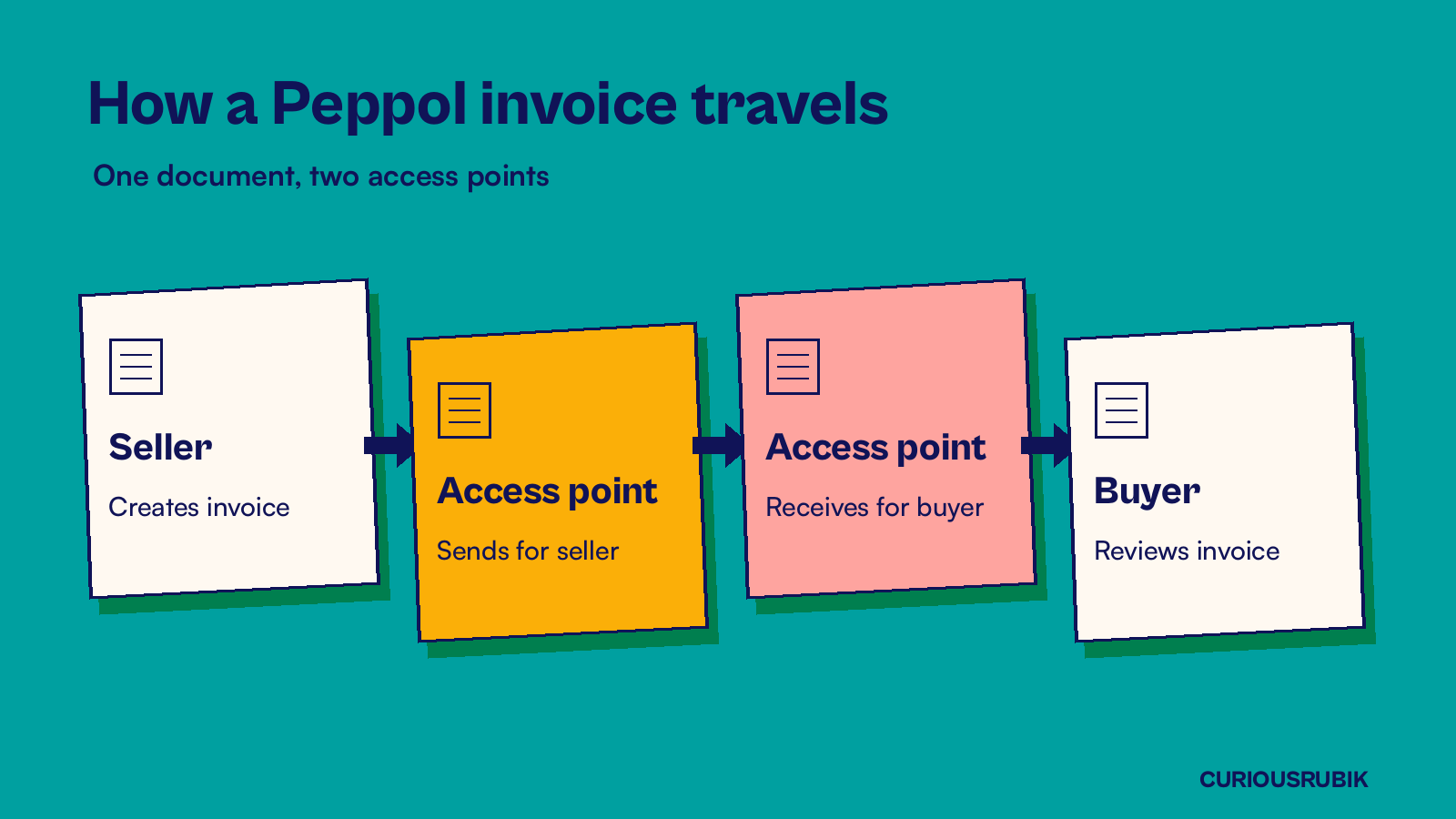
Private buyers can set billing terms in their contracts. Electronic invoicing is becoming the default for procurement by Commonwealth entities that operate as part of the Commonwealth. Ask the buying agency which channel it expects. The Australian Taxation Office oversees the framework and receives no copy of the invoice.
For an Australian NetSuite rollout, list each pilot entity, its ABN and whether it will send or receive invoices. Decide who can change each registration or address.
How do you set up the invoice exchange?
The NetSuite Electronic Invoicing SuiteApp can generate documents from invoices and use incoming documents to create bills. An electronic document package ties templates and sending methods to a customer or vendor. An inbound template maps incoming fields into NetSuite. Ask your NetSuite contact to confirm the SuiteApp, licensing, connection and billing profiles for your account.
- Confirm the access point can serve the sending or receiving entity and the document types you need.
- Ask the administrator to review the electronic document package in the Setup menu.
- Assign the approved package to the pilot customer or vendor record.
- Check that the templates carry the expected identifiers, references, tax fields and totals.
- Agree how the team will see each sending or receiving result.
Use the NetSuite integration guide to document the handoff. Ask your support team to record the access point reference beside the NetSuite transaction reference where your setup allows it.
How do you test sending and receiving?
Send the sales invoice
Accounts receivable owns the sales invoice. When a buyer has several business units, check which legal entity the order names.
- Open the approved sales invoice.
- Confirm the document template and sending method for that customer.
- Generate the structured invoice using the configured action.
- Check the file against the buyer details and the invoice totals.
- Send the document through the agreed connection.
- Record the delivery result against the sales invoice.
A generated file shows the template ran. A handoff to the access point shows the file reached that step, if the connection reports it. Delivery to the buyer is a later event. The buyer can still review and approve the invoice under its own process.
Check the incoming supplier bill
Accounts payable checks invoices before payment. If your connection uses inbound documents in the SuiteApp, the team can use the configured template to create a vendor bill.
- Find the received document using its supplier invoice reference.
- Check the supplier and the buyer entity using the registered identifiers and approved vendor record.
- Look for the same supplier invoice in NetSuite and in any queue of documents awaiting review.
- Match the purchase order and receipt where the purchase calls for them.
- Confirm the tax details and price before releasing the bill for approval.
If the connection converts the document first, keep the bill in the agreed review state until the checks are done. Ask the controller to confirm exactly when a bill can post or enter a payment run in your setup.
A hypothetical invoice for shelving
This illustrative Australian invoice is for four shelving units at AUD 250 each before goods and services tax, or GST. Assume a taxable supply at 10 percent GST, with no freight or discount. The example shows how the same amounts reach the buyer. Confirm actual GST treatment and invoice rules with your tax adviser.
| Invoice field | Illustrative value |
|---|---|
| Supplier invoice | INV240 |
| Buyer's purchase order | PO480 |
| Units and price | 4 at AUD 250 each |
| Line amount before GST | AUD 1,000 |
| GST | AUD 100 |
| Total due | AUD 1,100 |
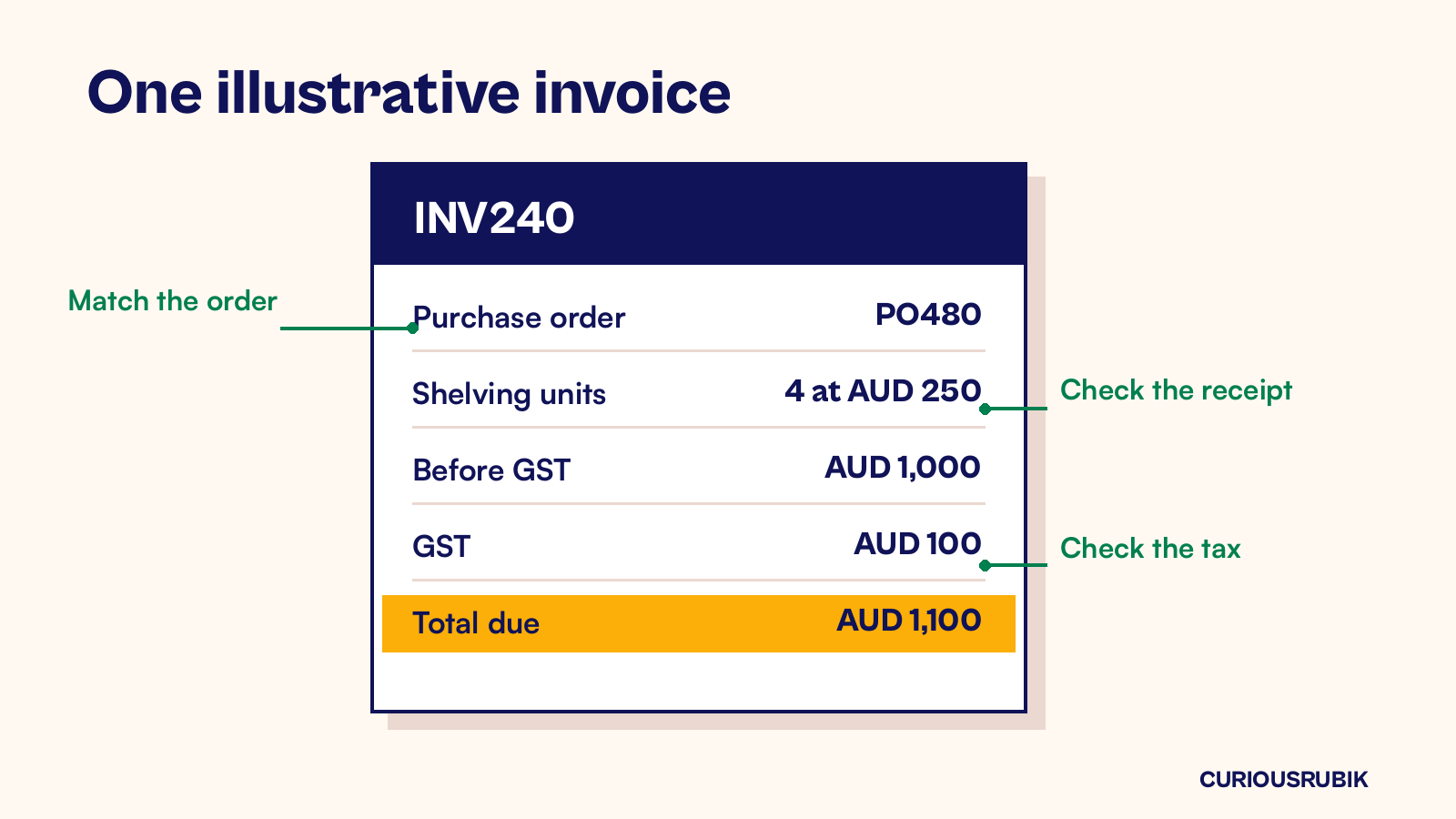
The seller sends INV240 with purchase order PO480. The buyer’s clerk uses PO480 to find the order. If the receipt shows four units, the quantity matches and the bill can move through review.
Finance checks that the bill shows AUD 100 of GST. Use the Australian GST reconciliation guide to trace the bill into the tax review.
If the receipt shows only three units, AP keeps the bill in review while receiving checks what arrived.
Where I would start
I would start with a buyer who puts a purchase order on each sale and a supplier whose bills your team already matches to receipts.
I would widen the rollout when both teams can answer two questions from their records. Where did the invoice go? What decision did finance make about it? Those records let the team trace the next invoice if something goes wrong.
CuriousRubik's NetSuite finance integration team can help you test an invoice in each direction and agree where staff should check its status.
Related reading
Handling invoice matching exceptions
Follow a bill back to the purchase order and receipt.
Preventing duplicate vendor bills
Check for duplicate invoices before they reach the payment run.
Reconciling Australian GST in NetSuite
Trace recorded tax to the Australian reporting figures.