For US finance and procurement leads: how to route requisitions by limit, department, budget and delegate, from request to purchase order.
Last reviewed: 25 October 2026. Product details reflect this review date. Availability and behavior can vary by account, role and release.
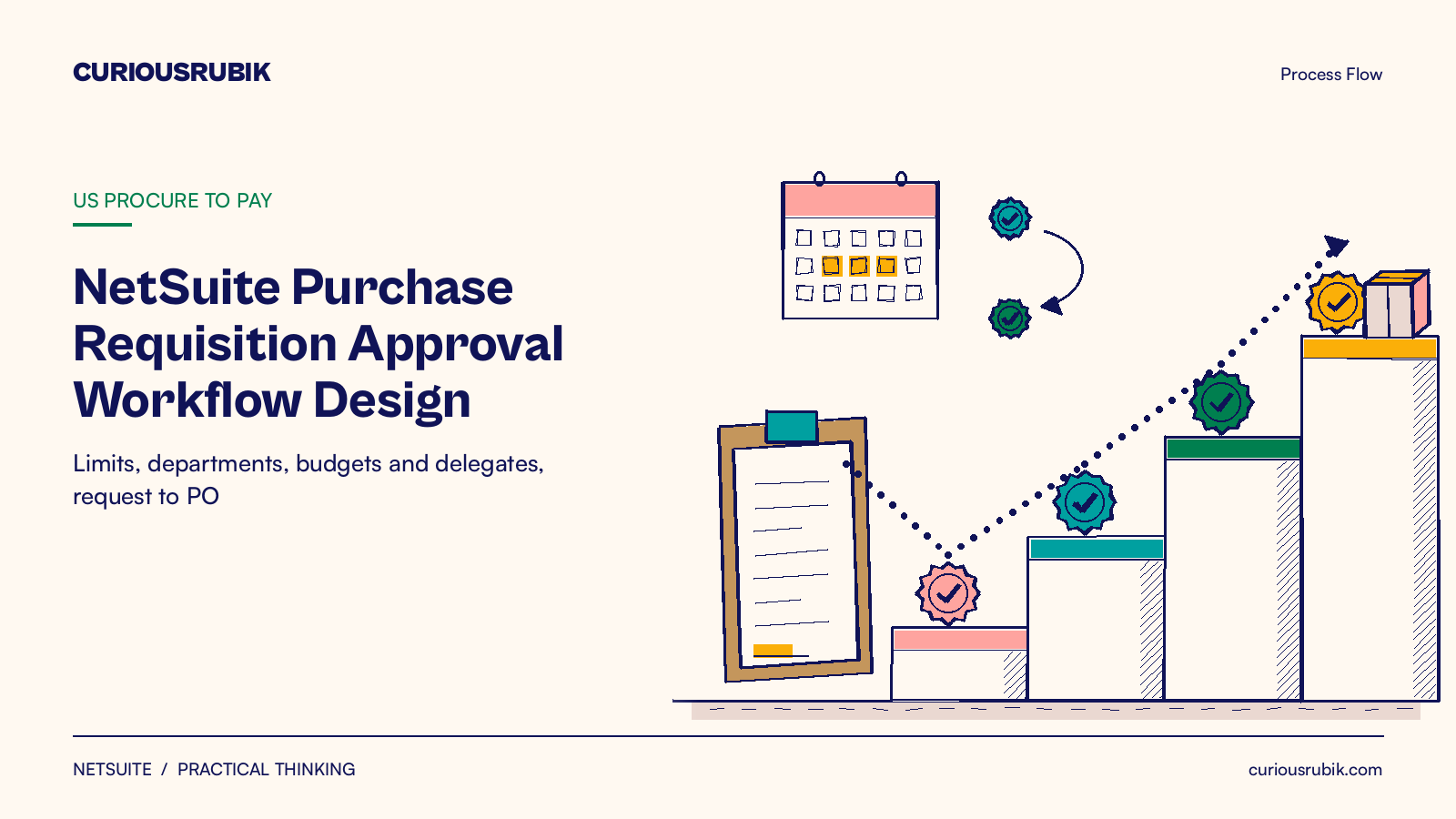
A good NetSuite purchase requisition approval workflow sends each request to the one person who can approve that amount for that department. Set limits on employee records first. Then add department, budget and category rules only where your policy needs them. Plan delegates and exceptions before go live, so nothing waits in a manager's inbox.
Key takeaways
- Write your approval matrix on one page before you touch NetSuite. Each rule should name a band, a role and a reason.
- Purchase Limit and Purchase Approval Limit on the employee record carry most of the routing.
- Give every approver a named delegate and a date range for leave.
What is a NetSuite purchase requisition approval workflow?
A purchase requisition is an internal request to buy goods or services with company money. The approval workflow is the set of rules that decides who must approve it, in what order, before a buyer turns it into a purchase order.
NetSuite gives you three ways to run these rules.
| Option | Where the rules live | Good fit |
|---|---|---|
| Standard approval routing (Requisition Approval Workflow) | Employee record: Supervisor, Purchase Approver and the two limits | One clear reporting line and simple amount bands |
| SuiteApprovals | Approval rules by record type, subsidiary and saved search | Department approvers, role groups, delegation and amount tolerance |
| Custom SuiteFlow workflow | Your own states, buttons and emails | Rules no standard option covers |
The Requisition Approval Workflow comes with the Advanced Procurement SuiteApp. You turn it on with the Requisitions box on the Approval Routing subtab at Setup > Accounting > Preferences > Accounting Preferences.
How does a requisition become a purchase order?
- The requester enters the requisition with items or expenses, a department and a reason.
- NetSuite compares the total with the requester's Purchase Limit. At or under the limit, the request is approved straight away.
- Over the limit, it goes to the Purchase Approver on the employee record, or the Supervisor if that field is blank.
- Each approver sees Approve and Reject buttons while the record is locked for editing.
- If that approver's Purchase Approval Limit is too low, the request moves to the next approver up the chain.
- Once someone with a high enough limit approves, the status changes to Pending Order.
- A buyer opens Transactions > Purchases/Vendors > Order Requisitions, confirms the vendor and quantity, and submits. NetSuite creates the purchase order.
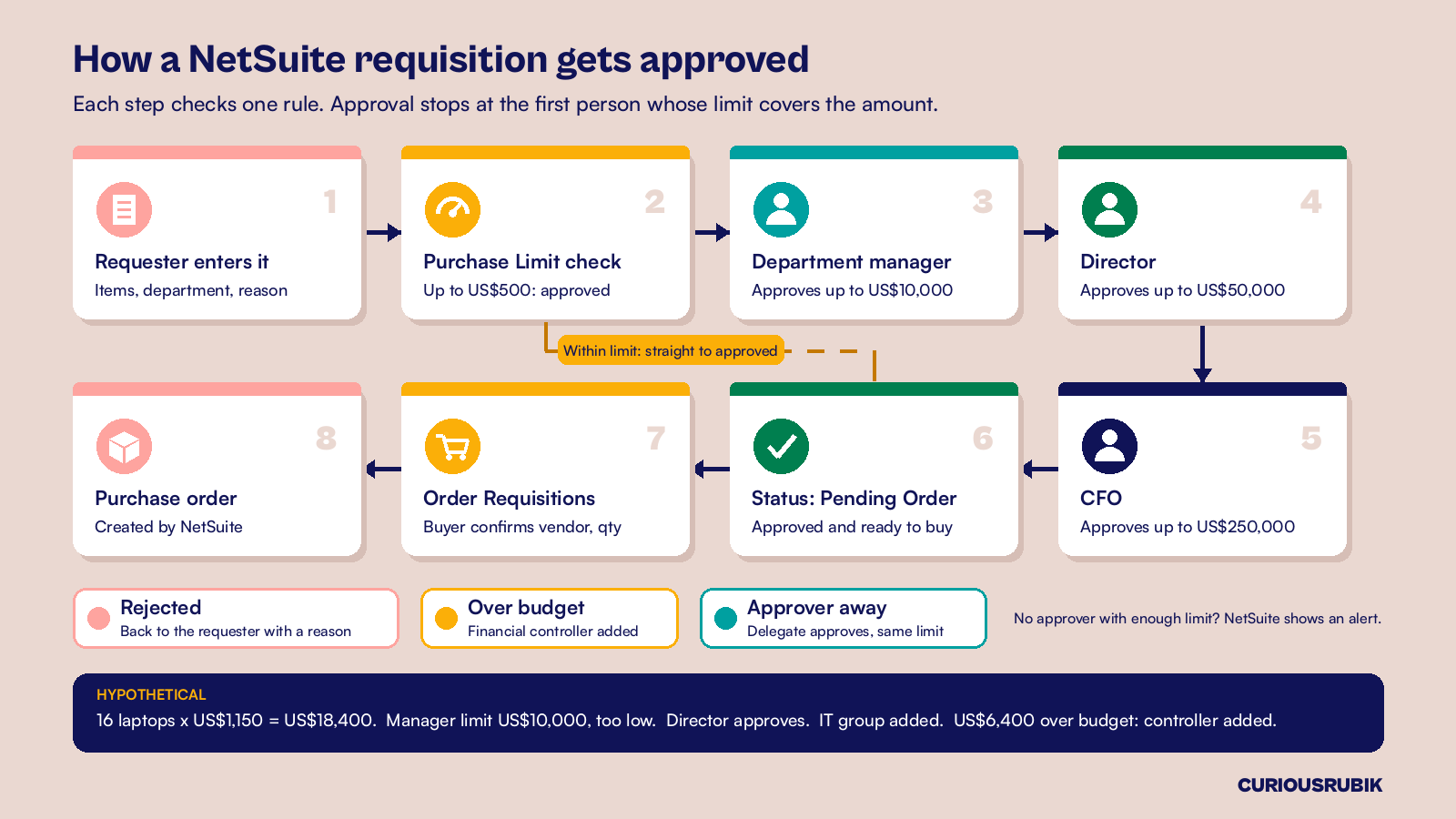
If nobody in the chain has a high enough limit, NetSuite shows an alert on the transaction. Treat that alert as a gap in your matrix, not as a user problem.
Our guide to NetSuite purchase requisitions and purchase orders explains the two records if your team mixes them up.
Set approval limits from your delegation of authority
Your delegation of authority is the board approved list of who may commit how much. Copy its bands into NetSuite, not the other way round. A hypothetical US company with 250 staff might use these bands.
| Role | Purchase Approval Limit (USD) |
|---|---|
| Requester (Purchase Limit) | 500 |
| Department manager | 10,000 |
| Director | 50,000 |
| CFO | 250,000 |
| CEO | Above 250,000 |
Enter the bands on each employee at Lists > Employees > Employees, on the Human Resources subtab. Three details save rework later.
- If a person should never buy without approval, enter 0 as their Purchase Limit. Do not leave the field empty.
- Limits use the currency on the employee record. A purchase in another currency is converted before the check.
- Set the CEO's limit high enough to close the chain, or requests over US$250,000 will stall.
How should departments and budgets change the route?
SuiteApprovals helps when two departments need different approvers for the same amount.
You build rules at Setup > Approval Process Manager > Approval Rule List. Each rule covers one record type and subsidiary, with a saved search as its condition. Only one rule applies to each record, chosen by priority, so give narrow rules a higher priority than general ones.
With Define Custom Approval Chain, you can add up to 20 approvers. Choices include a department approver, a specific employee, or any member of a group or role.
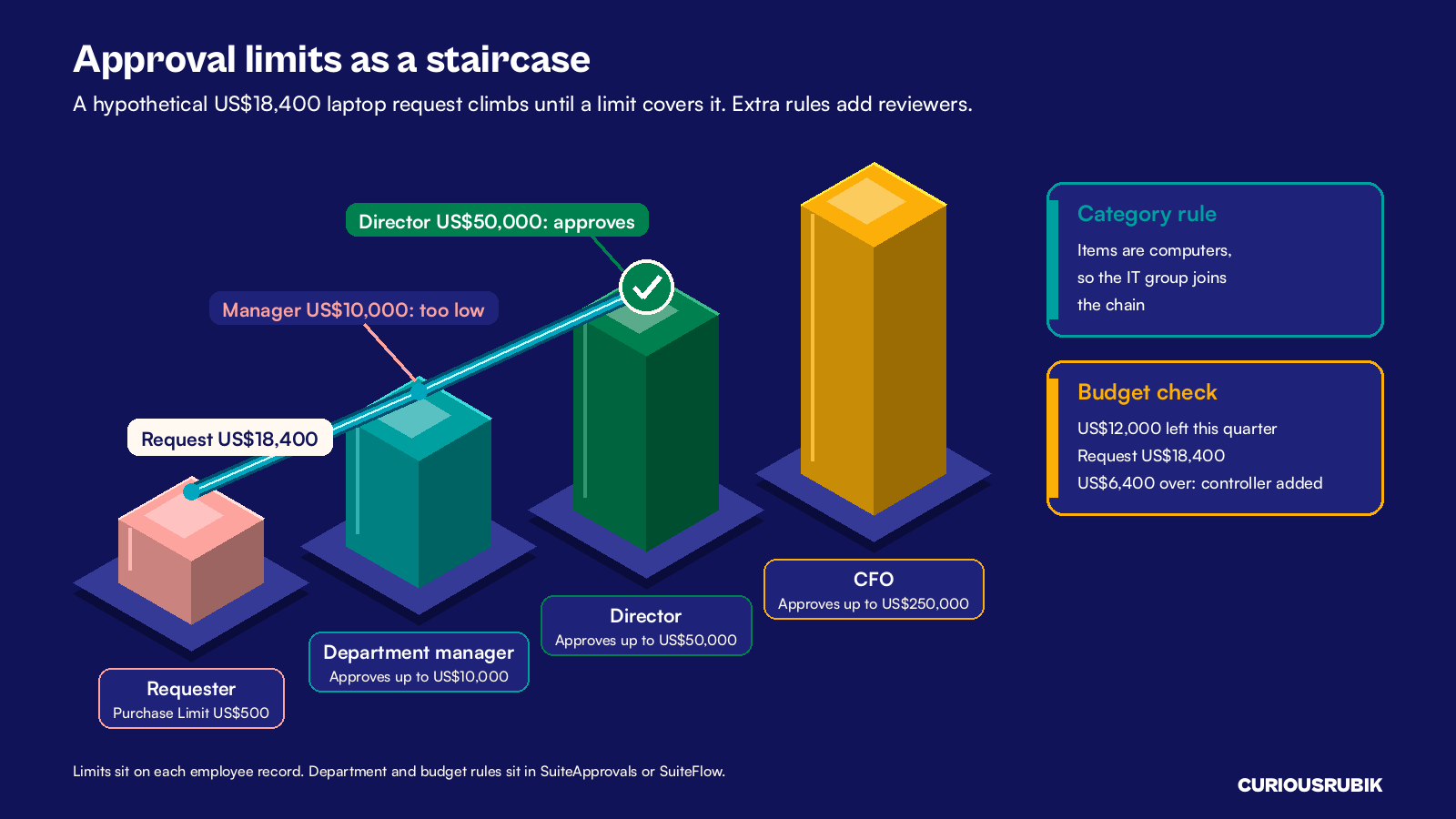
A hypothetical example shows how this works. Marketing asks for 16 laptops at US$1,150 each, so the requisition totals US$18,400. The total is over the requester's US$500 limit, so the request goes to the marketing manager. Her US$10,000 limit is too low, so it moves on to the marketing director, whose US$50,000 limit covers it.
Because the items are computers, a higher priority rule for computer purchases applies, and its custom chain adds the IT group.
Budget checks are a custom step. NetSuite stores budgets by account and department at Transactions > Financial > Set Up Budgets. A common pattern is a custom field that holds the remaining budget, filled by a script, which a SuiteFlow condition then reads.
In our example, marketing has US$12,000 left for equipment this quarter. The request is US$6,400 over, so the workflow adds the financial controller.
Plan for delegates and exceptions
Delegates for leave and travel
With SuiteApprovals, each approver can hand over approvals on the Approval Delegation subtab of their employee record. They check Delegate Approval, pick a Delegate To employee and set start and end dates. The delegate must be in the same subsidiary, and the original approver's limits still apply. Ask managers to set this before leave.
Exceptions that need their own path
- Split requests. Two requisitions of US$9,000 for one purchase dodge a US$10,000 band. A weekly saved search that lists requests from one requester to one vendor within seven days finds them.
- Self approval. Nobody should approve their own request. Check this when you test roles, as our roles and permissions access review guide describes.
- New vendors. Route requests for a vendor with no purchase history to procurement before any purchase order goes out.
- Price changes after approval. On purchase orders, SuiteApprovals can send the record back for approval when the amount moves past a percent or value tolerance. Our post on purchase order changes after approval lists the tests to run.
Which approval setup fits your company?
Start with the simplest option that meets your policy, and add rules only when a real case needs them. Long chains slow buying, as our post on approval workflows without bottlenecks explains.
At CuriousRubik, we test every rule with real requisitions before go live. CuriousRubik's NetSuite optimization team can review your current routing and remove the steps that only add waiting time. Our NetSuite United States page shows how we work with US finance teams.
| If your company has | Choose | Main setup |
|---|---|---|
| One reporting line and up to four amount bands | Standard approval routing | Purchase Limit, Purchase Approver and Purchase Approval Limit on each employee |
| Different approvers by department or category | SuiteApprovals | Approval rules with saved search conditions and a custom approval chain |
| Approvers often on leave or travel | SuiteApprovals delegation | Approval Delegation subtab with start and end dates |
| Budget checks or an approval step no option covers | Custom SuiteFlow | A workflow with your own states, buttons and emails, tested in sandbox |
Related reading
Designing NetSuite Accounts Payable Approval Controls
How to set approval controls on vendor bills once the goods arrive.
NetSuite Approval Workflows and Exception Controls
How to build SuiteFlow approvals that handle exceptions cleanly.
NetSuite Roles and Permissions Access Review Guide
How to check that each role can do only what its job needs.