Last reviewed: 10 October 2026. Product details reflect this review date. Availability and behavior can vary by account, role and release.
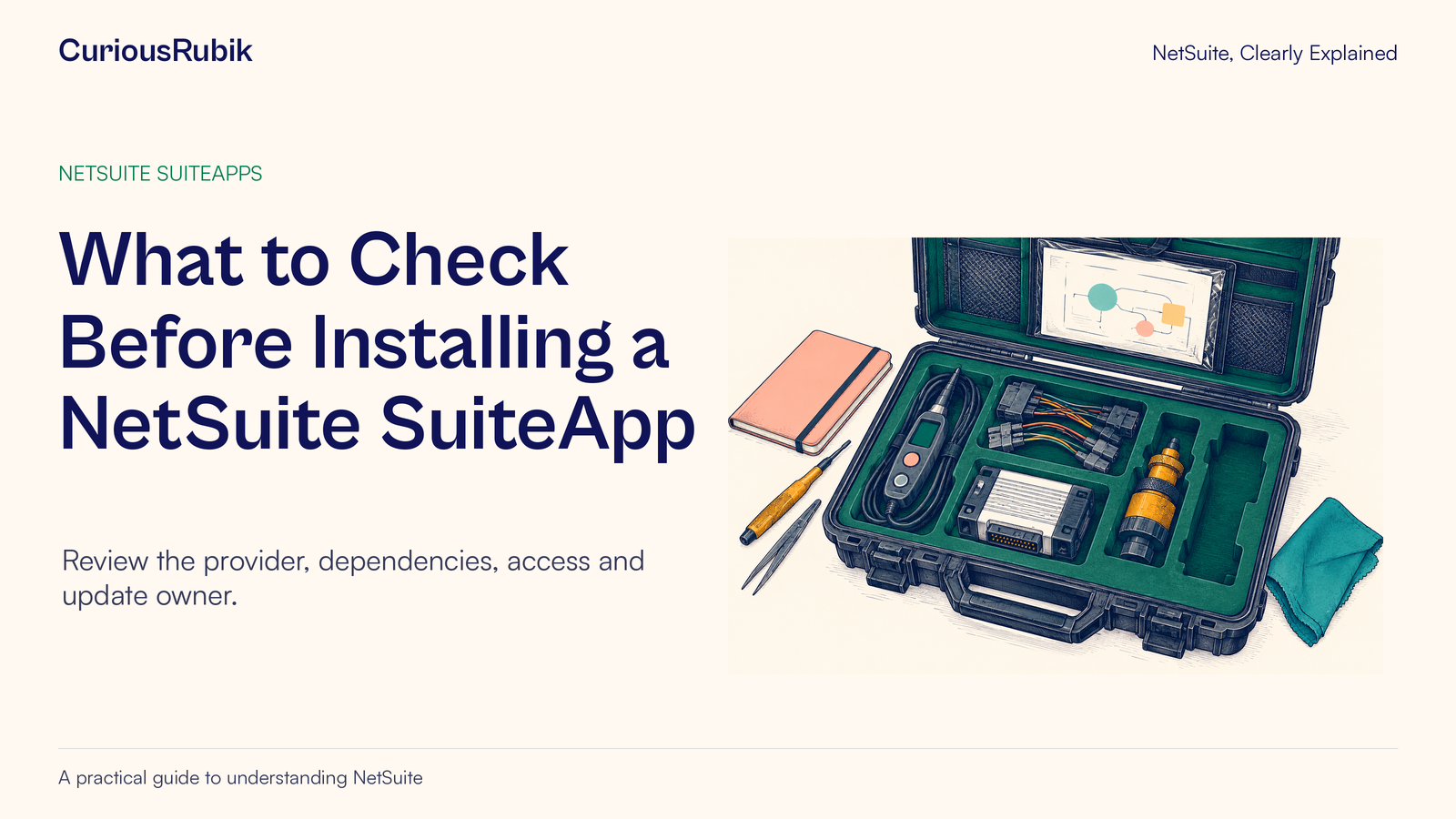
Editorial ink illustration: A maintenance kit contains several tools and an empty fitted space.
A team finds an extension that appears to solve a frustrating task. The demonstration looks promising, and someone asks the administrator to install it. Before that installation becomes routine account behavior, the team needs to answer a few concrete questions: who supplies it, what does it require, what can it change, and who will look after it?
SuiteApps can include NetSuite customizations and configuration settings. The in-account Marketplace includes products created with SuiteCloud Development Framework and bundles created with SuiteBundler. The installation route and ongoing behavior depend on the specific product.
This lesson helps an administrator and business sponsor build a practical review card for one SuiteApp. It covers evaluation and verification, not an instruction to install an unspecified product. Account access, commercial terms, data permissions, and the organization's change-approval process must be respected.
Define the work the extension should improve
Start with a task rather than a product name. Imagine a fictional company, Maple Quay Services, whose employees spend too long assembling expense evidence. The sponsor wants a clearer preparation process and fewer reports returned for missing receipts.
Write a measurable, modest outcome: “An employee can prepare the agreed expense example with the correct evidence, and the reviewer can inspect it through the approved process.” Add the current pain point and the people affected. Avoid assuming that installing an extension automatically changes the company's expense policy or approval responsibilities.
Decide what is outside scope. Maple Quay is evaluating report preparation, not replacing its payment process or changing employee access across the whole account. Those limits help the administrator reject unnecessary permissions and separate essential capabilities from attractive extras.
Also check whether the need can be addressed through functionality already approved in the account. A new extension may be worthwhile, but the comparison should include the actual work and maintenance burden, not only the demonstration's appearance.
Identify the exact product and provider
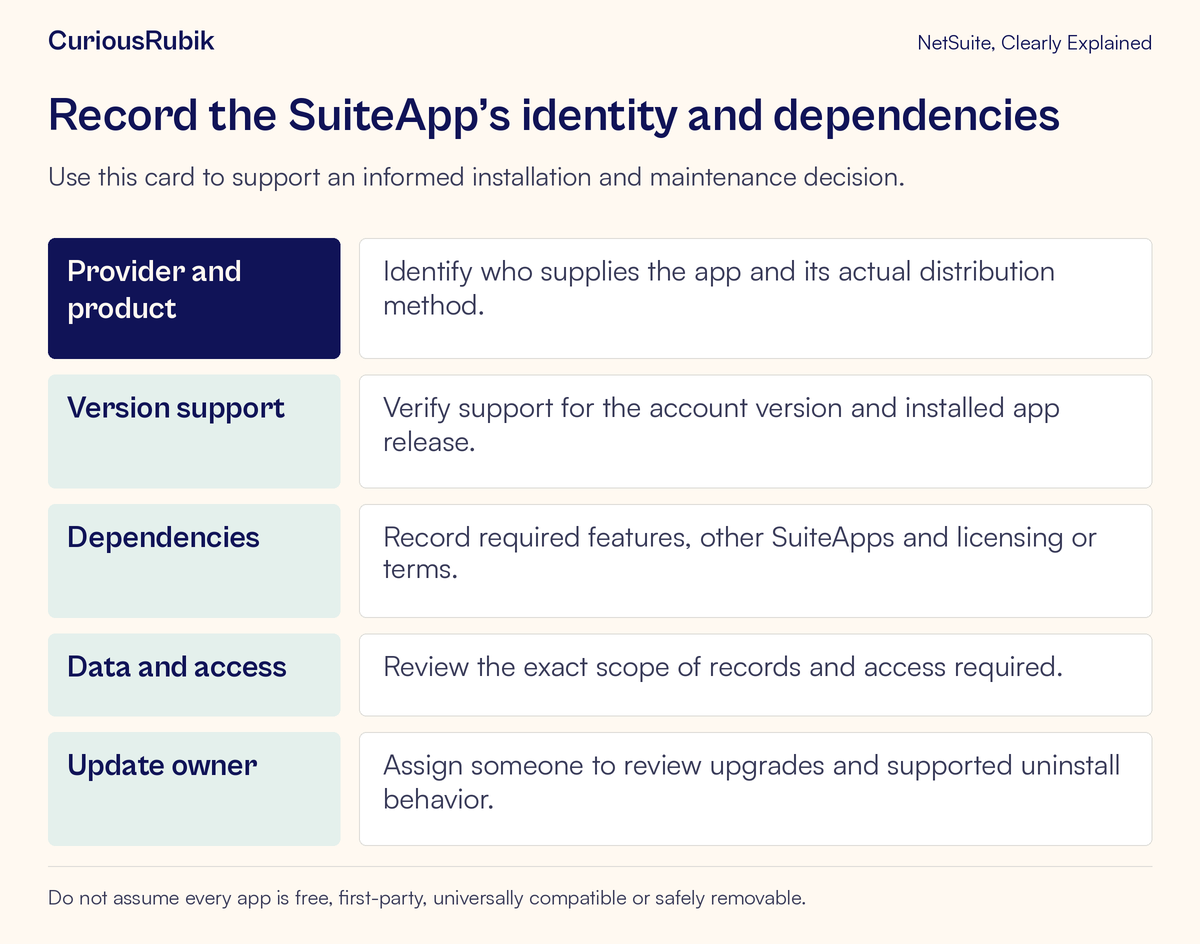
Record the full SuiteApp name, provider, distribution method, and relevant product identifier. Similar names do not establish that two listings contain the same software or share a support organization.
Confirm who develops the product and who supports your installed version. Some SuiteApps are supplied by NetSuite, while others are supplied by independent providers. The label “SuiteApp” alone does not answer questions about price, support hours, licensing, or update control.
Maple Quay's review card should distinguish the business sponsor, internal technical owner, and external provider contact. If the app fails during month-end expense processing, those people need different information and have different responsibilities.
Do not invent a provider relationship from a logo, category, or sales description. Keep the exact verified identity and approved support route in the organization's own records. An identifiable product is the foundation for checking prerequisites and requesting useful support later.
Check availability and prerequisites for your account
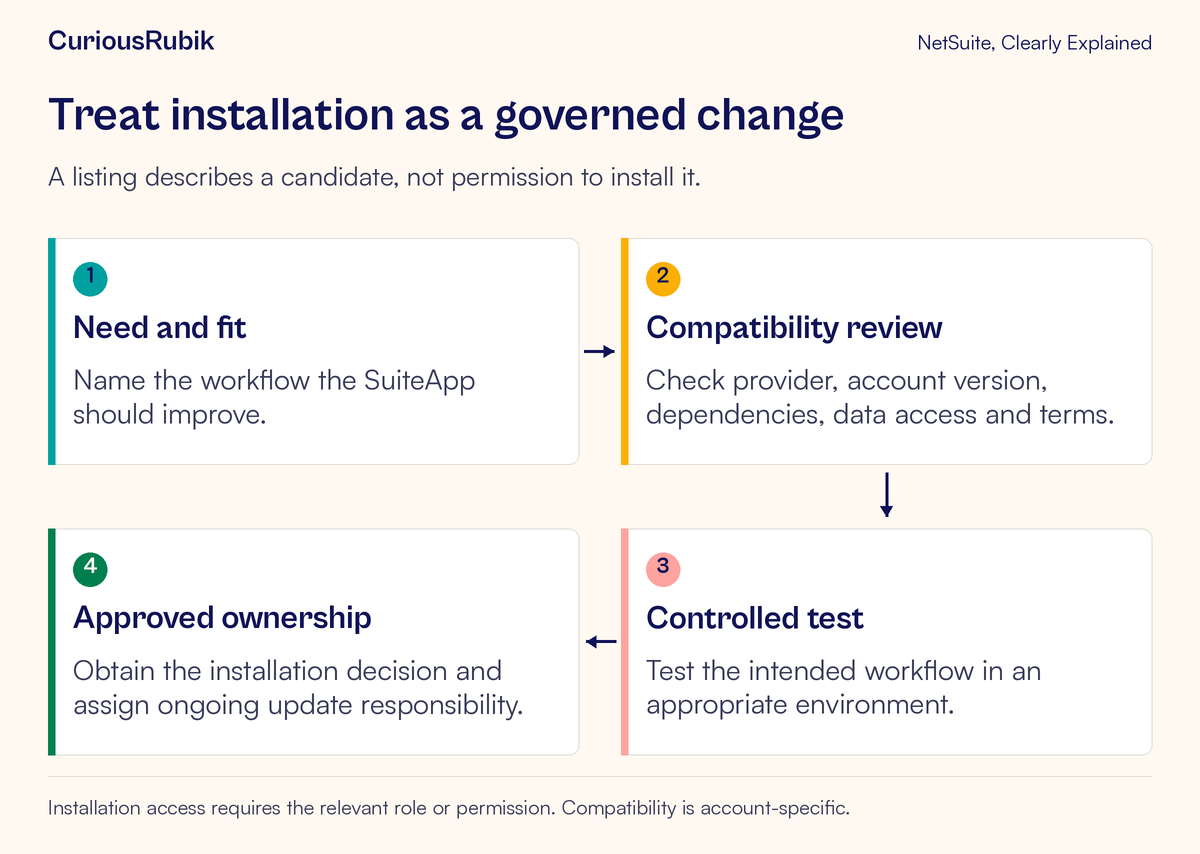
A SuiteApp available through the Marketplace must be shared to the account and support its NetSuite account version. Installation access requires an appropriate role or relevant Marketplace permission. These are technical prerequisites; they do not replace business approval.
Ask for a product-specific dependency list. It may include enabled features, other SuiteApps, supported editions, licenses, configuration steps, or data preparation. Confirm which requirements are mandatory and which apply only to optional capabilities.
For Maple Quay, the review should identify whether its expense process, employee roles, receipt storage, and existing approval configuration are supported. A generic statement that the product “works with expenses” is less useful than a testable description of the workflow it supports.
Check the environment in which evaluation is allowed and whether a separate license or provider arrangement is needed for testing. Do not assume that a production entitlement automatically covers every test environment or that every feature can be exercised with copied data.
The lesson on Production, Sandbox, and Release Preview helps frame that environment choice. The suitable place to test depends on the purpose and supported behavior, not simply on which account you can open fastest.
Review access and data movement in ordinary language
Ask what information the SuiteApp needs to read, create, update, or send elsewhere. Translate technical access requests into business terms so the sponsor can understand the implications.
For the fictional expense extension, the team might need to evaluate access to employee records, expense reports, or receipt files. Those are questions to resolve for the actual candidate, not assertions about every expense SuiteApp. Identify which data stays in NetSuite and whether any is transmitted to another service.
If the product requires an external connection or persistent credentials, follow the organization's security and authorization process before configuring them. A successful demonstration is not permission to grant ongoing access. Keep credentials and unnecessary private employee information out of evaluation notes and screenshots.
Also review the commercial and legal commitments. Determine whether there is a trial, paid subscription, usage-based charge, separate support agreement, or required acceptance step. Record renewal and cancellation responsibilities if a purchase is approved. “Available to install” does not mean “free to operate.”
Use one realistic test and one useful exception
Maple Quay creates an original exercise using a fictional employee and sanitized receipt. The employee prepares an expense with complete evidence, and the reviewer verifies that the expected information is available. The test owner records the time, role, app version, and resulting record reference.
Next, the employee prepares a case with a deliberately missing receipt under the agreed company rule. The team observes whether the process identifies the omission and provides the expected recovery path. If the extension does not enforce that rule, the team must decide whether an existing control covers it or whether the gap affects suitability.
Write expectations before testing. The candidate should not be marked suitable merely because it can produce some report. It should demonstrate the particular handoff the sponsor wants improved.
Compare the existing and proposed process on practical criteria: required steps, correctness of evidence, reviewer access, exception handling, and dependence on other customizations. A shorter path that loses necessary control is not automatically a better result.
Check interactions with what you already use
An extension can deliver objects or behavior that overlap with existing fields, forms, workflows, scripts, and reports. Ask the administrator to identify the affected objects and test the interactions relevant to the selected workflow.
For Maple Quay, a pre-existing approval workflow might expect a particular field or report state. The new preparation flow must provide the information that workflow needs under the actual roles and contexts. The test should follow the record into the existing next step rather than stopping inside the extension.
If custom data is involved, use body and line custom-field principles to check whether the values retain their intended meaning. Two fields with similar labels are not necessarily interchangeable.
Record configuration work that belongs to the customer separately from provider-delivered objects. Before changing a delivered object, establish what the provider supports and how an update might interact with the change. Avoid assuming a local edit will survive every future version.
Decide who owns updates before the first incident
Upgrade behavior varies by SuiteApp and distribution method. Some products have managed update behavior; others require different customer actions. Confirm the candidate's actual model, supported testing options, and how the organization learns about changes.
Assign an internal owner to review notices, coordinate relevant tests, and maintain the support record. A business sponsor should own whether the changed behavior remains acceptable, while the technical owner establishes how it interacts with the account.
Keep a small baseline test ready. Maple Quay can reuse its complete-evidence and missing-receipt cases after a relevant update. Add an interaction test for the existing approval process if that is part of the accepted design.
Use a release change turned into a business scenario to make that test specific. “The app still opens” is a weak result compared with “The employee's report reaches the reviewer with the same required evidence under the intended roles.”
Understand exit options without promising reversibility
Before approving installation, ask what supported uninstallation or retirement involves. Which objects, configuration, and data might be affected? Which dependencies would remain? What does the provider say about preserving information the business still needs?
Do not assume that removing an app restores the account exactly to its earlier state. Delivered objects may be used by other processes, and data created during use may need a deliberate preservation or migration plan. The exact risk depends on the product and configuration.
An evaluation can have a clear stop decision without an immediate uninstall action. If testing fails, preserve the evidence and ask the owner to determine the supported recovery path. Avoid deleting objects experimentally in a shared environment.
For Maple Quay, the final decision can be approve, approve with stated prerequisites, defer for more evidence, or reject for the current need. Record the reasons in terms of the task and risks, not simply whether the demonstration was impressive.
Troubleshoot installation and update questions precisely
If installation is unavailable, check product identity, sharing to the account, version support, prerequisites, and the acting role's permission. A missing control is not enough evidence to conclude that the product was withdrawn.
If an existing workflow changes after installation, compare the before-and-after test evidence and delivered configuration. Confirm whether the change comes from the SuiteApp, a setup step, or another change made at the same time.
If an update causes an issue, capture the installed version, affected workflow, role, record example, and time. Use the verified provider support route and the internal owner. Do not downgrade or reinstall blindly without understanding the supported procedure and data implications.
Your SuiteApp review checklist
- The business task and acceptance criteria are explicit
- Exact product, provider, and distribution method are recorded
- Account sharing, version support, and prerequisites are confirmed
- Access, external data movement, and commercial terms were reviewed
- Installation and configuration have appropriate approval
- Ordinary and exception cases were tested in a permitted environment
- Existing customizations and downstream work were checked
- Update, support, and business owners are named
- Retirement and data-preservation questions are understood
For administrators managing these account changes, CuriousRubik's NetSuite administration services can help organize product-specific evaluation and ongoing ownership. A good SuiteApp decision includes what happens after installation, when the extension becomes part of everyday work.