Last reviewed: 10 October 2026. Product details reflect this review date. Availability and behavior can vary by account, role and release.
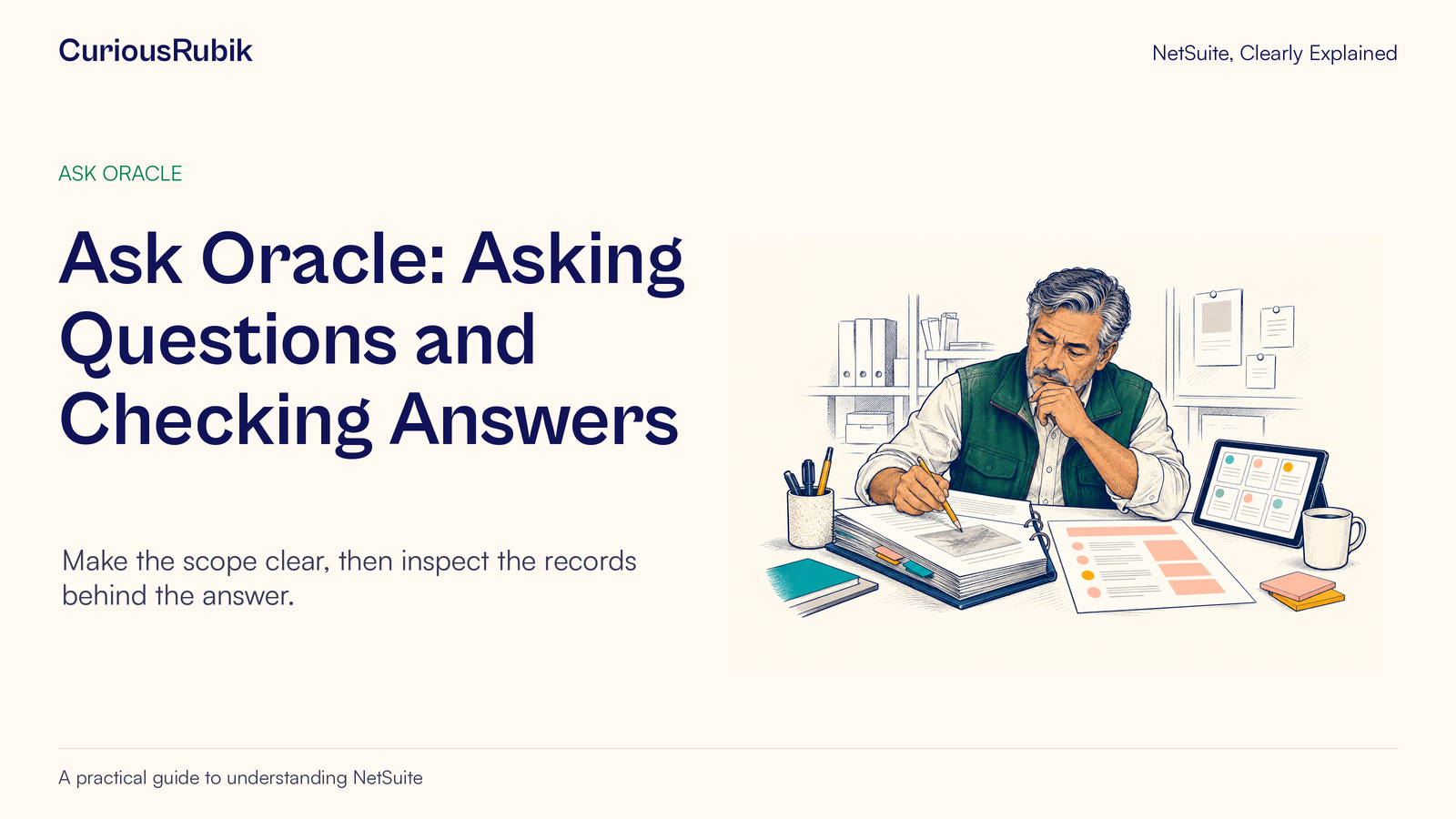
Editorial ink illustration: A colleague checks a prepared summary against papers and a tablet.
Ask Oracle lets you ask questions about NetSuite in ordinary language. The practical skill is knowing how to turn a question such as “Who owes us money?” into something specific enough to investigate and safe enough to use.
A fluent answer can still answer a different question from the one you intended. “Sales” might mean booked orders, invoiced revenue or collected cash. “Last month” might mean a calendar month or a financial reporting period. “Outstanding” might refer to an invoice’s original value or its remaining balance. Those differences matter before anyone contacts a customer or changes a forecast.
This guide uses an accounts-receivable example to show how to define a question, inspect the answer and decide whether it is ready for business use. The same method can help sales and operations teams ask clearer questions about their own records.
First, confirm that you can use it
Ask Oracle availability is phased. An eligible account and access for your assigned role are prerequisites; seeing a demonstration elsewhere does not establish access in your own account. Administrators manage eligible roles on the Ask Oracle Access page, and roles do not receive access by default.
Eligible accounts may support Ask Oracle within the current NetSuite experience as well as the NetSuite Next journey. Ask your administrator which experience and access arrangement apply to your team. Avoid changing accounts or requesting a broader role simply to reproduce someone else’s screen.
If this distinction is unfamiliar, read NetSuite Next access and role eligibility. Once access is confirmed, use the business role whose answers you actually need to evaluate. A test run under a different role can introduce a different data scope.
Company approval matters too. Use only information you are authorized to process with the feature. Do not upload confidential files just because an upload option is available. These AI features must not be used to process or store electronic protected health information.
Decide what the answer is for
Begin with a decision sentence: “I need a reviewed list of overdue invoices so our receivables owner can plan tomorrow’s follow-up.” This narrows the purpose and identifies who will use the result.
It also exposes questions that a short prompt might hide:
- Is the team looking for every overdue invoice or only material balances?
- Does the exercise cover one subsidiary or the whole group?
- Should a disputed invoice remain on the list with a flag?
- Is the balance needed now or as of an earlier reporting date?
- Will amounts be shown in transaction currency, with different currencies kept separate?
Agree those meanings with the process owner before asking for a headline total. Otherwise, the conversation can become a sequence of increasingly polished summaries built on an undefined scope.
For a first exercise, choose a small population that you can independently inspect. A question covering three known invoices is a better learning task than a group-wide cash prediction that nobody can reconcile during the session.
Build the prompt from five parts
A useful prompt includes an object, a measure, filters, a period and an output. This is a writing aid, not a special NetSuite command syntax.
The object is the record you mean, such as invoices. The measure is the value you need, such as remaining balance. Filters define the relevant subsidiary, status or other business boundary. The period establishes the date logic. The output tells the assistant how to present a checkable result.
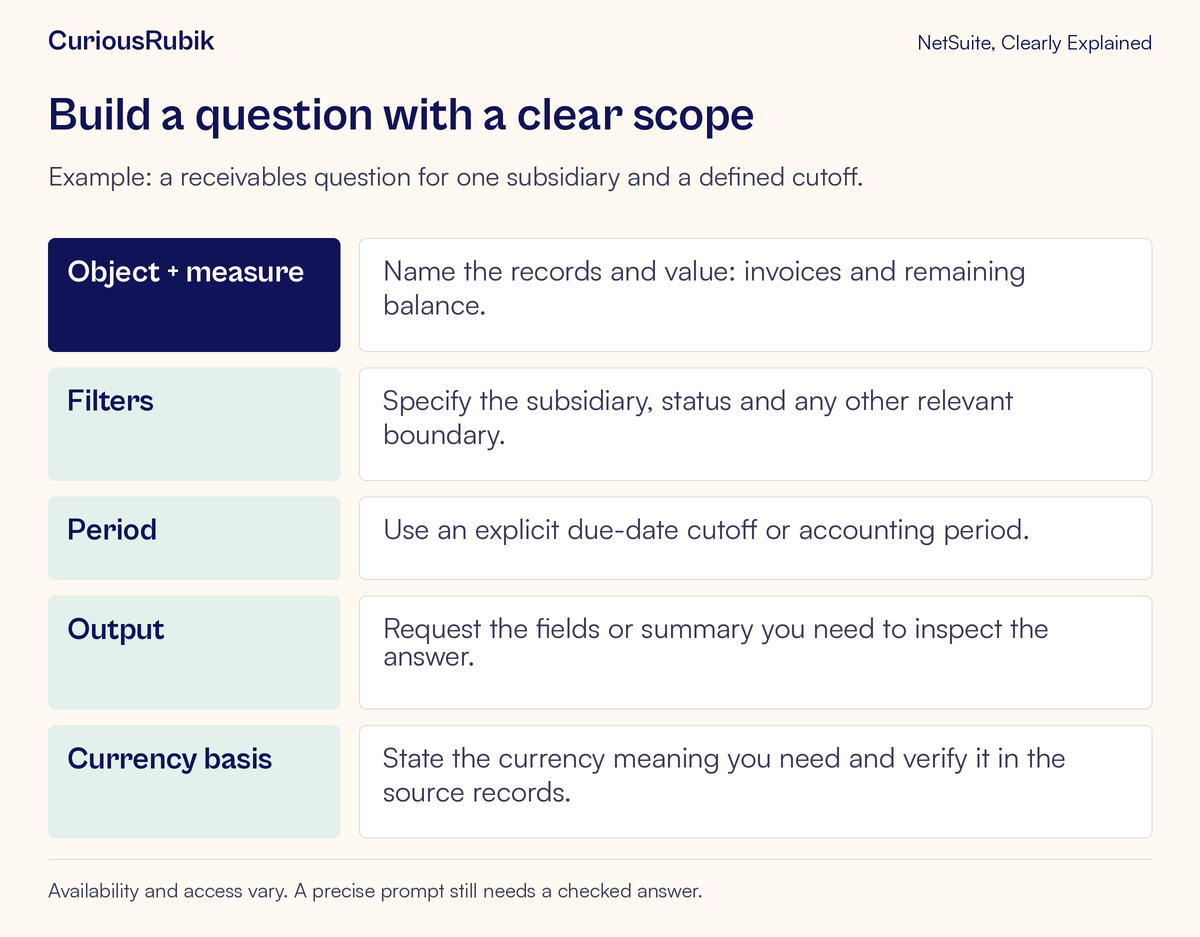
For the fictional teaching exercise in this article, a first prompt could read:
“List invoices for the North Division subsidiary with a remaining balance greater than zero and a due date before 15 September 2026. Show the invoice number, customer, due date, transaction currency and remaining balance. Keep currencies separate. Explain the filters used.”
North Division is an invented business name. Substitute your actual permitted scope, terminology and relevant field names. The wording requests an outcome; it does not guarantee that every requested field or combination is supported in your account.
Notice the deliberate choices. “Before 15 September” excludes that date. “Remaining balance” avoids treating a partly paid invoice as wholly unpaid. A named subsidiary avoids an accidental group-wide question. Asking for invoice identifiers makes verification practical.
If your process needs balances as of a historical cutoff, say so explicitly and verify that the answer genuinely uses that historical basis. A current remaining balance on an old invoice is not automatically the balance that existed at month-end.
Ask for a useful first answer, then refine it
Start with the record list. Once its scope is credible, ask a follow-up within the same topic, such as grouping the reviewed result by customer. Ask Oracle supports follow-up requests and can help change how an answer is presented.
Keep one business question in the conversation. If you switch from receivables to inventory shortages, start a separate chat. Start a new conversation when you need current source data after changes such as newly applied payments. Then check the underlying records again rather than assuming a previously displayed answer has refreshed.
A smaller request can also reveal ambiguity earlier. If the assistant returns an unexpected population, ask which field and filter produced it. Correct that interpretation before adding a chart or requesting a management summary. A chart cannot repair a mismatched definition.
Ask Oracle does not browse the public internet. If your question depends on external facts, such as a newly announced customer acquisition, do not assume those facts were checked. Handle external information through your organization’s approved process and make its provenance clear.
Inspect the evidence behind the answer
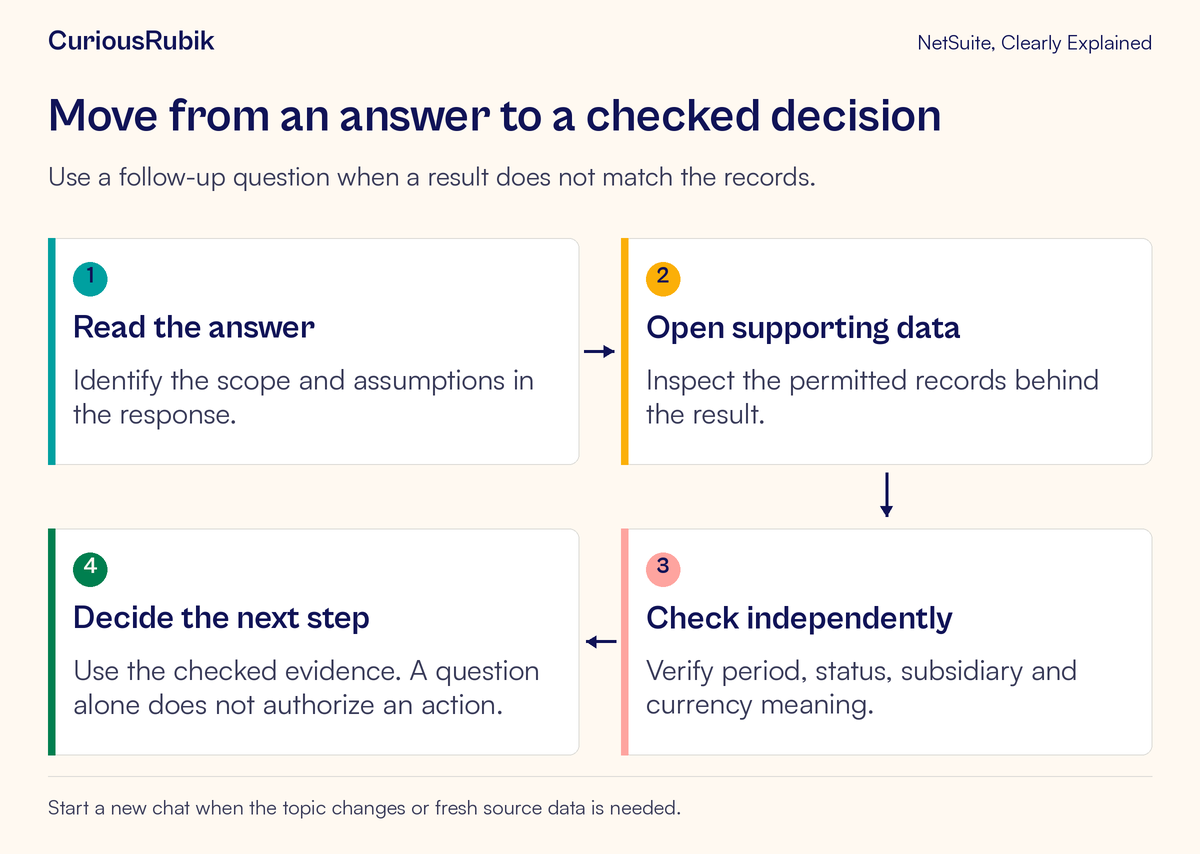
Treat every consequential answer as a starting point for review. Where available, use Show explanation and the linked underlying data to understand how the response was produced. An explanation helps you inspect the logic; it does not remove the need to reconcile the result.
Check the scope first. Confirm the record type, the intended subsidiary and the exact date boundary. Check whether the answer uses a status that matches the business question. A broad term such as “open” can have different meanings across different record types.
Next check the measure. Read the field label and its meaning. Original invoice amount, remaining balance and a currency-converted total answer different questions. If a response adds USD and EUR values together without a defined conversion basis, do not reuse the total. Ask for separate currency groups or an explicitly defined, independently checked conversion method.
Finally, inspect completeness. A correct sample does not prove that every relevant record is present. Compare the population against a permitted report or saved search with matching criteria. If the comparison tool uses different filters, it is not an independent check of the same question.
Work through a small invoice example
Consider three invented invoices, all in USD and all belonging to the fictional North Division. These amounts illustrate the checking method; they are not observed Ask Oracle output.
Invoice A has an original amount of 1,200, a payment of 450 and a remaining balance of 750. It was due on 10 September 2026. Invoice B has a remaining balance of 500 and was due on 14 September. Invoice C has a remaining balance of 400 and is due on 15 September.
For a question using “due before 15 September,” the intended population contains A and B. The illustrative total is 750 plus 500, or USD 1,250. Invoice C falls outside the stated boundary. Using original invoice amounts would overstate A by USD 450.
Now inspect each record with the appropriate permission. Confirm the due date and the remaining balance at the time of the check. Compare the resulting population with your approved report or saved search. Record the time of your comparison, because payment activity can change a current balance while you work.
Suppose a payment is applied to B during the exercise. The original arithmetic may have been correct when first observed and stale by the time you review it. Start a new question using current data, inspect B again, and state the observation time in your handoff. Do not classify every changing answer as an AI defect.
If the three-record test fails, stay with the small example. Resolve whether the issue is the prompt, record values, date boundary, currency treatment or supported capability before attempting a broader analysis.
Keep investigation separate from action
A reviewed list may support a decision; it does not decide who should receive a collection message. The receivables owner still needs to consider disputes, payment promises and communication policy.
Be explicit about the requested task. Asking for analysis should not become an open-ended instruction to change records or contact people. If you later use an available action capability, confirm the target records, intended changes, business authority and validation steps separately.
The role’s technical permission is only part of that assessment. A person may be able to edit a record while still needing a manager’s approval for a particular business change. Keep your organization’s approval process intact.
For a wider test design, see evaluating AI accuracy and human approval. Our practical AI governance guide considers the surrounding review responsibilities.
For recurring questions, save the agreed definition and a reviewed example in your team’s training material. Keep a named owner responsible for updating that example when fields, statuses or processes change. This creates a reusable learning aid without suggesting that a successful prompt is a permanent guarantee.
When the answer looks wrong
If too many records appear, narrow the record type, status and date boundary. Check whether a familiar business phrase hides several possible interpretations.
If the amount differs, compare original amount with remaining balance, inspect currency, and confirm the timing of source changes. Then compare the same population in another approved view.
If a colleague sees a different result, establish the account, role and business scope first. Do not share credentials or expand access to make two answers match.
If the answer sounds certain but lacks usable evidence, lower the confidence you place in it. Ask a narrower question and verify directly. A confident sentence is not a substitute for a traceable record.
If the feature is absent, revisit eligibility and role access. Keep access investigation separate from the quality of a prompt. AI availability and AI Units explains the distinction between being able to use a feature and understanding its consumption.
A checklist before you use the result
- I can state the business decision and name its owner.
- My question identifies the record type, measure, period and organizational scope.
- Date boundaries and currency treatment are unambiguous.
- I reviewed supporting records and a matching independent comparison.
- I recorded when the data was checked.
- I identified any remaining uncertainty or excluded records.
- The next action has the appropriate business approval.
A strong Ask Oracle habit is a short cycle: ask clearly, inspect a small result, resolve differences and then widen the scope. The value comes from reducing the distance between a business question and evidence someone can responsibly use.
If your next step is a controlled pilot around a real business process, explore CuriousRubik AI and workflow automation. Start the conversation with the question, the intended users and one result your team can independently check.