Last reviewed: 10 October 2026. Product details reflect this review date. Availability and behavior can vary by account, role and release.
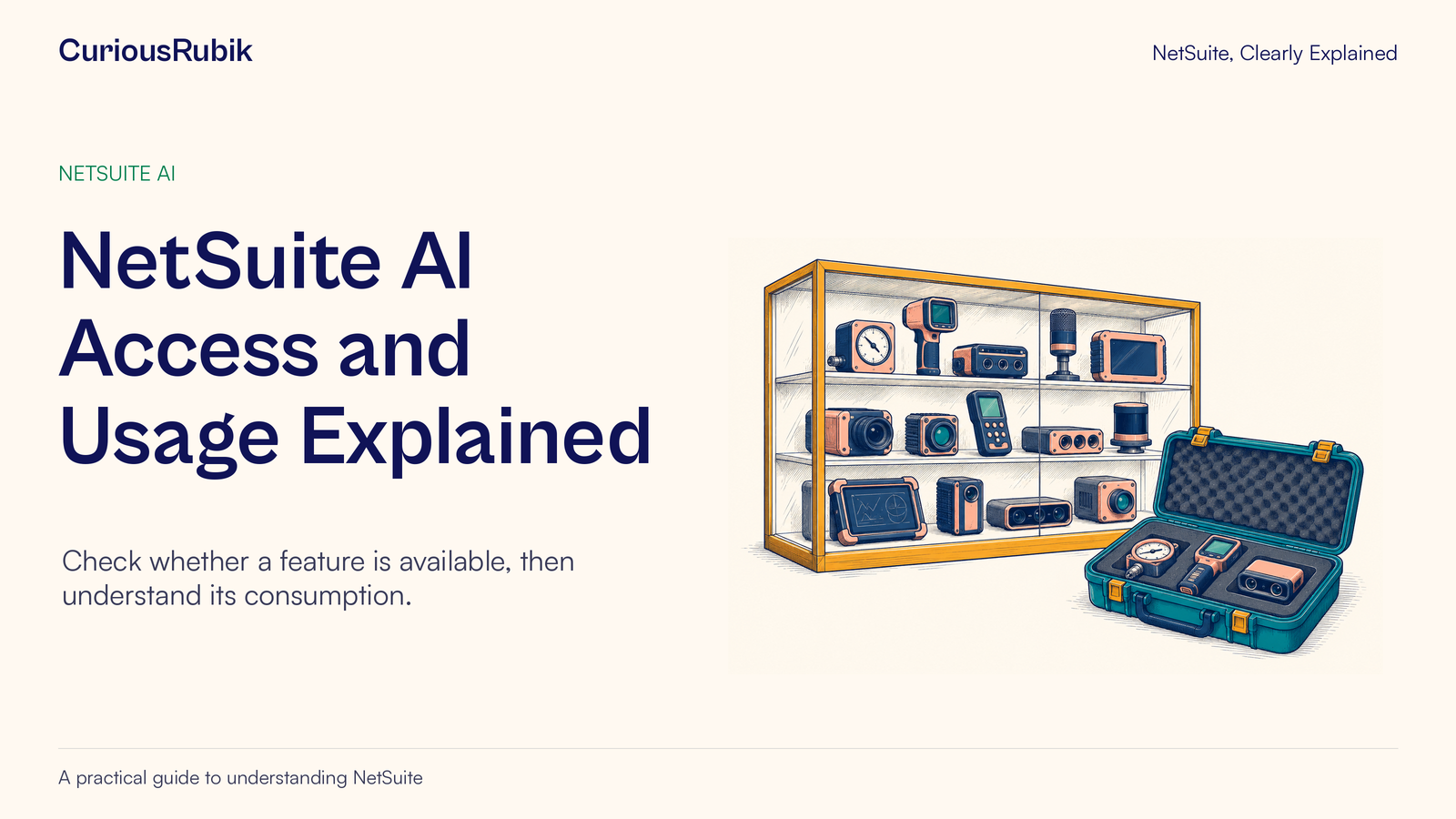
Editorial ink illustration: A display of many instruments is compared with a smaller selected set in a fitted case.
An AI feature can be available in an account while a particular user cannot access it. A user can have access while the business has not approved a particular use. A usage number can increase without telling you whether the increase represents valuable work, repeated attempts or a commercial charge.
These distinctions are useful when a team asks, “Can we switch this on for everyone?” The administrator needs more than a feature name and a screenshot. The sponsor needs more than a consumption total.
NetSuite AI Units provide a way to measure consumption across supported AI capabilities. This article explains how to connect that measure to a practical review: check a named feature, confirm the intended users, observe usage and investigate the business reason for changes. Pricing and allowance questions still need the account’s actual commercial terms.
Start with the exact feature
“NetSuite AI” is too broad for an access request. Ask Oracle, Text Enhance and AI functionality within an add-on are distinct capabilities with potentially different prerequisites and controls.
Write down what the user wants to do in a single sentence. For example, “The receivables team wants to ask questions about permitted invoice data,” or “The sales team wants help revising a description before someone reviews it.” Then identify the corresponding feature.
This is a small but important step. Otherwise, an administrator may investigate a missing menu while the requester is describing an entirely different experience. Training may also be planned around a feature the account has not yet received.
For Ask Oracle specifically, the question-and-verification lesson shows how to define a business question that can be checked. If the access conversation involves a different interface, NetSuite Next eligibility and roles explains the account and role boundaries.
Check four availability dimensions
Availability can depend on region, supported language, company settings and role permissions. Treat them as four separate checks rather than one yes-or-no checkbox.
Region concerns the availability applicable to the account and service. Do not infer it solely from the employee’s current location. An employee travelling abroad has not necessarily moved the account to a different hosting region.
Language is feature-specific. A language supported in the NetSuite interface does not establish that every AI capability supports the same language or produces equally suitable business output. Confirm the feature’s supported use and test the actual language your team needs.
Account settings concern the prerequisites and controls for that feature. Some capabilities rely on a related module or platform feature. Others have their own preferences. A general statement that “AI is enabled” may leave the necessary dependency unresolved.
Role permissions concern the intended user. Check the user’s assigned business role and the capability it needs. Testing as an administrator can conceal the access problem the team will encounter later.
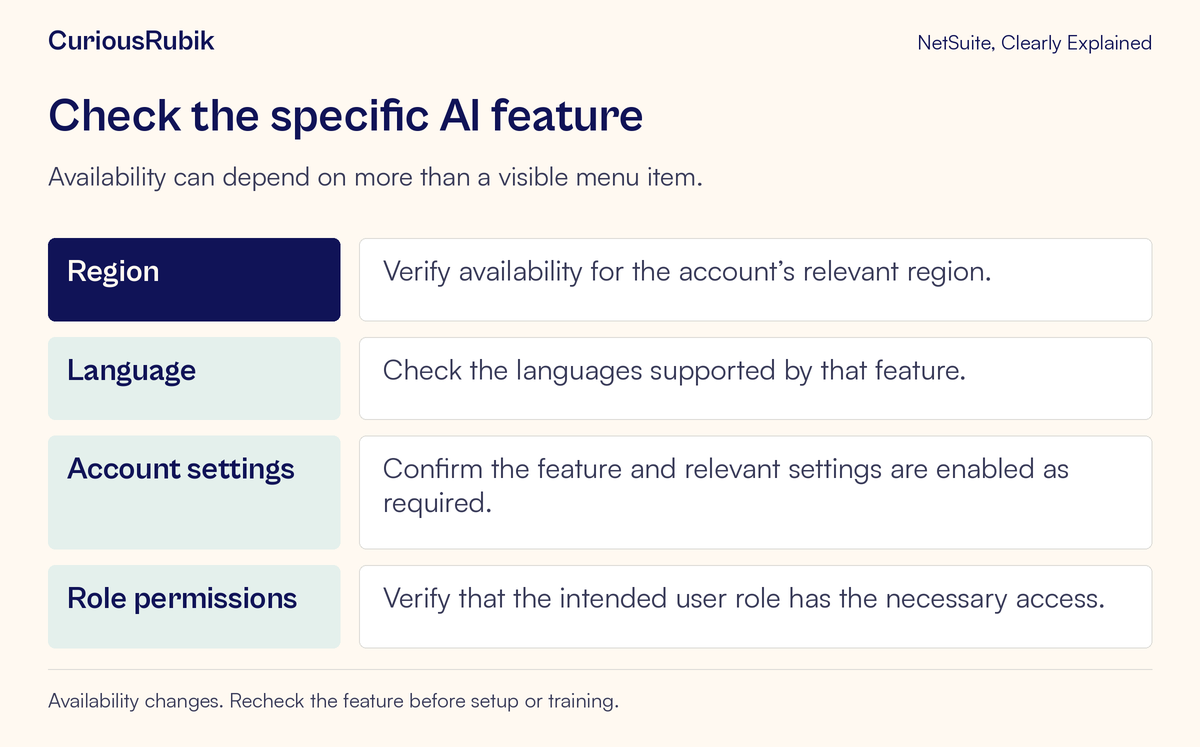
Keep the result in a short feature record: exact capability, intended task, account, relevant language, necessary settings, intended roles, owner and date checked. This can be a team worksheet. It is not a claim that NetSuite has a built-in screen with these fields.
Recheck this record before rollout. Availability changes over time, and a successful demonstration does not establish that another account or role has the same setup.
Separate entitlement, access and consumption
Entitlement is the contractual right to use a service or allowance. Access is the configuration that lets a particular user reach a capability. Consumption is the amount of measured activity.
A useful business review keeps three kinds of evidence beside one another:
- Commercial evidence: the applicable agreement, service description and confirmed allowance for this account.
- Access evidence: the relevant settings, prerequisites and assigned role.
- Usage evidence: the units reported for a defined period and feature.
An account’s usage report cannot, on its own, settle all three questions. An increasing total does not state the purchase price of more units. A license reference does not prove every user has access. A visible button does not prove that a particular use has been approved by the organization.
NetSuite does not currently offer one universal account switch that turns off every AI capability. Controls are feature-specific and may involve preferences, roles or related platform settings. An administrator planning a restriction therefore needs a feature inventory rather than an assumption that one toggle covers everything.
Keep the business scope narrow. If the company wants to restrict one team’s use of a particular feature, investigate that requirement before disabling a dependency used by other approved work.
Understand what AI Units measure
AI Units are a consumption measure. The processing required by a request can vary, so one action is not necessarily equivalent to one unit or to another action. A longer or more complex task may consume differently from a simpler one.
The unit model applies to supported capabilities. Do not assume that every product with AI in its description consumes from the same pool. Feature coverage and treatment of different environments need to be checked for the account and intended use.
A practical consequence follows: count business outcomes as well as units. A team that consumes more while completing a genuinely useful task may be getting value. A team that consumes less because it cannot access the feature is not necessarily operating more efficiently.
Neither number proves value by itself. To evaluate a pilot, pair consumption with a small set of locally defined outcome measures, such as reviewed answers completed, avoidable rework or accepted drafts. Define those measures before comparing teams. Do not present a unit total as a direct measure of employee productivity.
For a broader review of the controls around adoption, see evaluating NetSuite AI features with practical governance.
Find the administrator’s usage information
For account administrators, the documented route to account-level usage is Setup > Company > View Billing Information. The Billing Information page includes AI Units used during the current month.
The more detailed route is Setup > Company > AI Units usage dashboard. That dashboard supports reviewing consumption by date, name and AI feature. These are administrator-oriented views; ordinary users should not expect access simply because they can use an AI feature.
If the page is absent, first confirm account availability and the administrator context. Do not guess an alternative URL or broaden a business user’s role to expose billing information. The administrator can review the relevant usage and share an appropriately scoped summary.
Before interpreting a number, record the displayed period and the account being viewed. A current-month total and a selected set of daily results answer different questions. Keep production and test observations clearly labelled rather than combining unlike environments into an unexplained total.
Read a usage change as an investigation prompt
A higher number tells you where to ask a question. It does not establish the cause.
Consider this invented training example. An administrator’s review worksheet records 240 units on Monday, 600 on Tuesday and 260 on Wednesday for a selected feature and scope. The values are fictional observations created to teach the review method. They are not a tariff, an allowance or an expected consumption rate.
Tuesday’s total is 360 units above Monday’s. The team calendar shows a training session on Tuesday. This makes training a plausible explanation, but it is not enough to declare the increase expected.
The administrator checks the selected dates and feature, then asks the training owner whether participants ran the planned exercises, repeated failed attempts or used larger inputs than expected. The owner confirms that two exercises caused confusion and were rerun several times.
The resulting action may be to clarify the exercises and prompt examples. It does not have to be a restriction or a purchase. The next comparable session can establish whether the revised exercise produces reviewed results with less rework. Keep its group size and task scope visible so the comparison is fair.
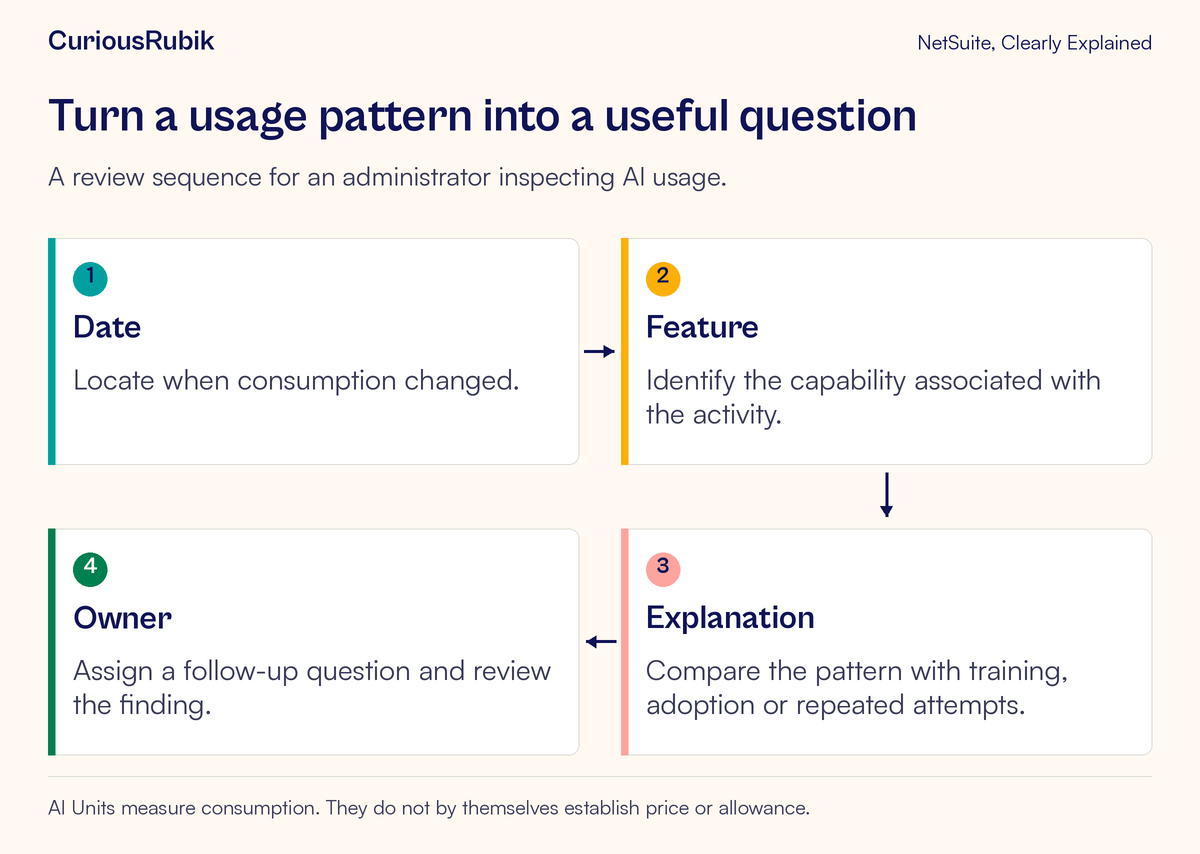
There are several possible explanations for the same pattern. A new team may have started using the feature. A changed task may require more processing. A repeatable automation may be running more often. Users may be retrying because the output is unsuitable. Investigate whichever explanation fits the actual evidence; do not select the most convenient one.
Review value without inventing a price
Sponsors often ask for a cost per completed task. That can be a useful business question, but it needs both consumption evidence and the applicable commercial basis.
First define the completed task. Does it mean an answer generated, an answer checked or a decision made using a reviewed answer? Those are different outcomes. Then identify the relevant consumption period and any measurement limitations. Only after that should the commercial owner determine the appropriate cost treatment.
Avoid multiplying units by an assumed rate. Do not infer an automatic overage charge, a universal monthly reset or a hard spending cap from the dashboard. Confirm the account’s allowance, term, pool structure and any additional-purchase process separately.
Likewise, do not rely on a usage alert as your only control without confirming what is available and working in the account. Assign a review owner and a sensible cadence for the pilot. The frequency should reflect actual activity and consequence rather than a generic daily routine.
An output-quality check belongs beside this review. AI accuracy and human approval tests provides a related starting point for defining which results are acceptable to use.
Common misunderstandings to resolve early
“Another user can see it, so I should too.” Compare the account, role, settings and eligibility before assuming a fault.
“Usage doubled, so something is wrong.” Look for changed task volume, training or repeated attempts. Confirm the comparison period and scope.
“It is part of our license, so consumption cannot matter.” Verify the actual entitlement and allowance rather than treating inclusion as a promise of unlimited use.
“We can control every feature in one place.” Map the feature-specific settings and dependencies before making changes.
“The lowest-consumption team is the best user.” Check task complexity, access and the quality of completed work. Raw totals do not establish efficiency.
A useful pilot handoff
Before widening access, give the sponsor a short, evidence-backed handoff:
- The exact feature and approved business task
- Eligibility, language, settings and role checks, with the check date
- The observed usage period and account
- The useful outcomes and repeated attempts observed
- Any unexplained change and its investigation owner
- The commercial question still requiring account-specific confirmation
- The next review date and the decision that review should support
This gives the business a clear way to discuss adoption without mixing up technical access, measured usage and money. For help shaping a bounded pilot around a real workflow, explore CuriousRubik AI and workflow automation.