For US distribution and finance leads, a plain explanation of how NetSuite drop ship orders flow and what to set up first.
Last reviewed: 5 November 2026. Product details reflect this review date. Availability and behavior can vary by account, role and release.
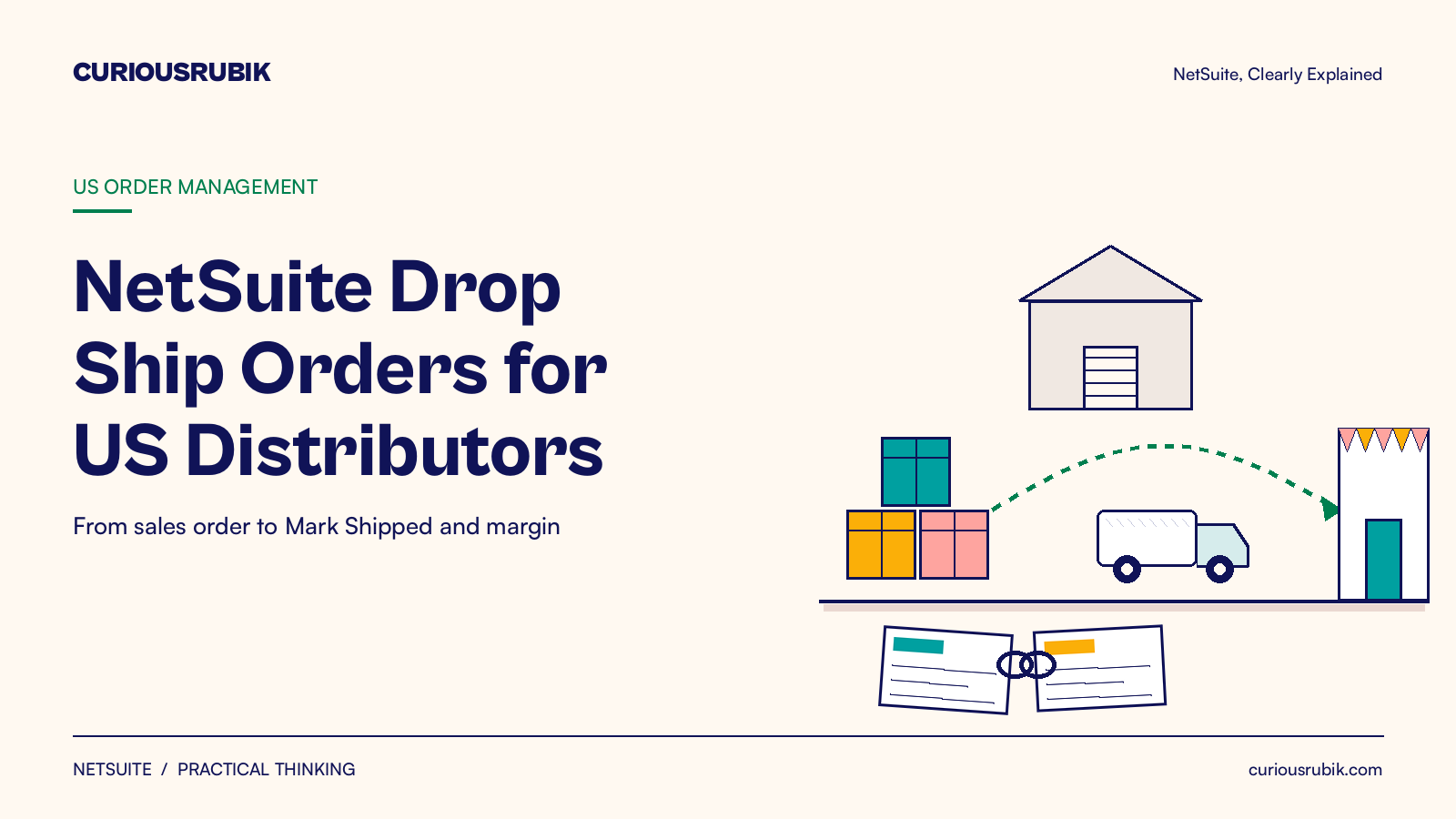
NetSuite drop ship lets your supplier ship an order straight to your customer while NetSuite keeps the sale, the purchase and the margin in one place. You mark the item for drop shipment, and the approved sales order creates a linked purchase order. The supplier ships, you click Mark Shipped, and both orders are ready to bill.
What is a NetSuite drop ship order and how does it work?
A drop ship order is a sale where the goods never pass through your warehouse. Your vendor ships directly to your customer. In NetSuite, the sales order and a linked purchase order carry the whole deal.
Many US distributors use drop ship for bulky items, slow movers and catalog lines they do not want to stock. The appeal is simple. You can offer a wider range without buying the stock first, and your team still sees every order in NetSuite.
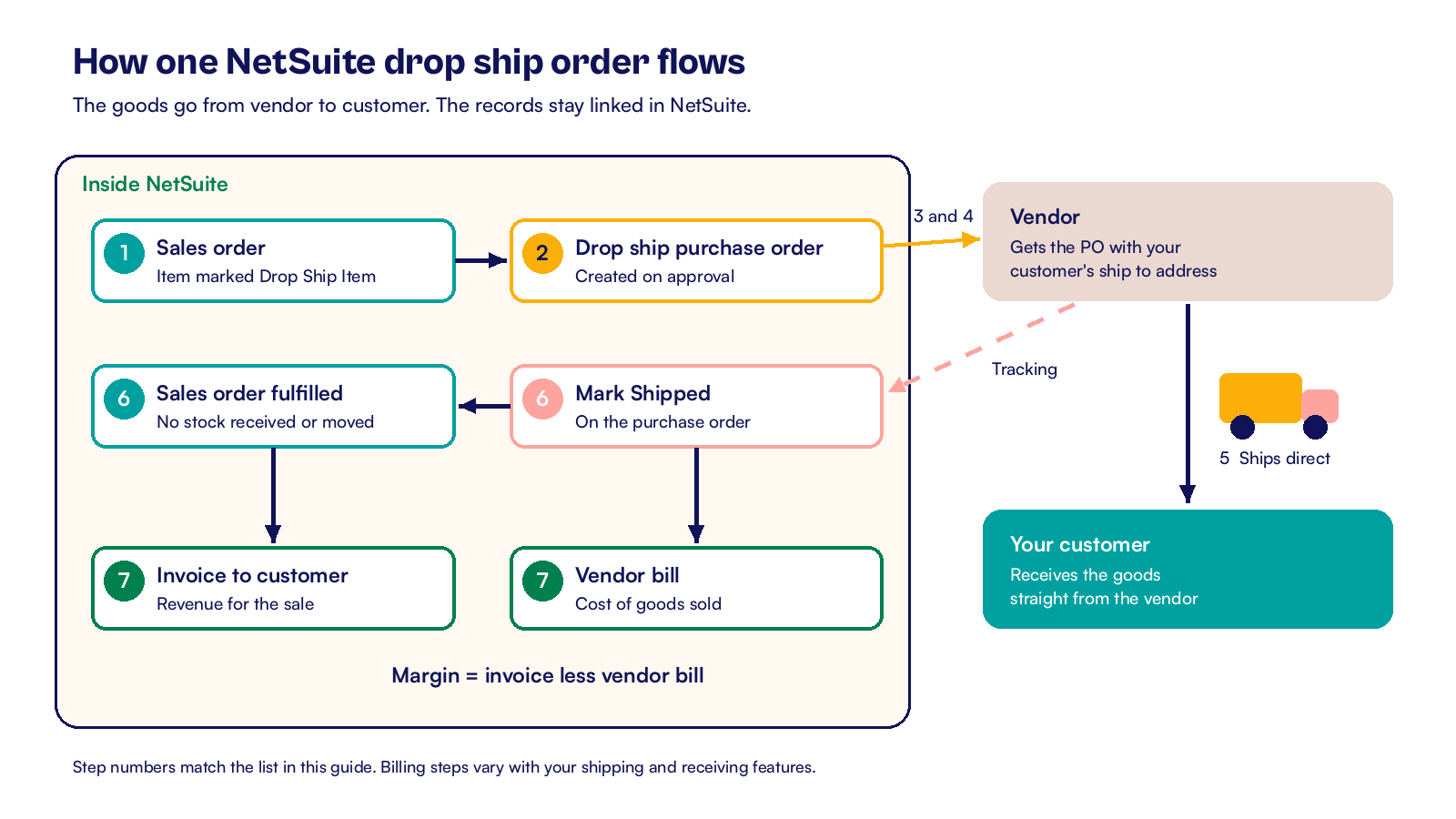
Here is the chain of records for one drop ship line:
- A sales rep or your web store enters a sales order for an item marked as a drop ship item.
- The sales order is approved. NetSuite creates a purchase order for the item's preferred vendor.
- The purchase order uses the drop ship form and shows your customer's ship to address.
- The purchase order goes to the vendor by email, print or your usual channel.
- The vendor ships the goods and sends you tracking details.
- Someone opens the purchase order and clicks Mark Shipped. This opens the fulfillment for the sales order.
- You bill the sales order to the customer and enter the vendor bill against the purchase order.
Because the goods are not received into your stock, drop ship lines do not commit inventory and do not change your quantity on hand. The cost goes to cost of goods sold instead of inventory, so the margin on each order stays visible.
NetSuite also offers special orders, which look similar on the sales order but work differently. The difference matters when you decide which items to set up:
| Point | Drop ship | Special order |
|---|---|---|
| Vendor ships to | Your customer's address | Your company's address |
| Purchase order form | Drop ship purchase order form | Preferred purchase order form |
| Inventory impact | None, the item is not received into stock | Received into stock, then fulfilled to the customer |
| When the sales order can be fulfilled | Before or after the purchase order is received | Only after the linked purchase order is received |
Use drop ship when the vendor can deliver to your customer in a condition you are happy to stand behind. Use special order when you need to inspect, kit or relabel the goods first.
How do you set up drop ship in NetSuite?
The setup is short, and most of it is a few decisions for your operations and purchasing leads. An administrator can then apply them in an afternoon.
- Enable the Drop Shipments and Special Orders feature under Setup, Company, Enable Features, on the Items and Inventory subtab.
- Review the drop ship preferences under Accounting Preferences, on the Order Management subtab. These include Update Drop Ship Order Quantities Automatically Prior to Shipment and Drop Ship Fulfillment Quantity Validation.
- Decide whether orders need approval. If your default sales order status is Pending Approval, the purchase order appears only after approval. If it is Pending Fulfillment, the purchase order appears when the order is saved.
- On each item record, open the Purchasing/Inventory subtab, choose the Preferred Vendor and check the Drop Ship Item box.
- Check the vendor record. Confirm the email address for purchase orders, the payment terms and the currency.
- If you use a custom purchase order layout, link your sales order form to it so drop ship orders print on the right form.
- Run a test order in your sandbox account, then follow it through Mark Shipped, the invoice and the vendor bill.
Reps can also switch a single line to drop ship on the sales order itself. The Create PO column on the Items subtab offers Drop Ship or Special Order. That suits a one time customer request for an item you normally stock.
Who owns each part
Who owns what is worth writing down. Sales owns the ship to address on the order. Purchasing owns the vendor, the cost and the follow up for tracking. Finance owns the vendor bill match and the margin review.
When those three roles are clear, drop ship orders rarely get stuck.
How should US teams handle billing, margin and sales tax?
The fulfillment step is an easy one to miss. If nobody clicks Mark Shipped, the sales order never reaches billing, even though the customer already has the goods. A saved search of drop ship purchase orders that are still pending receipt, with the vendor and the order date, makes those orders easy to chase.
How billing behaves depends on your shipping and receiving features. If you use Advanced Shipping and Advanced Receiving, Mark Shipped moves both orders to Pending Billing, and you bill each one yourself. Other combinations can turn the purchase order into a bill and the sales order into an invoice or cash sale in different steps. Test the flow your account uses, and write it down for the team.
Margin and sales tax checks
Margin needs a quick monthly look, and a hypothetical example shows why. A distributor sells a drop shipped item for USD 1,200 and the vendor bill is USD 900, so the margin is USD 300. If the vendor adds a USD 75 freight charge on the bill that was never priced on the sales order, the margin falls to USD 225.
A saved search that compares each drop ship sales order to its linked vendor bill will flag those gaps.
Sales tax is generally based on where your customer receives the goods, not on where the vendor ships from. The ship to address on the sales order feeds the tax calculation, so keep it correct and complete.
If you sell into states where you have economic nexus, your tax setup in NetSuite should already cover those destinations. Our guide to NetSuite sales tax setup for US nexus covers that setup. Confirm with your tax adviser how resale certificates and vendor charges apply to your drop ship flow.
Returns on drop ship orders
Returns need a plan too. A customer may send goods back to the vendor or to you. Agree the rule with each vendor before you start, and record the return authorization and vendor credit in NetSuite so the money matches the goods.
In my view, drop ship works best when you treat it as a full order process rather than a purchasing shortcut. NetSuite gives you the linked records, the automatic purchase order and the margin data.
The teams that do well with it add three habits. They name an owner for Mark Shipped, run a weekly search for open drop ship orders and check margin against vendor bills each month. Start with one vendor and a few items, then widen the range.
At CuriousRubik, we help distributors tidy up order flows like this inside an existing account. Our NetSuite optimization team can review your drop ship setup, saved searches and billing steps, and test the changes in your sandbox account. See how we support NetSuite customers in the United States and wholesale distribution businesses.
For the wider picture, read how the whole NetSuite order to cash process fits together. If your vendors confirm dates and tracking through NetSuite, our guide to NetSuite order collaboration with suppliers shows the checks to run.
Related reading
NetSuite Order to Cash Process: Flow and Best Practices
How a US order moves from the sales order to cash in the bank.
NetSuite Order Collaboration Checklist for US Buyers
Supplier side checks after a purchase order leaves NetSuite.
NetSuite Purchase Requisition Approval Workflow Design
How requests become approved purchase orders with clear limits.