
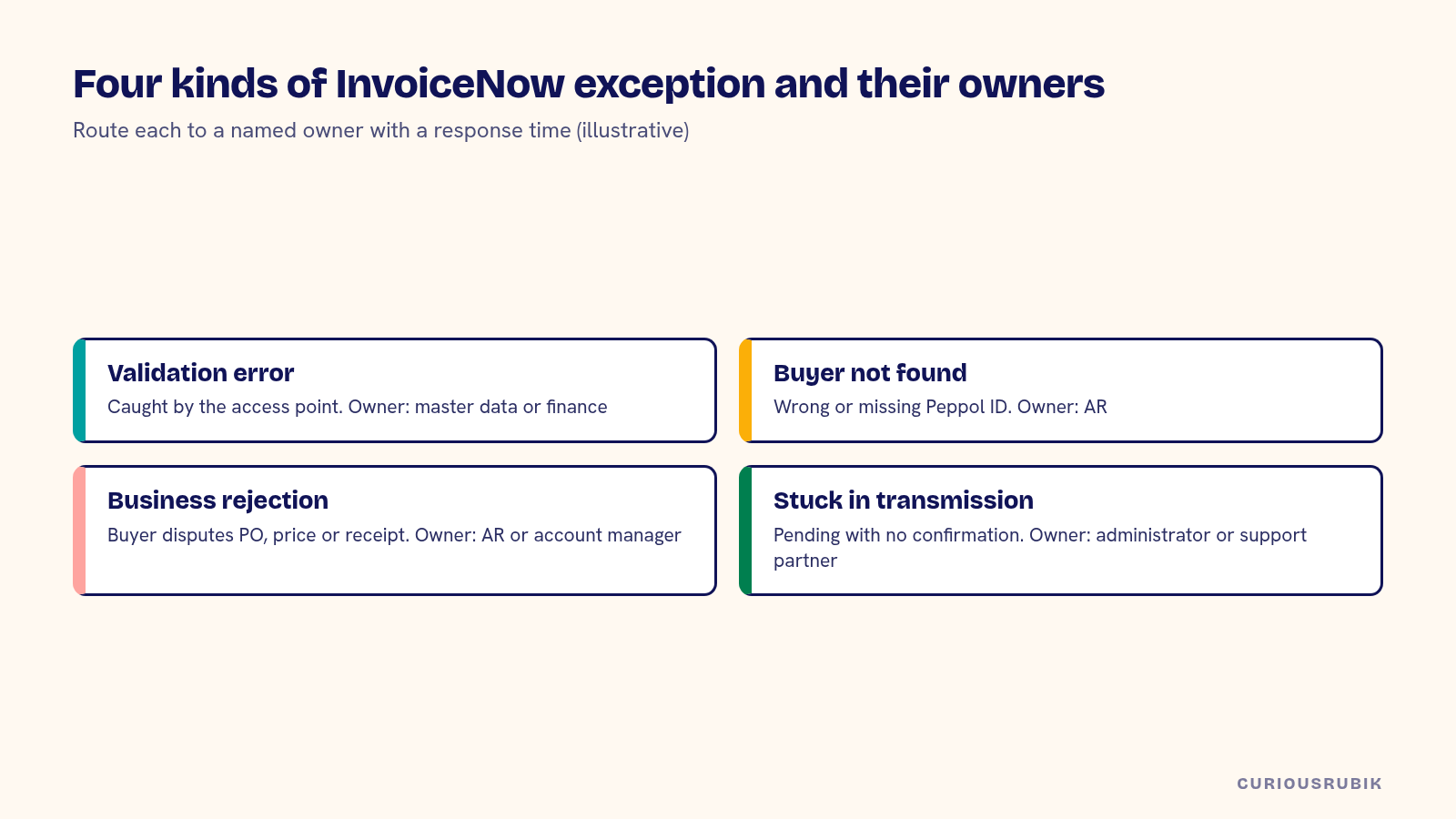
To handle NetSuite Peppol exceptions in Singapore, sort every failed document into one of four groups and give each a named owner: validation errors caught before sending, buyers who can't be found on the network, business rejections from the buyer and documents stuck in transmission. Then fix the cause in NetSuite, resend or correct with a credit note, and keep the evidence. Errors are normal. Unowned errors are what cause trouble at GST filing time.
InvoiceNow, Singapore's Peppol-based e-invoicing network, is now part of GST compliance for a growing group of businesses. IRAS began with newly incorporated voluntary registrants in November 2025, extended it to all new voluntary registrants from April 2026 and has published a phased schedule for existing GST-registered businesses from 2028. Whatever your date, the exception process needs to work before it becomes mandatory.
Catch validation errors before the document leaves
Your access point validates each document against the Peppol and Singapore specifications before sending. Common failures include a missing or malformed UEN, a tax category that doesn't match the GST code, missing buyer references, rounding differences between line and total amounts and unsupported units of measure.
Most of these come from data in NetSuite. Fix them at the source: required fields on the customer record, tax code mapping to Peppol tax categories, a rounding rule that matches the specification and a units of measure mapping. Then report validation failures daily, grouped by error, so the same problem isn't fixed 40 times by hand.
Handle buyers who aren't on the network
If the buyer's Peppol ID can't be found, the document can't be delivered through Peppol. That can happen because the buyer isn't registered, the ID on the customer record is wrong or the buyer registered under a different identifier.
Check the ID first. If the buyer isn't registered, send the invoice by your usual method and record that you did so. Your GST obligations to IRAS may still apply depending on your InvoiceNow requirement, so confirm with your access point and adviser how such invoices are handled. Keep a list of buyers who aren't yet on the network and review it monthly.
Respond to business rejections from the buyer
A document can be delivered successfully and still rejected by the buyer, for example because a purchase order number is wrong, the price doesn't match or the goods weren't received. Depending on your access point and the buyer's system, you may receive a business response through the network, or the buyer may simply email.
Route both to the same queue. Record the reason on the invoice in NetSuite. Don't edit a sent invoice. If it needs correcting, issue a credit note and a new invoice, so the records you sent and the records in NetSuite stay consistent. Our guide to reconciling InvoiceNow documents and retry attempts covers how to track each attempt.
Watch for documents stuck in transmission
Some documents don't fail clearly. They sit in a pending state because of an integration error, a timeout or an access point problem. Set a rule: anything not confirmed as sent within a set time goes on an exception list.
Check the list every day, and every hour in the days before a GST return is due. Resending without checking can create duplicates, so confirm with the access point whether the first attempt went out before retrying.
Assign owners for each exception type
Exceptions need owners, and they're usually different people. Validation errors from master data belong to whoever maintains customer and item records. Tax code problems belong to finance. Business rejections belong to AR or the account manager. Transmission failures belong to the system administrator or support partner.
Write the owner, the response time and the escalation path for each type. Include your access point's support contact and your NetSuite support provider. If a support partner owns part of the queue, make sure their agreement names InvoiceNow incidents and covers the days before each GST return.
Train the owners on what the access point's messages mean. Error codes and response messages are often terse, and a short internal guide that maps the common ones to a cause and a fix saves time. Update it whenever a new error appears. After a few months, most exceptions should be handled by the first person who sees them, without escalation.
A hypothetical week of InvoiceNow exceptions
A hypothetical Singapore building supplies company sends about 600 invoices a week through InvoiceNow from NetSuite. One week's exception report shows the following. All figures are illustrative.
| Exception type | Count | Root cause | Fix |
|---|---|---|---|
| Validation: missing buyer reference | 22 | Field optional on sales orders | Made required for Peppol customers |
| Validation: rounding | 9 | Line-level rounding differed from total | Template and rounding rule aligned |
| Buyer not found | 6 | 4 wrong UENs, 2 not registered | IDs corrected; 2 sent by email and logged |
| Business rejection | 5 | PO numbers mismatched | Credit notes and reissued invoices |
| Stuck in transmission | 3 | Integration timeout | Confirmed with access point, resent once |
The following week, validation errors drop to four. The team keeps the report as a weekly review and adds a daily check in the week of the GST return. Your volumes and causes will differ. The pattern holds.
Bring the exception check into the close calendar
Before each GST return, confirm that every invoice for the period was either delivered, sent by another method with a record or replaced by a credit note. Reconcile the count and value of documents in NetSuite with your access point's records. Our post on bringing the InvoiceNow submission check into the close calendar explains when to schedule it.
If you are still preparing for InvoiceNow, start with the design. Planning a NetSuite implementation for Singapore GST and InvoiceNow covers the setup, and if you are moving systems, read moving from Xero to NetSuite in Singapore for cutover of pending documents. For partner selection, see how to choose a NetSuite partner in Singapore.
Use the NetSuite Peppol exceptions checklist
Each week, and before each GST return, check each of these:
- Are validation errors reported daily and grouped by cause?
- Are UEN, tax category, rounding and unit mappings correct at the source?
- Is there a list of buyers not on the network, with how each was invoiced?
- Do business rejections from any channel reach one queue?
- Are corrections made with credit notes instead of edits?
- Are pending documents checked before resending?
- Does every exception type have an owner and response time?
- Do NetSuite counts and values reconcile to the access point before filing?
Our NetSuite managed support team runs InvoiceNow exception queues for Singapore clients, and our page for Singapore-led NetSuite programs describes the wider work. If exceptions keep coming from the same design problems, a review like NetSuite optimization for Singapore companies may fix them at the root.
Related reading: Reconciling InvoiceNow documents and retry attempts in NetSuite
Frequently asked questions
What is the most common NetSuite Peppol error?
Validation errors from master data, such as missing references, wrong identifiers or tax mappings, are common. Fix them at the source.
What if a buyer isn't on Peppol?
Check the identifier first. If the buyer isn't registered, invoice by your usual method and confirm GST reporting treatment.
Can we edit an invoice after sending it through InvoiceNow?
Avoid it. Issue a credit note and a new invoice so the sent records and NetSuite stay consistent.
How do we avoid duplicate sends?
Confirm with the access point whether the first attempt was delivered before resending.
When does InvoiceNow apply to existing GST-registered businesses?
IRAS has published a phased schedule starting in 2028. Check the current IRAS guidance for your date.