For US distribution and operations leads who buy items to order and want each one tied to the right customer.
Last reviewed: 14 November 2026. Product details reflect this review date. Availability and behavior can vary by account, role and release.
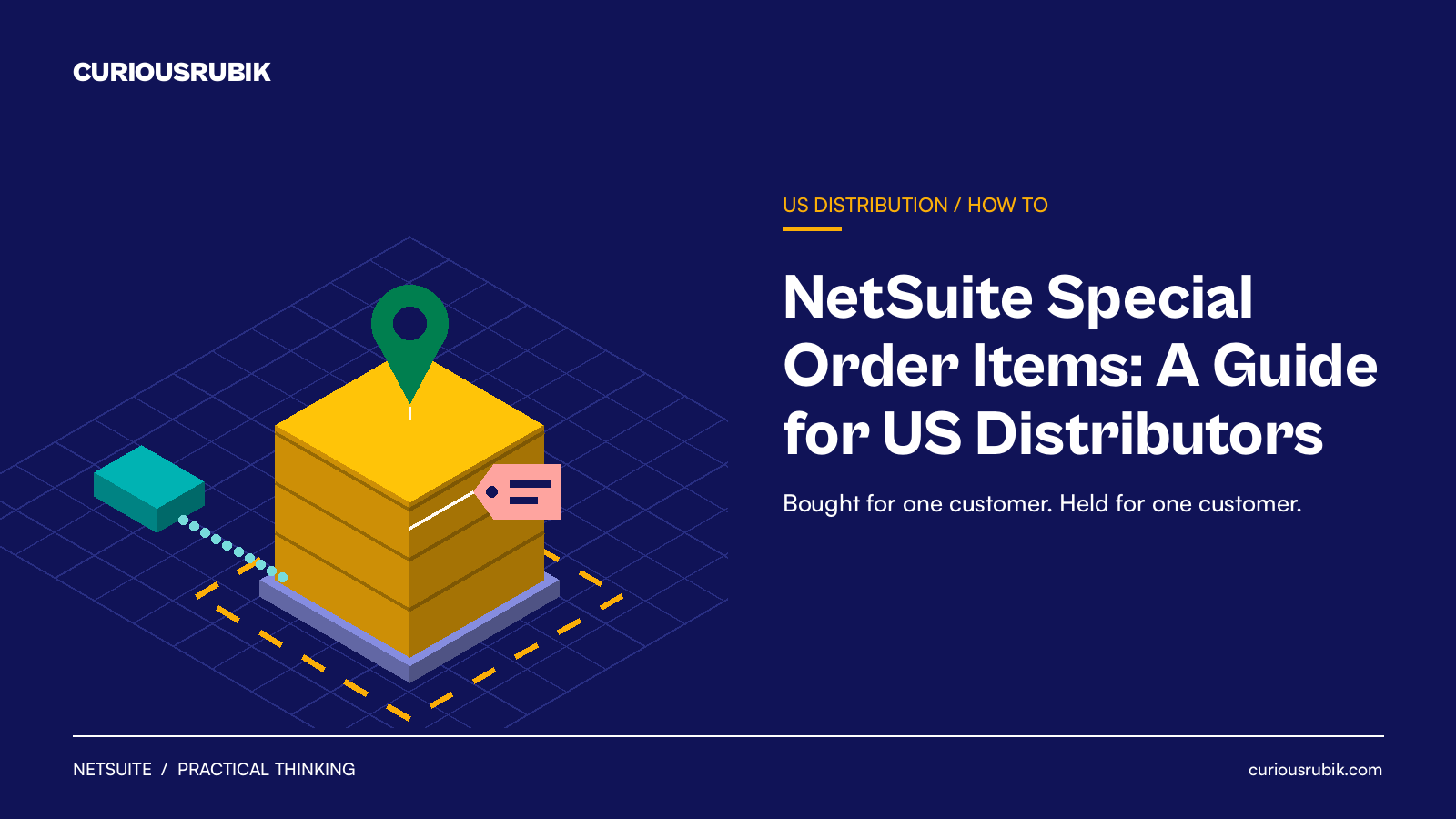
A NetSuite special order links one sales order line to its own purchase order. When the sales order is saved or approved, NetSuite creates the purchase order for the item's preferred vendor. Inventory goods arrive at your warehouse, commit to that customer only, and ship once the linked order is received. Non inventory lines do not commit.
- Special orders suit custom, slow moving or high value items that you never want to keep in general stock.
- The item needs a preferred vendor and a purchase price before NetSuite can create the linked purchase order.
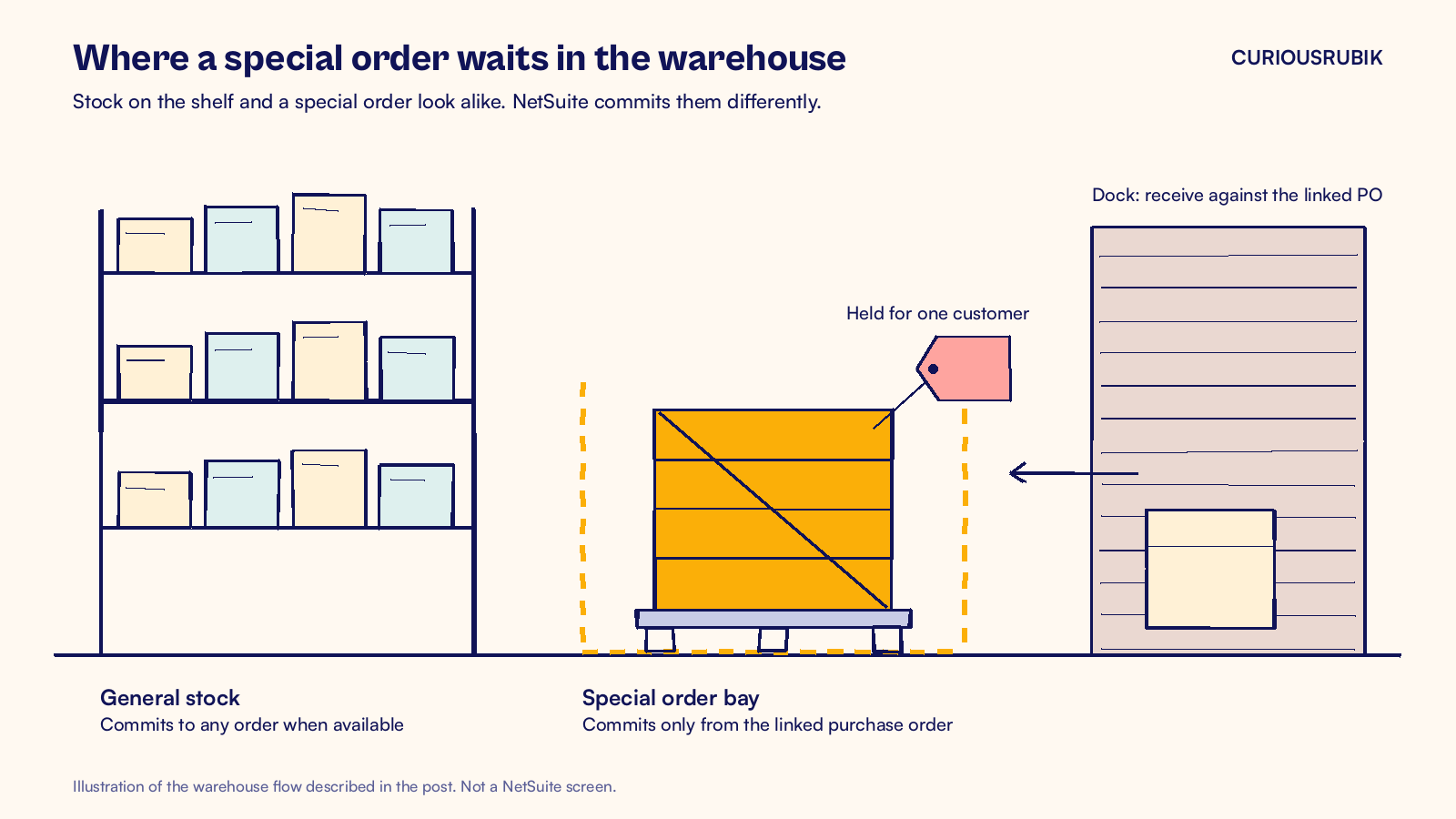
- A special order line commits only from its own purchase order, never from stock already on the shelf.
- Unlike a drop shipment, inventory goods come through your warehouse and post to inventory and cost of goods sold.
What is a NetSuite special order?
A special order is a sales order line that NetSuite buys for one customer and holds for that customer alone. It is part of the Drop Shipments and Special Orders feature, which an administrator turns on at Setup > Company > Enable Features. Open Items & Inventory, check Drop Shipments and Special Orders, then save.
US distributors use special orders for a few kinds of item. One is the custom item, such as a valve with a special finish or a pump with a nonstandard motor. Another is the slow mover that sells twice a year and would sit on a shelf if you stocked it. A third is the high value part you only buy when a customer has committed to it.
You can special order two item types: inventory items and non inventory items for resale. The Special Order Item box also appears on assembly item records. One item can default to drop ship or to special order, but not to both.
How does a special order differ from drop ship and stock orders?
The three ways to fill a sales order line look alike on screen. They behave very differently in the warehouse and the ledger, so it helps to see them side by side. The table compares inventory items. Non inventory resale items do not commit or add to inventory value.
| Question | Stock order | Special order | Drop ship |
|---|---|---|---|
| Where does the vendor ship? | Your warehouse, for general stock | Your warehouse, for one customer | Straight to your customer |
| Is a purchase order created from the sale? | No | Yes, linked to the sales order line | Yes, linked to the sales order line |
| When does the line commit? | When stock is available | Only when the linked purchase order is received | It does not commit |
| Does an inventory item affect inventory value? | Yes | Yes, on receipt and fulfillment | No, unless you receive it manually |
| Can you fulfill before the vendor delivers? | Yes, from stock | No, for inventory items | Yes, the vendor ships it |
The commitment rule is the one that matters most. A special order line takes stock only from its linked purchase order. If you already hold five units of the same item, the special order line will not touch them. To fill part of an order from shelf stock, enter those units on a separate line without Special Order.
Our guide to NetSuite drop ship orders covers the other route in detail, including Mark Shipped and how drop ship margin is reported.
How do you set up special order items in NetSuite?
Setup has two parts. First you prepare the item records so NetSuite knows who to buy from and at what price. Then you decide how users mark a line as a special order. Most distributors do both.
Prepare the item record
- Go to Lists > Accounting > Items and edit the item.
- Open the Purchasing/Inventory subtab.
- Set a Preferred Vendor. If you use the Multiple Vendors feature, set it on the Vendors subtab instead.
- Enter a Purchase Price for that vendor.
- Check the Special Order box if every sale of this item should be a special order.
- Save the record.
Without a preferred vendor and a purchase price, NetSuite cannot select the item as a special order. Check both fields during data migration for any item your buyers treat as made to order.
Mark lines on the sales order
For items that are sometimes stocked and sometimes ordered in, leave the item default off. The sales rep then picks Special Order in the Create PO column on the line when needed. This works on sales orders, invoices and cash sales.
When the order is saved or approved, NetSuite creates the purchase order on your preferred purchase order form. The purchase order ships to your company address and carries a Created From link back to the sales order. Your buyer reviews and sends it like any other purchase order.
Two habits keep this tidy. Give buyers a saved search of purchase orders created from sales orders, so special orders are easy to chase. And agree who may change the vendor or price on the linked purchase order before it goes out.
Agree the rules before you switch it on
Special orders touch sales, purchasing, the warehouse and finance. Settle these points in one short workshop before go live, and write the answers into your process notes.
- Which items default to special order. Usually custom, slow moving or high value items. Review the list each quarter as demand changes.
- When to take a deposit. Many distributors ask for part payment on anything the vendor will not take back.
- Who can edit the linked purchase order. Limit changes to vendor, quantity and price to buyers, and keep sales reps out of it.
- What happens on cancellation. Agree the customer terms and the vendor terms, so neither side is a surprise later.
- How receiving works. The warehouse must receive against the linked purchase order, not a stock order for the same item.
These rules sound simple. Writing them down is what keeps a special order from turning into stock nobody wanted.
A hypothetical special order for a US distributor
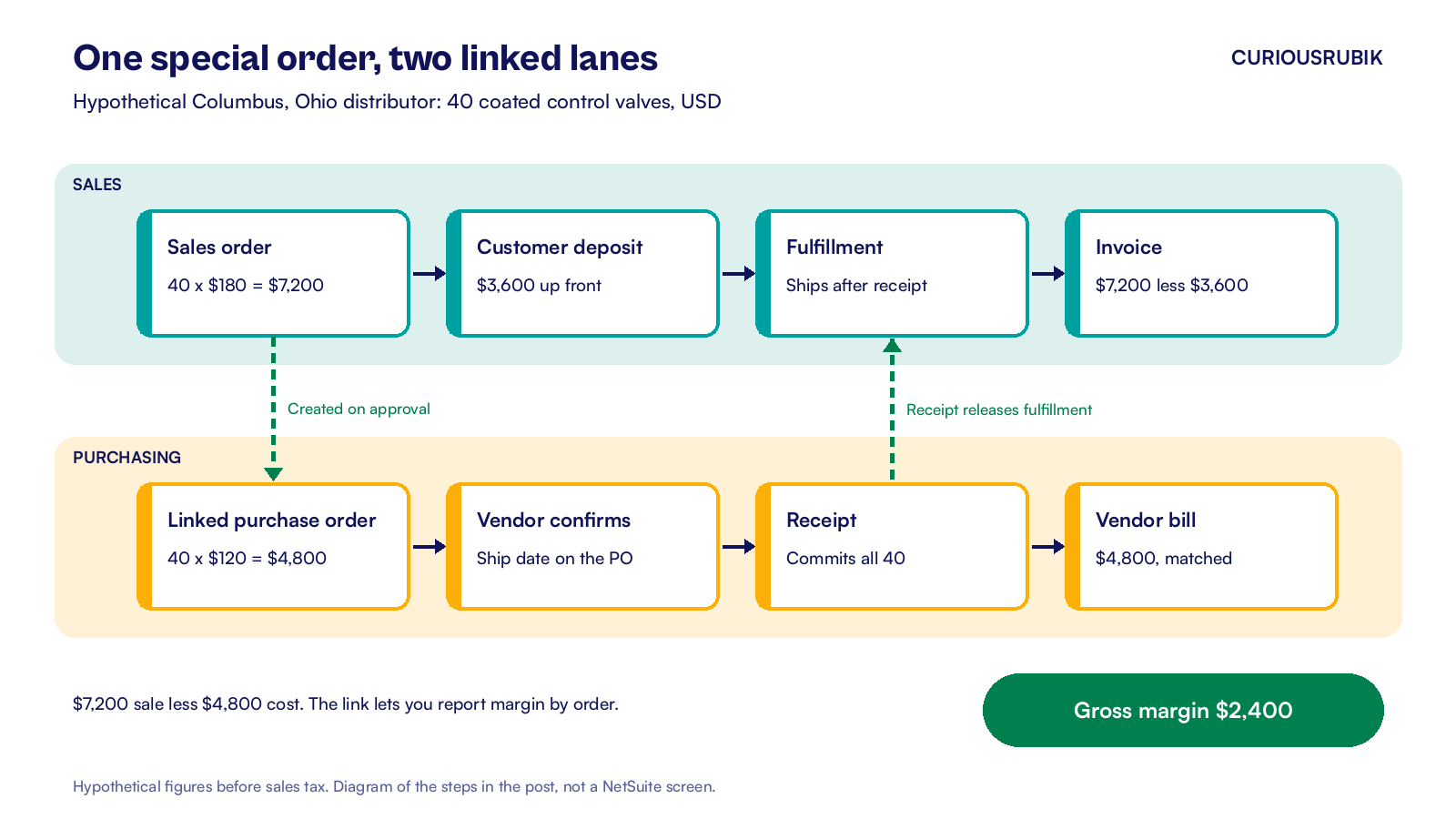
A hypothetical industrial supply distributor in Columbus, Ohio sells to plant maintenance teams. A customer orders 40 control valves with a special coating for a new production line. The distributor never stocks this finish, so the item record defaults to special order.
- Quote and order. The rep enters a sales order for 40 valves at $180 each, so the order totals $7,200 before sales tax. The Create PO column fills with Special Order from the item default.
- Deposit. Coated valves cannot be returned to the vendor, so the distributor asks for half up front. The rep clicks Create Deposit on the unbilled sales order and records a $3,600 customer deposit.
- Approval and purchase order. A sales manager approves the order. NetSuite creates a linked purchase order for 40 valves at the $120 purchase price, a total of $4,800.
- Vendor confirmation. The buyer sends the purchase order and records the vendor's confirmed ship date on it. Customer service can now quote a real date to the customer.
- Receipt. The valves arrive three weeks later. The warehouse receives the purchase order, and inventory rises by $4,800. All 40 valves commit to the customer's sales order, and the order appears in the picking ticket queue.
- Fulfillment. The warehouse picks, packs and ships the order. Inventory falls by $4,800 and cost of goods sold rises by the same amount.
- Invoice and deposit. Billing creates the invoice for $7,200 plus sales tax. The $3,600 deposit is applied to it, so the customer owes the remaining $3,600 plus tax.
- Vendor bill. Accounts payable matches the vendor's $4,800 bill to the purchase order and the receipt before approving it.
This example uses the Sales Order Invoice form with Create Deposit available, plus separate receiving and shipping steps. The linked deposit applies automatically when billing creates the invoice. Assume average costing, no existing stock, no freight and no cost changes.
The gross margin on the order is $2,400, which is $7,200 less $4,800. Because the purchase order is linked, the distributor can report that margin by order. It can also see every open special order that is waiting on a vendor.
A note on US sales tax. A distributor buying for resale usually gives the vendor a resale certificate, so the vendor does not charge sales tax on the purchase. The distributor collects tax on taxable sales where it has a collection duty, unless a valid exemption applies. Rules vary by state, so confirm the treatment with your tax adviser.
How do you handle special order exceptions?
Most special orders run cleanly. The trouble comes from a handful of exceptions, and each one needs an owner and a routine.
The vendor ships part of the order
The warehouse receives only what arrived. Those units commit to the customer, and the rest stay open on the purchase order. Decide with the customer whether to ship the part now or wait. Our post on NetSuite backorder management suggests ways to report open quantities.
The vendor changes the price
Update the rate on the linked purchase order once the vendor confirms the new price, so the bill matches. Then check whether the sales price still gives you the margin you need. If it does not, talk to the customer before the goods ship, not after.
The customer cancels
Bill any fulfilled quantity before closing the remaining sales order line. Then inspect the linked purchase order and agree any cancellation with the vendor. Closing the sales line does not cancel anything with the vendor.
If the vendor has already built the item, you may own stock you cannot sell. Your deposit terms should say what happens in that case.
Someone adds a special order line later
For an ordinary item, add the line and save. Then edit the order again, choose Special Order on that line and save once more. For a kit that contains a special order member, adding it to an existing order does not create the purchase order automatically. Your buyer will need to create it from Transactions > Inventory > Order Items.
The goods arrive but the line will not commit
Check that the receipt was entered against the linked purchase order. Units received on a different purchase order go into general stock. The special order line will keep waiting for its own order.
A weekly review keeps these exceptions small. List special order lines with no linked purchase order, purchase orders past their expected date and received orders not yet shipped. Our guide to NetSuite order collaboration shows how vendor confirmations can feed that review.
Frequently asked questions
Will cost of goods sold always equal the purchase order cost?
Not always, because the item's costing method sets cost of goods sold, even when the purchase order is linked to one customer. Average costing blends receipt costs with existing inventory costs. FIFO uses the oldest cost layer, while standard costing uses a set cost. A special order commitment does not isolate its purchase cost.
What happens to the customer deposit if the order is canceled?
An unapplied deposit stays on the customer's account. You can issue a customer refund or apply it to another eligible invoice with the customer's agreement. For a deposit linked to a sales order, first confirm the order is billed, canceled or closed. Set cancellation terms before taking the deposit.
Can inbound freight be added to a special order's cost?
Yes, after you enable Landed Cost and mark the inventory item to Track Landed Cost. On the linked purchase order's item receipt, allocate freight, duty or handling by weight, quantity or value. This adds to inventory value. The item's costing method determines how those costs reach cost of goods sold when goods ship.
Can the vendor see which customer order a purchase order is for?
The purchase order carries a Created From link to the sales order inside NetSuite, but the vendor only sees what your template prints. Add an available order reference field to the purchase order template and test the printed output. The vendor can then label the goods, and receiving matches them faster.
At CuriousRubik, we set up special orders as part of a wider order to cash design for distributors. Our NetSuite implementation team can configure item defaults, purchase order forms, deposits and the saved searches your buyers need. We work with wholesale distribution businesses across the United States. For the full flow from order to cash receipt, see our NetSuite order to cash guide.
Related reading
NetSuite Drop Ship Orders for US Distributors
How drop ship purchase orders, Mark Shipped and margin reporting work when the vendor ships direct.
NetSuite Order to Cash Process: Flow and Best Practices
The order to cash flow from sales order to bank deposit, with an owner and a control at each step.
NetSuite Backorder Management
How to see, prioritize and clear open order quantities before customers chase them.