
A NetSuite GST F5 return is ready to file when every box on the form has a matching NetSuite extract, a short note explaining any adjustment and a named reviewer who signed the pack before IRAS submission. Treat the F5 as a filing pack you assemble before submission day. The return numbers come from NetSuite. The pack proves why those numbers belong on that form.
Most Singapore teams already reconcile GST in NetSuite. That work answers whether the ledger and the GST reports agree. It does not answer whether Box 1, Box 7 or the net tax payable on the F5 is supported by the right transactions for the right period. Filing review is a separate control.
Lock the F5 period and the NetSuite cut-off
Write the F5 period on the first page of the pack: start date, end date and the filing due date. Then freeze the NetSuite cut-off for that period. No backdated invoices, credit memos or journals into the closed GST period after the extract, unless the adjustment is logged and re-tested.
If your account uses SuiteTax or legacy tax codes, record which GST reports you will use and who ran them. A teammate who pulls a different report later will not match your pack. For companies that also run InvoiceNow or Peppol, keep the e-invoice exception queue in the same period boundary. Our guide to NetSuite Peppol in Singapore shows how rejections change billed GST if they are cleared after the cut-off.
Pull box-level figures from NetSuite GST reports
Map each F5 box to a NetSuite source before you open IRAS e-Services. Standard-rated supplies, zero-rated supplies, exempt supplies, taxable purchases and the tax amounts need their own extract. Do not rely on a single grand total. A balanced GST control account can still hide a box that was filled from the wrong report.
Export the GST on sales and GST on purchases detail for the period, then subtotal by tax code or tax schedule. Check that foreign-currency invoices convert to SGD on the same basis your GST reports use. Multi-currency trading companies often find Box 1 and Box 7 drift when the report currency and the F5 currency are treated as the same thing. Our post on NetSuite multi-currency for Singapore trading companies covers the conversion checks that belong in this step.
Attach evidence for each NetSuite GST F5 box
For every material box, attach the NetSuite PDF or CSV that supports the figure, plus a one-line bridge if the F5 amount differs from the raw extract. Material usually means the largest boxes and any box that moved more than a set threshold versus the prior period.
Keep import GST and local purchases separate when the F5 requires it. Landed-cost and permit evidence belong with the purchase side of the pack, not buried in a supplier folder. Credit notes that reverse a prior-period supply need a clear note so the reviewer does not treat them as current-period sales. If your team still uses the transaction-to-return reconciliation as the monthly control, keep that file next to this pack and link the two. The companion post on reconciling Singapore GST reporting in NetSuite is the right place for that control. This pack is the filing review on top of it.

A hypothetical F5 pack for a Singapore trading company
Take a hypothetical Singapore wholesaler, illustrative only, filing an F5 for the quarter ended 30 September 2026. NetSuite GST on sales shows standard-rated supplies of SGD 1,240,000 with output tax of SGD 111,600, zero-rated exports of SGD 380,000 and no exempt supplies. GST on purchases shows taxable purchases of SGD 820,000 with input tax of SGD 73,800, of which SGD 12,400 is import GST supported by permit copies.
The first draft of the F5 copies those figures into the boxes. A reviewer then finds three issues. A credit memo dated 2 October for SGD 25,000 plus GST was posted into September by a backdated transaction date. An InvoiceNow rejection for SGD 8,560 of standard-rated sales was cleared on 5 October and never re-billed in September. An FX revaluation journal of SGD 3,200 hit a GST-coded expense account and inflated input tax by SGD 288.
After the credit memo is moved to October, the rejected invoice is either re-issued in October or written off with a non-GST code, and the FX journal is recoded, the pack shows Box 1 at SGD 1,215,000, output tax at SGD 109,350, Box 7 purchases at SGD 820,000 and input tax at SGD 73,512. Net tax payable is SGD 35,838. Each change has an owner, a NetSuite document number and a before-and-after extract in the pack.
That is the point of a box-by-box review. A pack that only pasted the first GST report into the F5 would have filed the wrong output tax and the wrong input tax.
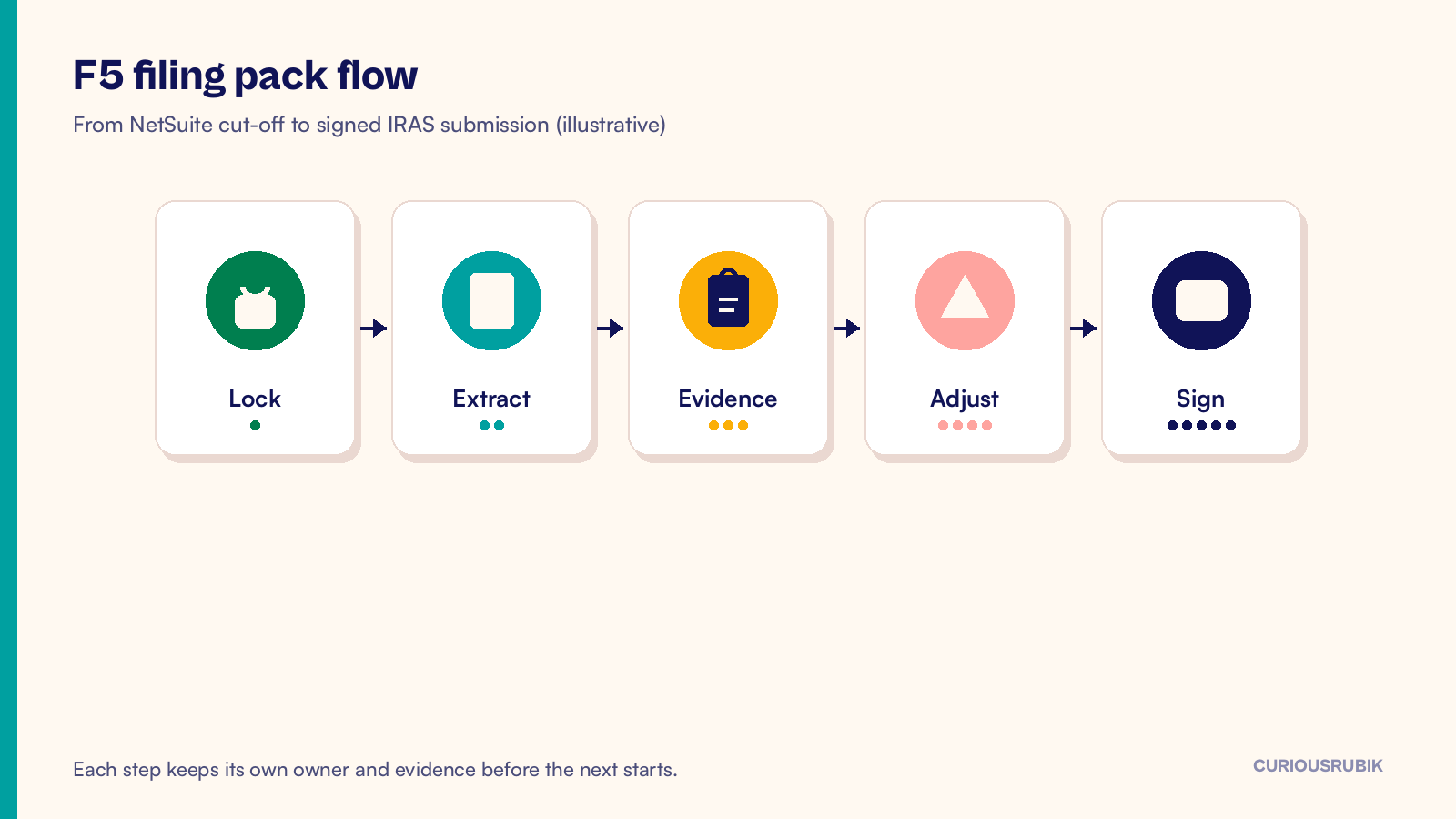
Review adjustments before anyone signs
List every adjustment between the NetSuite extract and the F5 in one table: box, amount, reason, document ID and who approved it. Reject adjustments that only exist as a verbal explanation. Reject journals that change GST without a matching tax code or tax detail line you can show an auditor.
Prior-period errors need a separate decision: correct in the current F5 under IRAS rules your adviser confirms, or amend the earlier return. Do not bury a prior-period fix inside Box 1 without a note. The sign-off page should say whether the pack includes any prior-period correction and who accepted the approach.
Walk the filing checklist with named owners
Before submission, walk a short checklist with names next to each line. Period locked. Reports exported. Each material box evidenced. Adjustments table complete. Import permits attached where claimed. E-invoice exceptions for the period cleared or explained. Reviewer signed. Filing user confirmed in IRAS.
Assign the preparer and the reviewer to different people when the team is large enough. The preparer owns the extracts and the bridge. The reviewer owns the challenge questions: why did Box 1 move, why is input tax higher than last quarter, which credit notes hit this period. CuriousRubik NetSuite support in Singapore often covers this close rhythm when the in-house team is thin at quarter end.
Store the pack for the next IRAS query
Save the signed pack in a controlled folder with the period in the file name. Keep the NetSuite extracts, the adjustment table, the permit copies and the IRAS acknowledgement together. Do not leave the only copy in someone's email.
When IRAS asks a question months later, the pack should let you answer from documents rather than from memory. Recreate nothing from a live NetSuite that has already taken later postings. If your Singapore NetSuite programme needs a steadier close cadence, CuriousRubik managed support can run the F5 pack preparation and review as a recurring control alongside your adviser. Teams filing across a Singapore entity design can also use our notes on Singapore NetSuite projects when ownership of GST sits across finance and shared services.
Frequently asked questions
Is the GST reconciliation the same as the F5 pack?
No. Reconciliation proves NetSuite GST reports and the ledger agree for the period. The F5 pack proves each return box is supported, adjusted where needed and signed before filing. You usually need both.
Can we file from the GST control account balance alone?
Do not rely on that. A control account can balance while individual F5 boxes are wrong. Pull box-level extracts and evidence every period.
Who should sign the NetSuite GST F5 pack?
Name a preparer and a reviewer. The reviewer should not be the person who keyed the adjustments. Keep the signed page with the extracts.
What if an InvoiceNow invoice is rejected after the GST cut-off?
Leave the period locked. Clear or re-bill in the next open period, and record the exception in the current pack so the reviewer sees the gap. Do not silently backdate unless your adviser and your cut-off rules allow it.
Do multi-currency invoices need a separate F5 check?
Yes when material. Confirm the SGD amounts on the GST reports match the basis you will declare, and keep the FX method noted in the pack for that period.