For Australian finance and operations leads who bring in stock from overseas and want each unit costed correctly in NetSuite.
Last reviewed: 24 November 2026. Product details reflect this review date. Availability and behavior can vary by account, role and release.
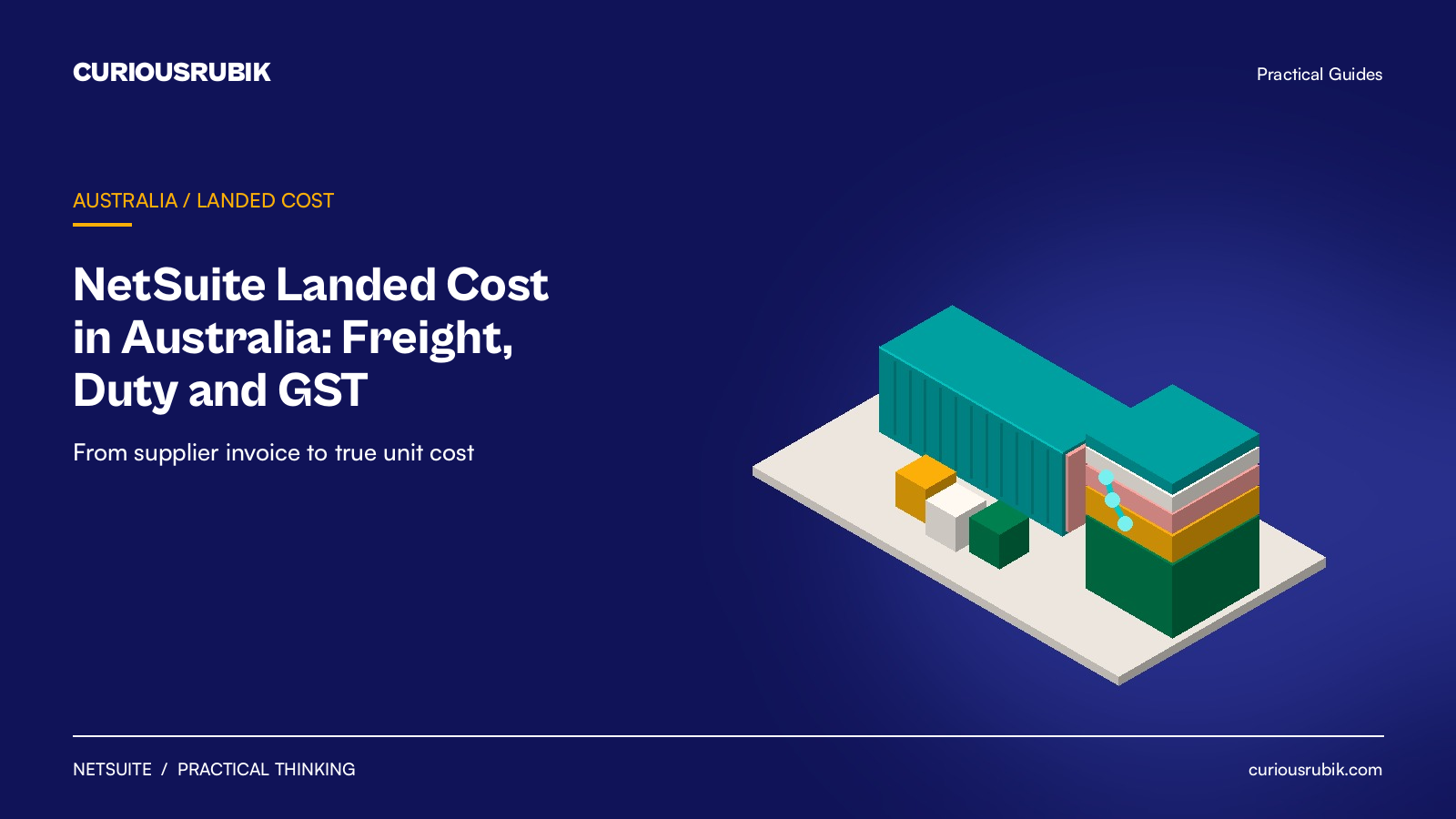
NetSuite landed cost in Australia adds freight, insurance, customs duty and broker fees to the price of imported stock. Keep any import GST you can recover out of inventory cost. Set up cost categories and mark the items to track. NetSuite can then allocate the extra charges across eligible lines.
What is landed cost for an Australian importer?
Landed cost is the purchase price plus the costs directly tied to getting stock to your warehouse. For an Australian importer, those can include international freight, insurance, customs duty, broker fees and cartage from the port.
If you value a shipment at the supplier price alone, the cost of selling it can look lower than it is. Compare the full cost with the selling price when you review the margin. Keep the supplier price and the extra charges visible in your working file so you can explain changes later.
NetSuite allocates extra costs to eligible inventory items. With Advanced Receiving, allocate them on the item receipt. Without Advanced Receiving, you can also allocate them on the vendor bill. Enter the cost by category or select an eligible bill as the source.
Which costs belong in landed cost and which stay out?
Include charges directly tied to getting the goods to your warehouse. Leave out costs you can recover, such as GST you can claim as a credit. Storage after the goods are ready to sell and delivery to customers are separate costs.
| Cost | In landed cost? | Why |
|---|---|---|
| Supplier price for the goods | Yes | It is the base cost of the item |
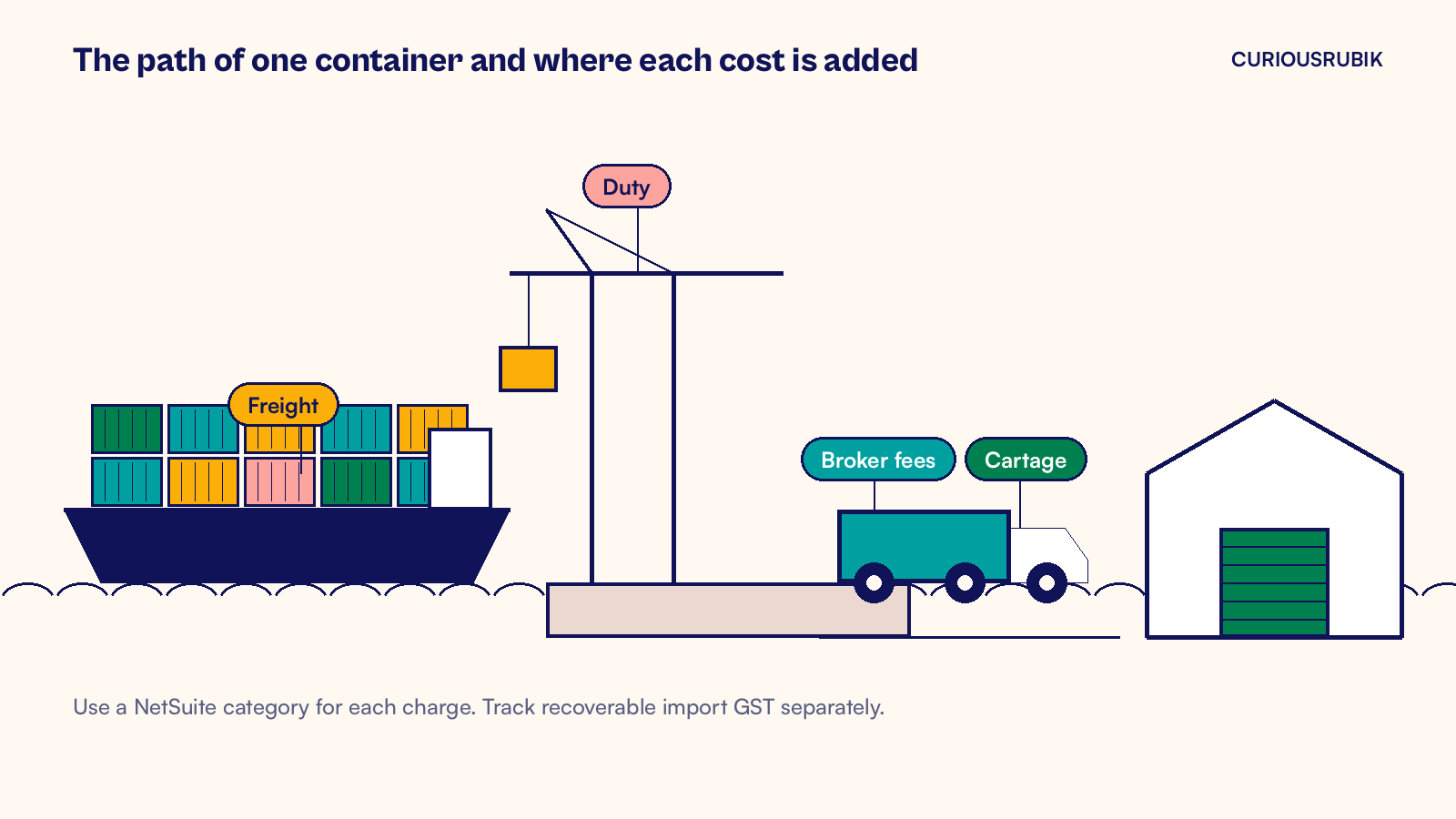
| International freight and insurance | Yes | You pay it to bring the goods to Australia |
| Customs duty | Yes | You pay it to release the goods |
| Customs broker fees | Yes | You pay them to clear the goods |
| Cartage from the port to your warehouse | Yes | The stock is not ready to sell until it arrives |
| Recoverable import GST | No | You can claim it as a GST credit if entitled |
| Warehouse storage after receipt | Usually no | For stock ready to sell, it is a holding cost |
If you are unsure about a charge, ask your accountant before you set the rule. Then write it down once and apply it to every shipment. Keep the rule where the buyer, the warehouse and accounts payable can all find it.
Keep a copy of the customs declaration with the shipment. When the sales team asks why a margin changed, use the declaration and invoices to show which charge moved. A short note beside the charge can save someone from having to trace the same amount next month.
How does import GST work for Australian importers?
Australia charges GST at 10 percent of the value of a taxable importation. Start with the customs value and add any customs duty. Include international freight and insurance to the extent they are outside the customs value. Other amounts can apply, including Wine Equalisation Tax. See the Australian Border Force guidance.
Importers approved for the deferred GST scheme account for import GST on their monthly business activity statement (BAS). The deferred amount is prefilled at label 7A. Claim any credit you are entitled to at label 1B on the same BAS. With a full credit, the two amounts offset. Confirm your eligibility and GST treatment with your tax adviser.
Track recoverable import GST separately from inventory cost. Ask your accountant how to record the import GST in your NetSuite tax setup. Match the amount to your import documents before you reconcile it to the BAS.
How do foreign suppliers and exchange rates change the numbers?
If your base currency is Australian dollars, NetSuite uses the exchange rate on the foreign currency vendor bill to translate it to AUD. The default rate is based on the transaction date. Check which rate you used when you compare an estimate with a final freight bill.
Australian customs valuation generally uses the exchange rate for the day of export. Your supplier bill can therefore convert to a different amount from the customs value. Keep the customs declaration with the broker’s duty and GST figures. Record the rate used on the vendor bill so finance can explain the difference.
If you use Inbound Shipments in NetSuite, you can add landed costs to the inbound shipment record and associate them with shipment items. Ask the buyer to keep a copy of the quote and mark any estimated charges. When accounts payable gets the final bill, use the quote to identify what changed.
How do you set up NetSuite landed cost in Australia?
Ask your NetSuite administrator to set up the feature and item records. Finance should approve the accounts and the allocation rule before you test your first shipment.
- Turn on Landed Cost. Go to Setup > Company > Enable Features. On the Items & Inventory subtab, enable Landed Cost.
- Create the cost categories. Set up categories for charges such as freight, insurance, customs duty and broker fees. Assign each category an expense account to hold the cost until the bill and allocation clear it.
- Mark the inventory items. On the item record, check Track Landed Cost on the Purchasing/Inventory subtab. For a separate freight bill, set up a landed cost item and add it to the Items subtab of the bill.
- Test one allocation. Open the Landed Cost subtab on the receipt or applicable bill. Set Cost Allocation Method to Quantity, Weight or Value. Then enter the amount or select the source bill for each category.
Save the test receipt and the supporting bills together. Ask the finance lead to trace one charge from the bill through to the item before signing off.
When you test the allocation, compare the amount entered for each category with the supplier or carrier document. Add the line allocations and check that they equal the charge. If you allocate by weight, check that every eligible item has a weight on its record.
Who owns each step?
Give each part of the process an owner. Agree who will check the charges when more than one bill arrives for a shipment.
- Buyer: records the expected freight and duty for the shipment and shares the broker contact.
- Warehouse lead: receives the stock on the day it arrives and flags damage or shortages.
- Accounts payable: records each bill and matches the charge to the shipment and cost category.
- Finance lead: reviews open shipments weekly and signs off the month end check.
A hypothetical import with four extra costs
In this example, assume duty is 5 percent of customs value. Check the tariff classification and any trade agreement that applies before using a rate on a real import.
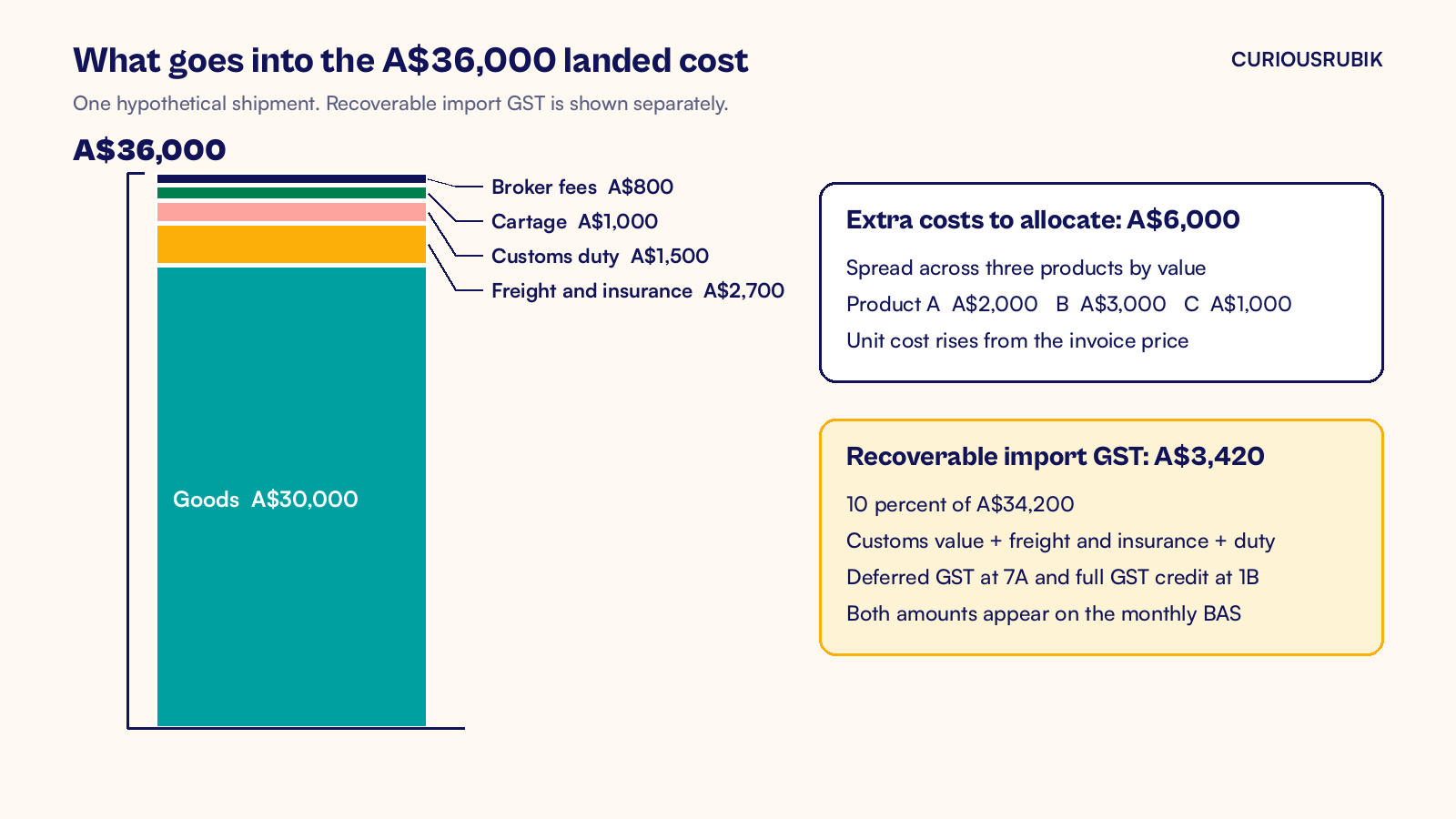
An Australian wholesaler receives three products in one container. The goods on the supplier invoice convert to A$30,000, which is also the customs value in this example. Four other charges arrive over the next two weeks.
| Item | Amount (AUD) | Who sends the bill |
|---|---|---|
| Goods (supplier invoice) | 30,000 | Supplier |
| International freight and insurance | 2,700 | Freight forwarder |
| Customs duty at 5 percent of A$30,000 | 1,500 | Customs broker |
| Cartage from the Australian port after import | 1,000 | Carrier |
| Broker fees | 800 | Customs broker |
| Extra costs to allocate | 6,000 | |
| Total landed cost | 36,000 |
The taxable import value is A$30,000 plus A$2,700 plus A$1,500, or A$34,200. The broker fee and local cartage are separate charges in this example. Import GST is 10 percent of that, or A$3,420. Assume the wholesaler has approval to defer the GST and can claim the full credit. It records both amounts on the monthly BAS and keeps the recoverable GST out of inventory cost.
How does NetSuite spread the A$6,000 across the items?
The container holds three products. Allocation by value gives each product a share of the A$6,000 that matches its share of the A$30,000 supplier price.
| Product | Supplier value | Share | Extra cost | Landed cost |
|---|---|---|---|---|
| Product A | 10,000 | 33.3% | 2,000 | 12,000 |
| Product B | 15,000 | 50% | 3,000 | 18,000 |
| Product C | 5,000 | 16.7% | 1,000 | 6,000 |
| Total | 30,000 | 100% | 6,000 | 36,000 |
Use weight for freight when the carrier charges by weight. Use value for duty when the products carry the same duty rate. Standard landed cost allocation in NetSuite uses one method per transaction. If costs need different splits, calculate each split and enter the amounts with Landed Cost Allocation per Line.
What should you check before you close the month?
Run these checks after each shipment and again at month end.
- Compare the goods value plus landed cost on the receipt with the eligible charges on the supplier and service bills.
- Divide each product’s total landed cost by the quantity received to check the cost per unit for this shipment.
- Check that you have kept recoverable import GST out of inventory.
- Check the tax treatment on each bill and reconcile the deferred GST on the BAS to your import records.
- List shipments with bills still due and give each one a follow up date.
When the bills post, check the payable side too. Our US guide to reconciling NetSuite A/P aging to the general ledger shows how to trace payables differences, including those involving freight and broker bills.
What if a freight bill arrives late?
A freight or broker bill can arrive after you receive the stock. By then you may have sold some units. Keep the original receipt number with the charges you are still waiting for.
When the bill arrives, check the original receipt, the amount already allocated and whether the period is open. With finance approval, use the receipt to allocate the final charge if the period is open. If you have sold units or closed the period, ask your accountant to confirm the adjustment and its effect on inventory and cost of goods sold.
Ask your broker and forwarder for an expected invoice date when you book the shipment. Put that date in the shipment file. When it passes, ask accounts payable to call the supplier and tell finance which costs are still outstanding.
Swara’s view on setting the rule before the first container
I would put the cost list, the allocation method and the person responsible for each charge on one page. Give accounts payable a date to check for missing invoices after arrival. Then test the rule on one small shipment. Check that the warehouse lead can find the receipt and finance can trace the charges back to the bills.
CuriousRubik's NetSuite optimization team can review your landed cost setup, test it on a recent shipment and agree the rules with your finance and warehouse leads. See how we help wholesale and distribution businesses and NetSuite customers in Australia.
Related reading
NetSuite Landed Cost Allocation with a Worked Reconciliation
How allocation lines and ledger entries tie together after a receipt.
NetSuite EOFY Checklist for Australian Finance Teams
The year end tasks that depend on clean stock values and tax records.
NetSuite 3PL Integration in Australia for Wholesalers
How warehouse partner data flows back to your receipts and stock counts.