For Australian finance leads who want leave liabilities in NetSuite to match payroll every month, not just at the end of June.
Last reviewed: 31 October 2026. Product details reflect this review date. Availability and behavior can vary by account, role and release.
A NetSuite leave provision in Australia should be updated every month from your payroll leave liability report. Post one journal that moves annual leave and long service leave to the payroll balance, split by department and between current and non current. Then reconcile the ledger to the report before you close the period.
What is a leave provision, and why does it belong in NetSuite every month?
A leave provision is the amount your business owes employees for leave they have earned but not yet taken. In Australia that is mostly annual leave, often with leave loading, and long service leave. Under AASB 119, the Australian accounting standard for employee benefits, you recognize the cost as employees earn the leave, not when they take it.
Your payroll solution knows the hours. NetSuite holds the ledger. The provision is where the two meet, and that is why I think it deserves a monthly entry in NetSuite rather than a single adjustment at the end of June.
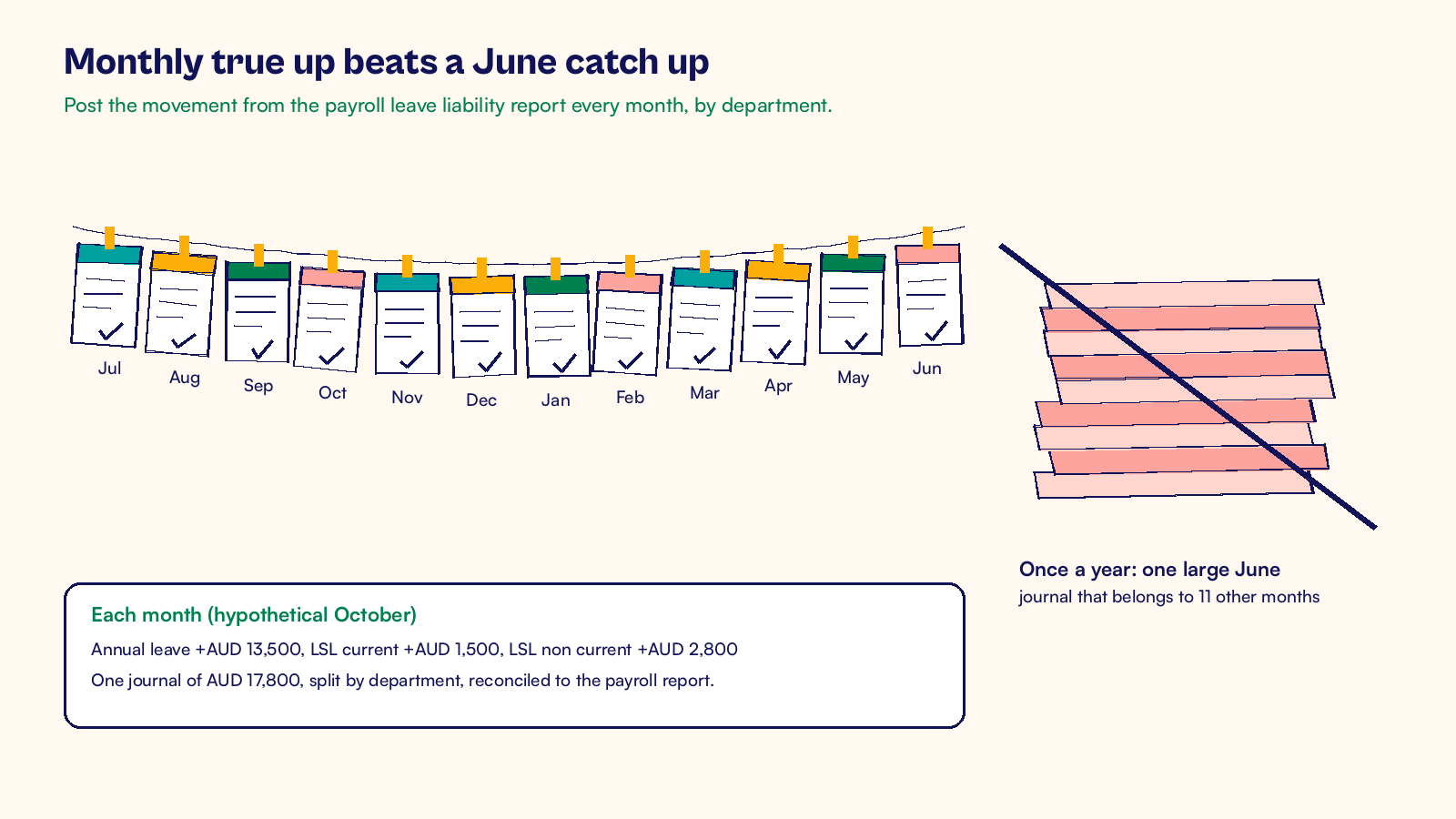
My view comes from watching the same pattern at year end. The leave balance in the ledger has not moved since last June. Payroll sends a report, someone posts a large catch up journal, and the June profit and loss takes a hit that belongs to eleven other months. Department managers learn their real labor cost once a year, and the auditor asks why.
A monthly true up fixes that with very little effort. It is one journal and one reconciliation. If your payroll is already integrated with NetSuite, as described in our post on NetSuite payroll integration for Australian businesses, you already have most of the data you need.
Three rules I would set for the monthly leave journal
These are the rules I suggest to Australian finance teams. They keep the journal small and the reconciliation fast.
Payroll owns the hours, finance owns the ledger
The payroll solution calculates leave balances from awards, agreements and employee records. Finance should not recalculate them in a spreadsheet. Each month, take the leave liability report from payroll after the last pay run, and move the NetSuite balance to match it. The journal amount is simply the closing balance minus the opening balance.
Leave that employees take during the month is already in your pay run journal as wages. Because you post the movement to the report balance, the leave taken is netted off for you.
Split by department and by current and non current
Post the expense by department so managers see their real cost each month. In NetSuite, that means a department on each journal line, with the same departments your payroll mapping already uses.
Split the liability across separate accounts too. In NetSuite, set up accounts at Lists > Accounting > Accounts > New with these types:
- Provision for annual leave, type Other Current Liability.
- Provision for long service leave, current, type Other Current Liability.
- Provision for long service leave, non current, type Long Term Liability.
Annual leave is usually current. Long service leave is current once employees have an unconditional right to take it under the state rules that apply to them, and non current before that. Your payroll report or your adviser should give you that split, and your auditor should agree the method once.
One owner signs off the reconciliation
Name one person who checks that each provision account in NetSuite equals the payroll report at month end. Attach the payroll report to the journal on its Communication subtab, so the evidence sits on the transaction. If you use journal approvals, the approver should not be the person who prepared the entry.
How do you post a NetSuite leave provision in Australia each month?
The routine takes less than an hour once the accounts and departments are set up. Each month:
- Run the leave liability report in payroll after the last pay run of the month.
- Compare each closing balance with the matching provision account in NetSuite.
- Enter the movement at Transactions > Financial > Make Journal Entries, dated the last day of the month.
- Add a department to each expense line and a memo that names the payroll report.
- Attach the report on the Communication subtab and send the journal for approval.
- Check that each provision account now equals the report, then close the period.
If you have many departments, import the journal at Setup > Import/Export > Import CSV Records instead of keying it.
A hypothetical October journal
Take a hypothetical Melbourne services company with 60 employees. Its payroll leave liability report gives these balances in AUD:
| Account | 30 September | 31 October | Movement |
|---|---|---|---|
| Provision for annual leave (including loading) | 398,500 | 412,000 | 13,500 |
| Provision for long service leave, current | 86,500 | 88,000 | 1,500 |
| Provision for long service leave, non current | 145,200 | 148,000 | 2,800 |
| Total | 630,200 | 648,000 | 17,800 |
The October journal debits annual leave expense AUD 13,500 and long service leave expense AUD 4,300. It credits the three provision accounts AUD 13,500, AUD 1,500 and AUD 2,800. Debits and credits both total AUD 17,800.
The AUD 13,500 annual leave expense is split by department on the journal lines: Delivery AUD 8,100, Sales AUD 3,400 and Administration AUD 2,000. The AUD 4,300 long service leave expense is split the same way: Delivery AUD 2,600, Sales AUD 1,000 and Administration AUD 700. After posting, each provision account in NetSuite equals the 31 October column of the payroll report.
Some teams post a reversing journal instead. They post the full balance at month end with a Reversal Date on the first day of the next month, then post the new balance a month later. Both methods work. I prefer the movement journal because the account history shows what changed each month, which is what the auditor asks about.
Leave is one of several balance sheet accounts worth a monthly true up. Foreign currency supplier balances are another, and our worked example on international payment processing in NetSuite shows how NetSuite posts exchange differences when you pay.
Where do on costs and Payday Super fit?
Many Australian businesses include on costs in the leave provision, such as superannuation, payroll tax and workers compensation. Others keep them in a separate on cost provision. Either approach can work. Pick one with your auditor and apply it the same way every month.
Payday Super matters when you estimate the super part. From 1 July 2026, super guarantee must reach each employee's fund within seven business days of each payday. The rate is 12% of qualifying earnings, and the ATO lists annual leave and most annual leave loading as qualifying earnings. So the super on leave falls due with the payday when the leave is taken.
The ATO's Payday Super guidance on its website explains qualifying earnings in detail. Our post on reconciling Australian payroll to NetSuite covers the checks after each pay run.
At year end, a provision that has been reconciled monthly makes the June close much lighter. Our EOFY checklist for NetSuite in Australia lists the other tasks for that month.
CuriousRubik's NetSuite optimization team can set up the leave provision accounts, the monthly import and the reconciliation search in your account. You can also read how we support NetSuite customers in Australia.
Frequently asked questions
What happens to the leave provision when an employee leaves?
Payroll pays out the unused annual leave in the final pay, plus any long service leave the state rules require. That payout flows through the pay run journal like any other leave taken. At month end the payroll report shows a lower balance, so the monthly journal reduces the provision by the same amount.
Do we need a separate leave provision for each subsidiary in NetSuite OneWorld?
Yes, when more than one Australian entity employs staff. Each subsidiary is a separate employer with its own payroll report and its own balance sheet. Post one monthly journal per subsidiary, using the same three provision accounts and that entity's departments. Then reconcile each subsidiary to its own report before you close the period.
How does the leave provision show in the cash flow statement?
The monthly journal is a non cash entry. It raises the expense and the liability without moving money. Under the indirect method, the increase in the provision is added back in operating activities, and cash only goes out when leave is paid through payroll. Confirm the presentation with your auditor or adviser.
What if we change payroll solutions partway through the year?
Run a leave liability report from the old payroll as at its final pay run and an opening report from the new one. The two should agree employee by employee before you post the next monthly journal. Attach both reports to that journal in NetSuite, so the movement has evidence across the change.
Related reading
NetSuite Payroll Integration for Australian Businesses
How Australian payroll and NetSuite exchange data each pay run.
Reconcile Australian Payroll with NetSuite Finance and Cash
The checks that tie each pay run to the ledger.
NetSuite EOFY Checklist for Australian Finance Teams
The tasks for a smooth end of financial year close in NetSuite.