An opinion for Australian finance and operations leads on why small quarterly fixes in NetSuite beat one big project.
Last reviewed: 27 October 2026. Product details reflect this review date. Availability and behavior can vary by account, role and release.
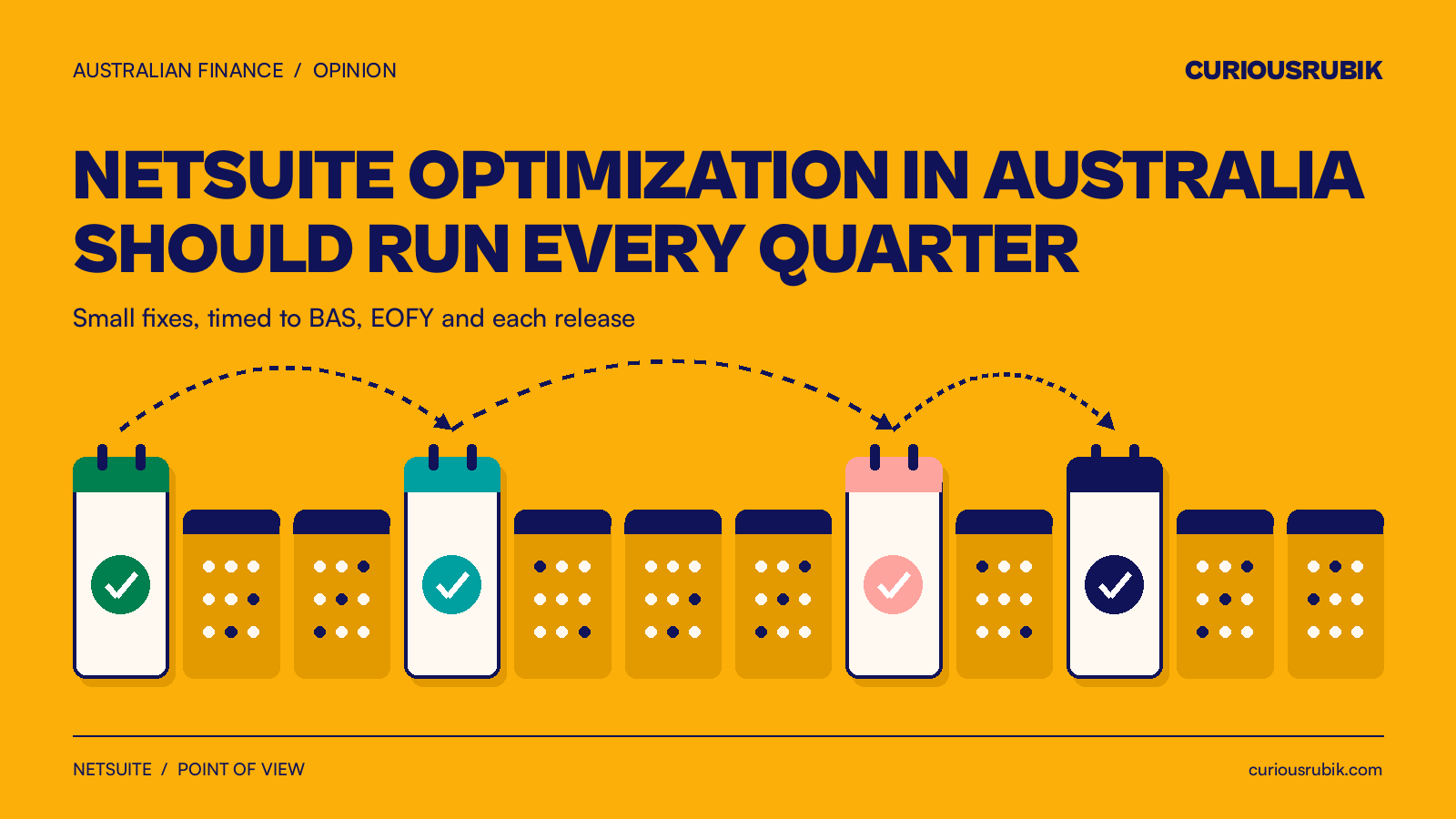
NetSuite optimization in Australia works best as a short review every quarter, timed around BAS, EOFY and the two NetSuite releases each year. Each review retires one or two workarounds, starting with the modules and SuiteApps on your billing page. Small, regular fixes keep the system matched to the business, so you rarely need a large rescue project.
Why make optimization a quarterly habit?
NetSuite optimization is the work of changing an account you already run so it fits how the business works today. The goal is fewer manual steps, clearer reports and less rework at month end.
Every account drifts, because the business keeps moving. A new price list, a new warehouse or a new manager each adds a small workaround.
Someone exports a list to a spreadsheet. Someone approves a bill by email. Each one looks harmless.
After two years, those workarounds add days to the close. That is usually when a business asks for a big project. In my experience, a quarterly habit costs less and causes less disruption. The person who invented the workaround is still in the room, and the fix is small enough to test in a week.
If nobody can say what your scripts and workflows do, start with a NetSuite health check first. Then use the quarterly habit to keep the account in shape.
When should NetSuite optimization in Australia happen?
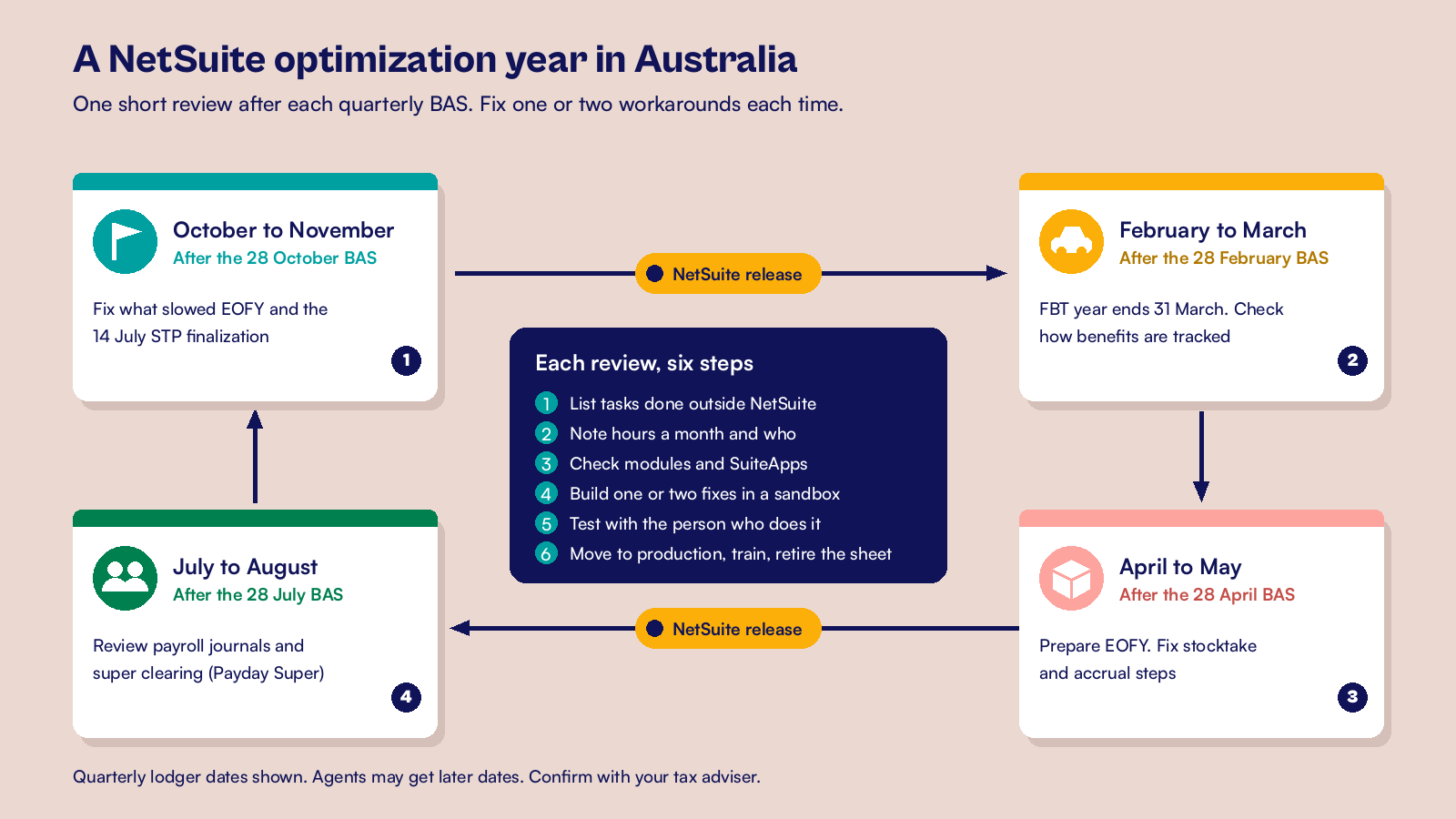
Let the Australian calendar set the dates. If you lodge BAS quarterly, the due dates are 28 October, 28 February, 28 April and 28 July. If a registered agent lodges for you online, some quarters get later dates. Hold each review in the weeks after lodgment, while the quarter's pain is fresh.
- October to November: look back at what slowed EOFY and the 14 July STP finalization, and fix it while people remember.
- February to March: the FBT year ends on 31 March, so check how you track cars, entertainment and other benefits.
- April to May: prepare for EOFY with our EOFY checklist, and fix the stocktake and accrual steps that hurt last June.
- July to August: with the June quarter BAS lodged, review payroll journals and super clearing. Payday Super applies from 1 July 2026, so pay cycles now drive super timing.
Oracle releases NetSuite twice a year, so two of these reviews sit near a release. Use them to test your scripts and workflows in the release preview, with this release preview testing checklist. Then switch on one new feature that removes a workaround.
How should each quarterly review run?
Keep each review small enough to finish inside the quarter. Start with what you pay for, then fix one or two things and measure the result.
Check your billing page before you build
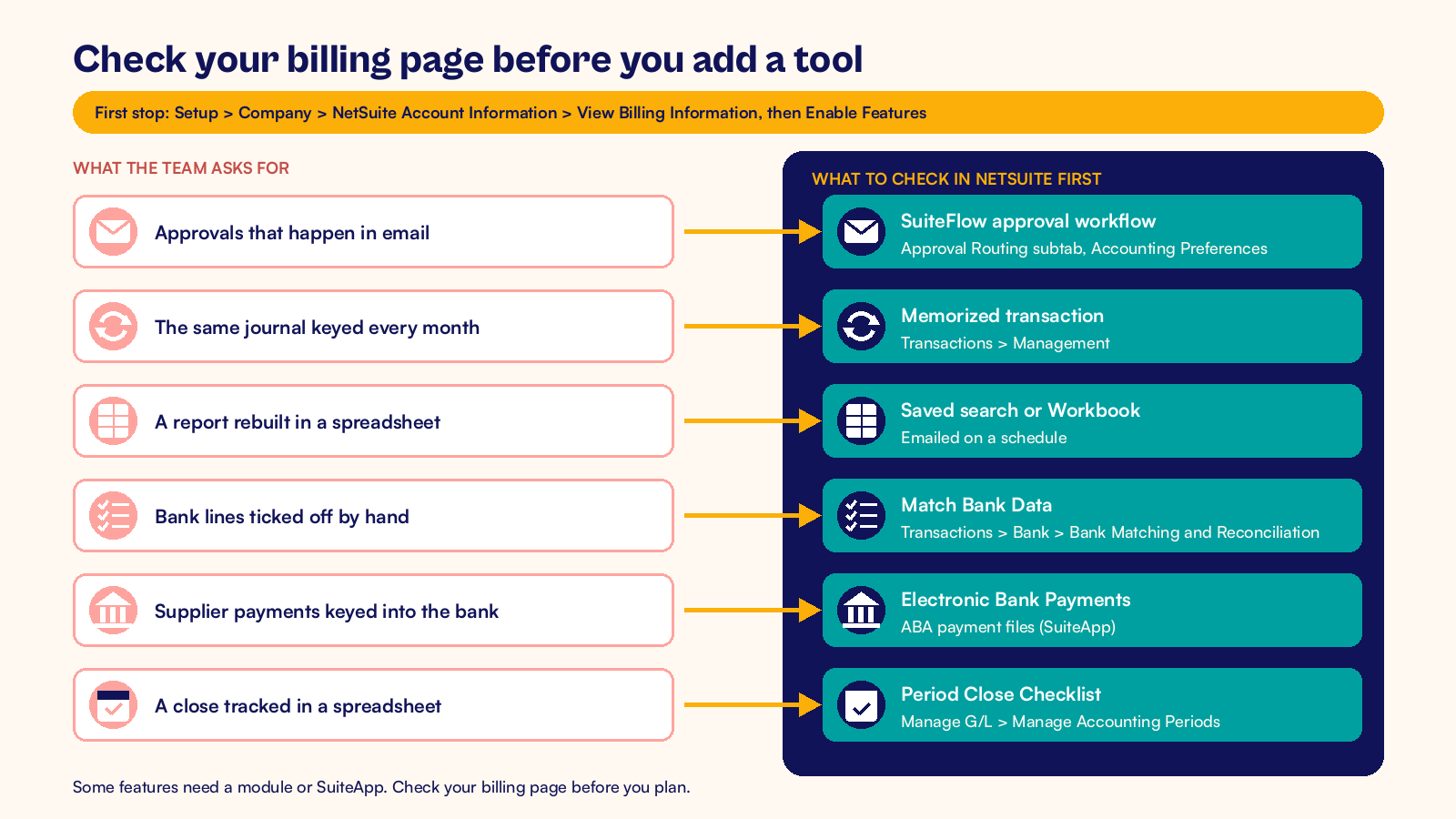
Before you buy another app or ask for a script, check what your subscription covers. Go to Setup > Company > NetSuite Account Information and open View Billing Information. It lists your modules and user licenses. Then open Setup > Company > Enable Features to see which features are switched on.
Many requests I hear from Australian finance teams have a standard answer in NetSuite.
| What the team asks for | What to check in NetSuite first |
|---|---|
| Approvals that happen in email | SuiteFlow approval workflows, chosen on the Approval Routing subtab of Accounting Preferences |
| The same journal keyed every month | Memorized transactions, listed at Transactions > Management > Enter Memorized Transactions |
| A report rebuilt in a spreadsheet | A saved search or SuiteAnalytics Workbook, emailed on a schedule |
| Bank lines ticked off by hand | Match Bank Data at Transactions > Bank > Bank Matching and Reconciliation, using imported bank data |
| Supplier payments keyed into the bank portal | The Electronic Bank Payments SuiteApp, which creates ABA payment files for Australian banks |
| A close tracked in a spreadsheet | The Period Close Checklist for the lock, revalue and close tasks, opened from Setup > Accounting > Manage G/L > Manage Accounting Periods |
Some of these need a module or a SuiteApp, so check View Billing Information before you plan. Even then, a feature in the same platform is usually easier to support than a new tool with its own logins and data.
Work through six steps
- Ask each team lead for the tasks they do outside NetSuite or repeat by hand.
- Write each one down with the hours it takes a month and who does it.
- Check the table above and View Billing Information for a module or SuiteApp that covers it.
- Pick one or two fixes and build them in a sandbox account, if you have one.
- Test each fix with the person who does the task today.
- Move it to production, train the users and retire the old spreadsheet on the same day.
A hypothetical Adelaide wholesaler shows the scale. Its review found an emailed purchase approval (6 hours a month), a rebuilt margin report (8 hours) and a rent journal keyed by hand (2 hours). That is 16 hours a month. A workflow, a scheduled saved search and a memorized transaction cut it to about 3 hours of checking.
Record the hours before and after. The next review then starts with evidence, not opinions. If late customer payments are the pain point, the receivables habits in our DSO best practices checklist work for Australian receivables too.
Bring these questions to the meeting
Give each answer an owner before the meeting ends.
- Which task did someone do outside NetSuite this quarter, and why?
- Which report did finance rebuild in a spreadsheet before the BAS?
- Which approval still happens in email or chat?
- Which script or workflow has no owner? Check Customization > Scripting > Script Deployments and Customization > Workflow > Workflows.
- Which feature from the latest release could replace a workaround?
At CuriousRubik, we run reviews like this with Australian teams and fix the top items each quarter. Our NetSuite optimization team can take your list and turn it into tested changes. The NetSuite Australia page shows how we work with local finance and operations teams.
Related reading
NetSuite Managed Services in Australia: What to Expect
What ongoing support covers once your account is live.
NetSuite Optimization for Singapore Companies
How an optimization review ranks fixes by business value.
Trace Australian GST from NetSuite Transactions to the BAS
How to tie each BAS label back to the transactions behind it.