For Singapore finance leads and project teams who want to build a OneWorld account in the right order, screen by screen.
Last reviewed: 27 October 2026. Product details reflect this review date. Availability and behavior can vary by account, role and release.
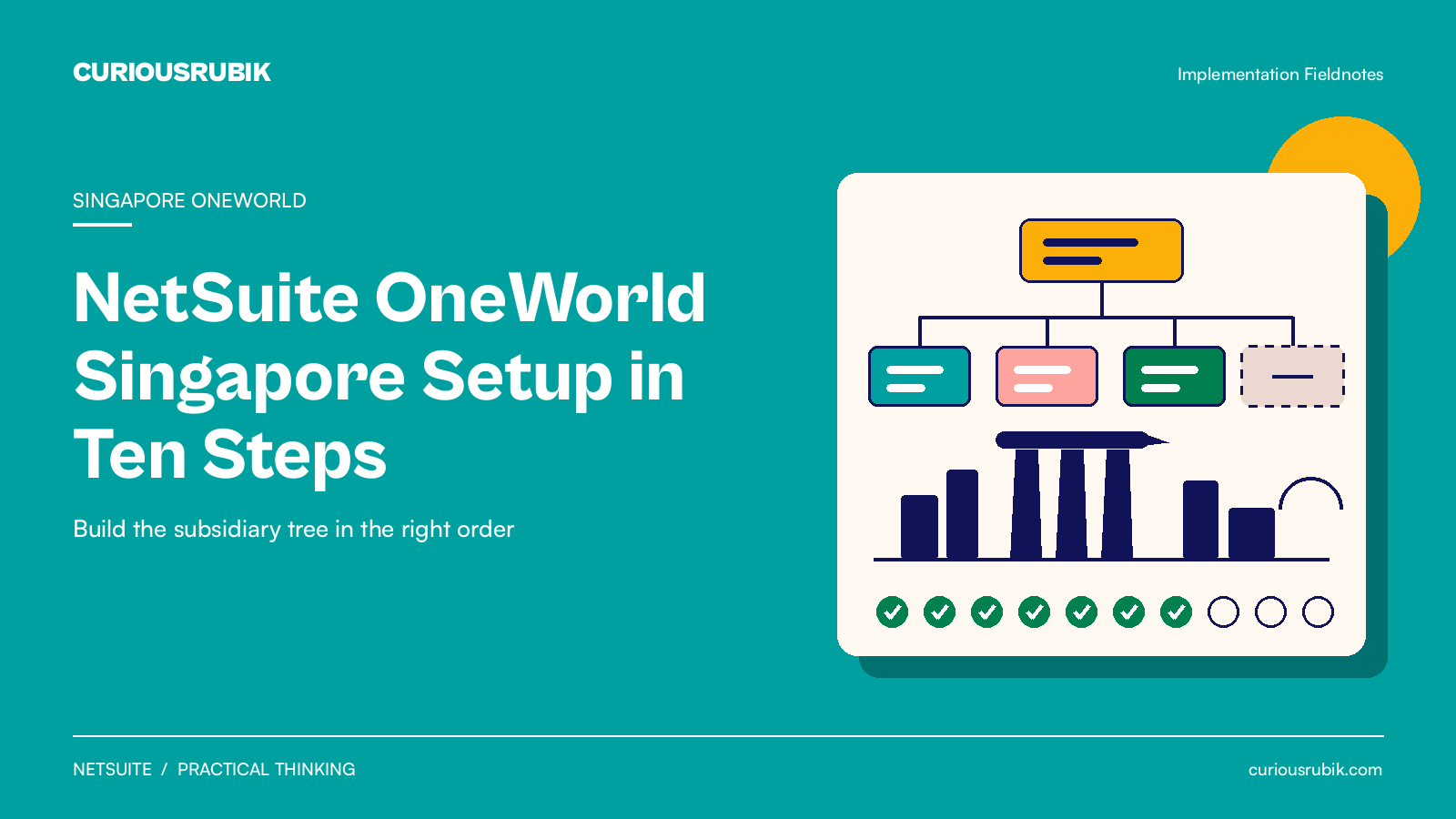
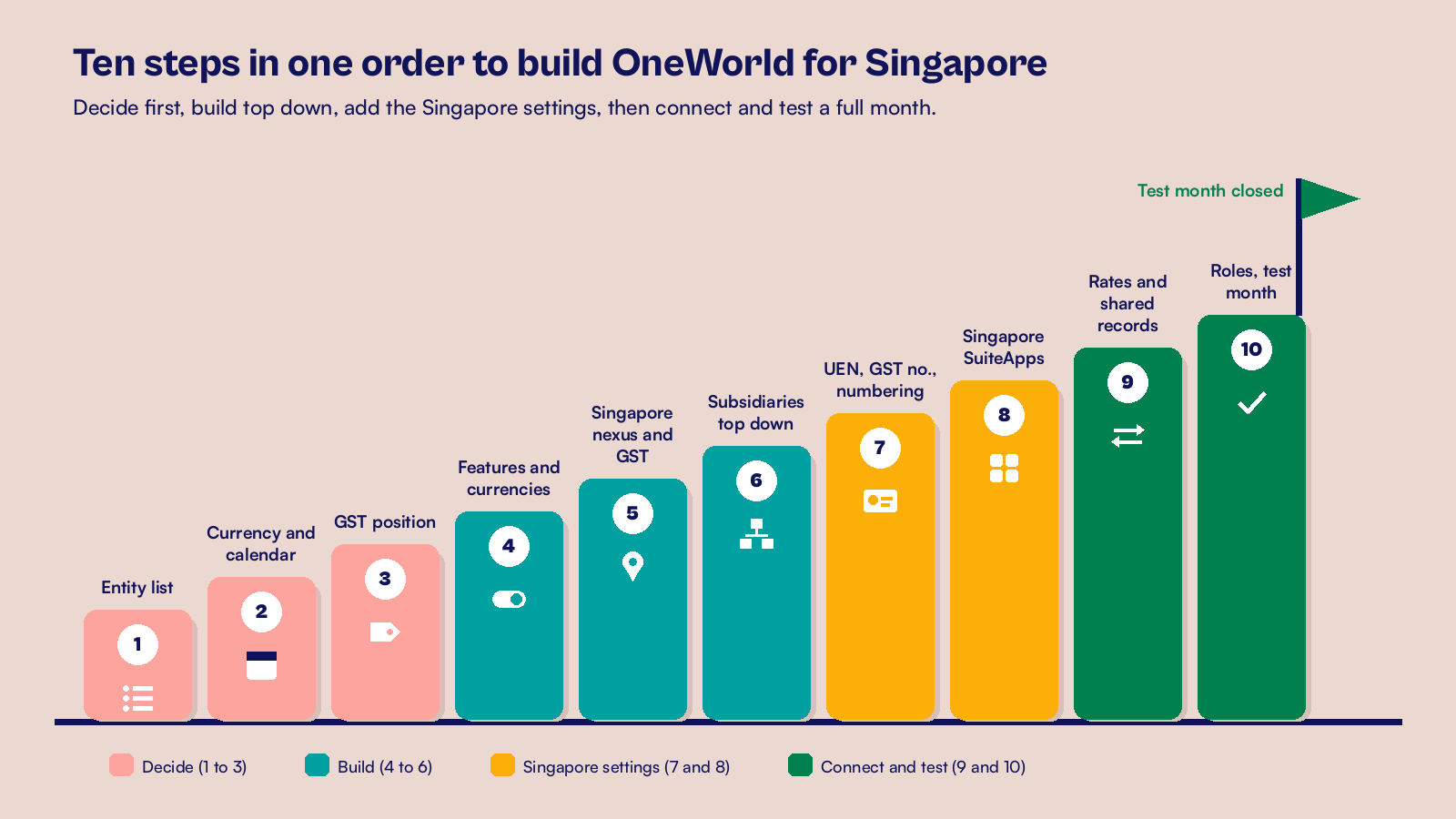
A NetSuite OneWorld Singapore setup works best in a fixed order. Decide the entities, base currencies and calendars first. Set up the Singapore tax nexus and GST codes, then create subsidiaries from the top down with each UEN and GST registration number. Add an elimination subsidiary, connect rates and roles, and test one full month before go live.
- Some subsidiary fields lock once you save, so the order of the build matters more than the speed.
- Set up the Singapore nexus and tax codes before you create the first Singapore subsidiary.
- Each Singapore company needs its UEN and GST registration number on its own subsidiary record.
- A test month that closes, eliminates and consolidates is the best proof the build is ready.
What does NetSuite OneWorld in Singapore cover?
NetSuite OneWorld is the version of NetSuite that runs many legal entities in one account. Each entity is a subsidiary with its own currency, tax setup and books, and reports roll them up into one consolidated view.
For a Singapore group, that means one chart of accounts and one close for the region, with every company visible in Singapore dollars.
Design choices, such as which offices should be subsidiaries, sit in our post on NetSuite OneWorld design for subsidiaries, currencies and reporting. Settle those first, then follow the steps below.
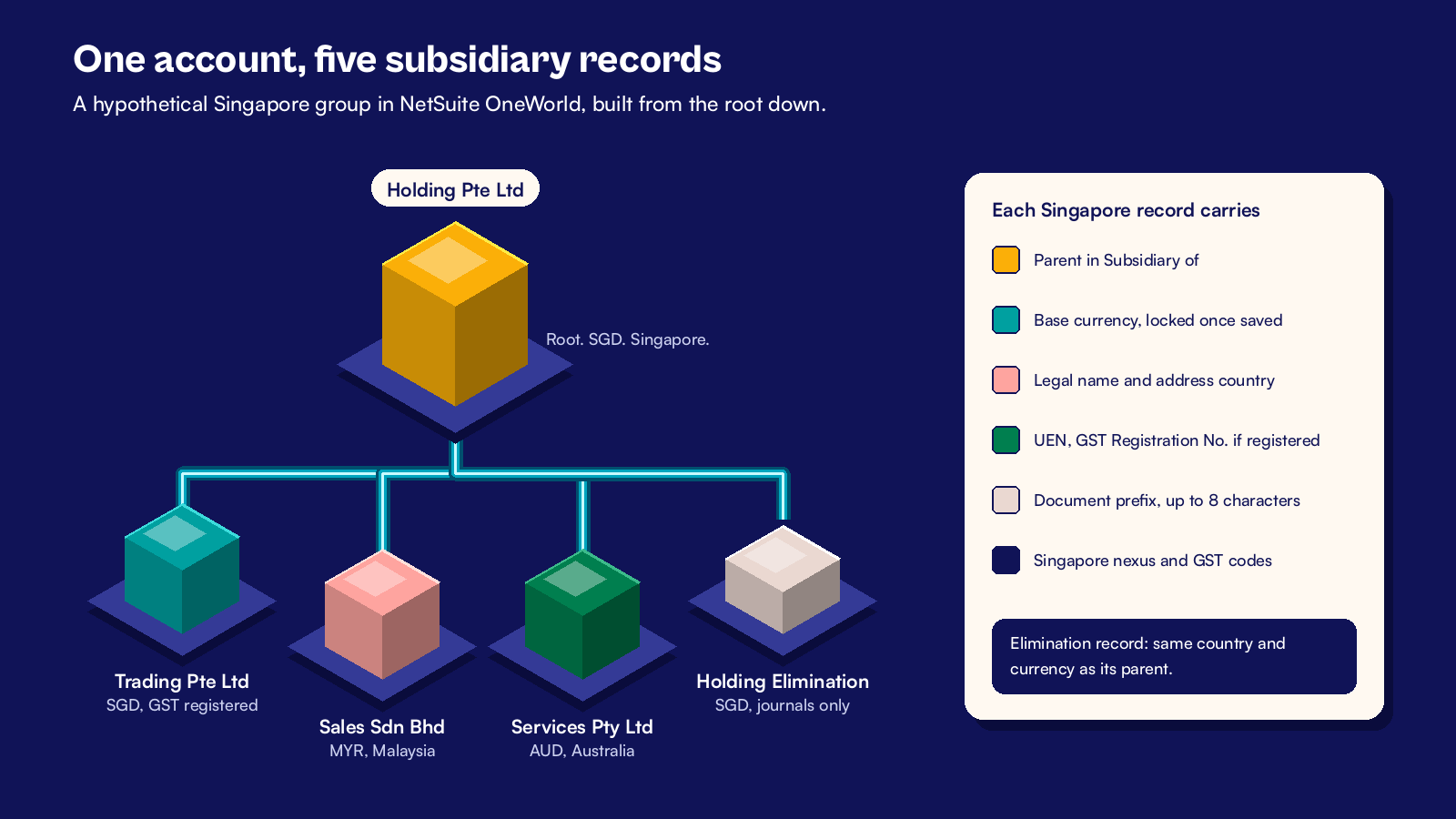
A hypothetical Singapore holding company with three operating companies runs through every step.
| Subsidiary | Country | Base currency | GST or tax status | Parent |
|---|---|---|---|---|
| Holding Pte Ltd | Singapore | SGD | Not GST registered (holding only) | None (root) |
| Trading Pte Ltd | Singapore | SGD | GST registered | Holding |
| Sales Sdn Bhd | Malaysia | MYR | Local tax rules | Holding |
| Services Pty Ltd | Australia | AUD | Local tax rules | Holding |
| Holding Elimination | Singapore | SGD | Journal entries only | Holding |
What should you decide before you create the first subsidiary?
Three decisions shape every screen that follows. Get the finance lead to sign them off.
Step 1. List every legal entity with its numbers
Make one row per company. Record the legal name as it appears on tax documents, the UEN and any GST registration number. The UEN is the number ACRA issues to Singapore companies. Add the country and the parent.
Step 2. Fix each base currency and calendar
The base currency is the currency each subsidiary keeps its books in. Once you save a subsidiary, NetSuite locks its country, base currency and elimination setting, which keeps every posted figure consistent. Changing one means deleting and recreating the record, which only works before it has transactions.
If any company has a different financial year end, plan for the Multiple Calendars feature. It lets each subsidiary use its own fiscal calendar and tax fiscal calendar.
Step 3. Agree the GST position for each Singapore company
Confirm which Singapore companies are GST registered, and whether any belong to a GST group under IRAS rules. A GST group changes who files the return, so confirm the details with your tax adviser.
How do you create the subsidiary tree in NetSuite?
With the decisions signed off, follow this order so NetSuite links each record correctly.
Step 4. Turn on the features and currencies
Go to Setup > Company > Enable Features and confirm Multiple Currencies, and Multiple Calendars if you need it. Then create the currency records for SGD, MYR and AUD at Lists > Accounting > Currencies.
Step 5. Set up the Singapore nexus and GST codes
A nexus is a tax jurisdiction in NetSuite. Each subsidiary needs at least one, and both Singapore companies can share the Singapore nexus. Create it first at Setup > Accounting > Nexuses > New, then set up its taxes at Setup > Accounting > Taxes > Set Up Taxes.
- Check the Singapore tax codes, including the 9% standard rate codes.
- For the IRAS Audit File, create the tax control accounts GST Input Disallowed, Deferred GST on Sales SG and Deferred GST on Purchase SG.
- Create the Disallowed GST_SG tax type for the same file.
- Save, then review the codes with your finance lead.
Step 6. Create subsidiaries from the top down
Go to Setup > Company > Subsidiaries > New. Start with the root, Holding Pte Ltd, then add each child and pick its parent in the Subsidiary of field. Enter the address country, the legal name and the base currency on each one.
Finish with Holding Elimination. Check the Elimination box and give it the same country and currency as its parent. Only journal entries post to it, and subsidiary license fees don't include it.
Which Singapore settings belong on each subsidiary?
Singapore records need extra fields for GST reports and audit files.
Step 7. Add the Singapore fields and numbering
Open each Singapore subsidiary and enter the UEN and the VAT/GST Registration No. Then work through this list.
- Give each subsidiary a short document prefix, up to 8 characters.
- Turn on subsidiary numbering at Setup > Company > Auto-Generated Numbers.
- Check Use Account Numbers in Accounting Preferences.
- Make Reference No. mandatory on your custom vendor bill form.
- Add the UEN to Singapore customer and vendor records.
Step 8. Install the Singapore SuiteApps
NetSuite covers Singapore needs through these SuiteApps.
| SuiteApp | What it gives Singapore companies |
|---|---|
| International Tax Reports | GST codes and the GST F5 return |
| Singapore Localization | Singapore templates and tax reports |
| Tax Audit Files | The IRAS Audit File (IAF) |
| Singapore PEPPOL-Ready e-Invoicing | InvoiceNow invoices out and bills in |
| Electronic Bank Payments | Payment files for Singapore banks |
InvoiceNow is Singapore's national electronic invoicing network, and IRAS is bringing GST registered businesses onto it in phases. A business that applies to register for GST voluntarily on or after 1 April 2026 must use it from the start. Businesses registered before 2026 join between 1 April 2028 and 1 April 2031, based on their 2025 supplies. IRAS notifies each business of its date, so confirm yours with your tax adviser.
Our GST F5 return guide shows how the return draws on these codes.
How do you connect the subsidiaries before go live?
The last two steps make the subsidiaries work as one group.
Step 9. Set consolidated rates and shared records
Consolidated exchange rates turn MYR and AUD results into SGD for group reports. Each period has three rates: average, current and historical. Enter or check them at Lists > Accounting > Consolidated Exchange Rates.
Then decide which customers, vendors and items each subsidiary can use. Turn on Automated Intercompany Management so NetSuite can create elimination entries. Our guide to NetSuite intercompany for a Singapore regional HQ covers the flows between companies.
Step 10. Restrict roles and test a full month
Give each role access only to the subsidiaries its users work in. Then run one month of sales, bills, payments and an intercompany charge in a sandbox.
Close the month the way you will in production. Check each GST F5 draft, then confirm the consolidated balance sheet ties to the subsidiary totals.
If the Australian company runs payroll outside NetSuite, include one pay run journal in the test. Our guide to payroll integration in Australia covers that link.
What should the first month end after go live look like?
Plan the first real close as a short timeline with an owner for each task, as the hypothetical group does here.
| Working day | Task in NetSuite | Owner |
|---|---|---|
| Day 1 | Post accruals and lock transactions for each company | Company accountants |
| Day 2 | Enter consolidated exchange rates for the month | Group finance |
| Day 3 | Run intercompany elimination from the Period Close Checklist | Group finance |
| Day 4 | Review consolidated reports in SGD against each company | Financial controller |
| Day 5 | Check GST figures for each GST registered company | Tax lead |
Expect the first close to run past this plan. List what slowed you down and fix it before the second close.
At CuriousRubik, we build OneWorld accounts in this order. Our NetSuite implementation team can take your group from the entity list to a clean first close. You can also see how we work with NetSuite clients in Singapore.
Related reading
NetSuite Implementation Timeline in Singapore by Stage
How long each stage of a Singapore rollout takes, and what holds it up.
Adding a New Subsidiary to an Existing NetSuite Account
The checklist to use when the group grows after go live.
Planning a NetSuite Implementation for Singapore GST and InvoiceNow
How to plan GST and InvoiceNow into the project from the start.