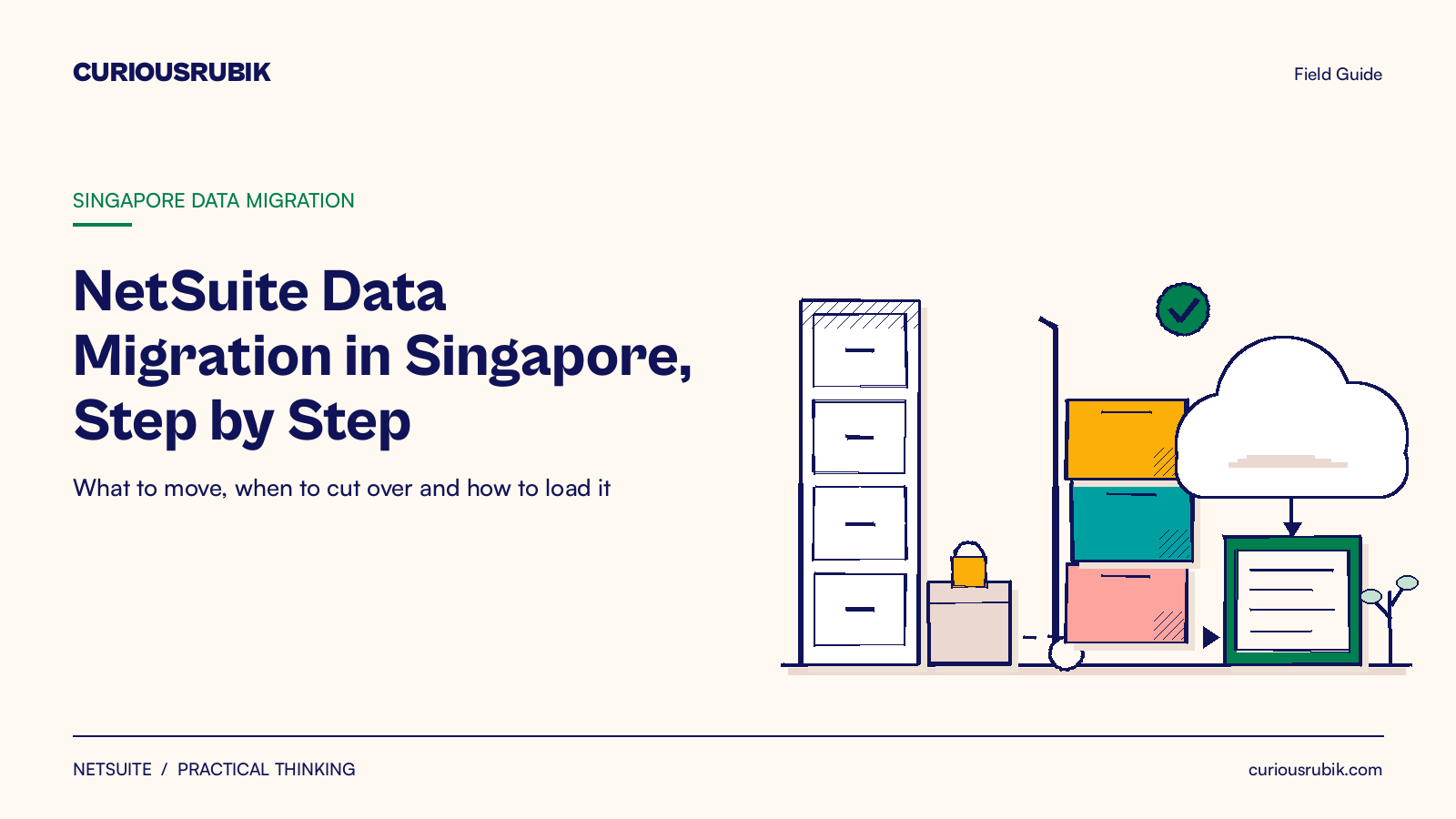
For Singapore finance and project leads moving to NetSuite: what data to bring, when to cut over and how to load it.
Last reviewed: 23 October 2026. Product details reflect this review date. Availability and behavior can vary by account, role and release.
NetSuite data migration in Singapore means moving your master records, open transactions and balances into NetSuite at one cutover date. Most companies move active customers, vendors and items, every open invoice and bill, stock on hand and the trial balance. Cut over at the end of a GST quarter, load in a fixed order and reconcile every figure in SGD.
Key takeaways
- Move what you need to run the business on day one. Closed history is a choice, not a default.
- Cut over at a GST quarter end, so each GST F5 return comes from one system.
- Load in a fixed order: accounts and segments, then records, then open items, then balances.
- Keep old records readable for at least five years, as IRAS expects you to keep business records for that long.
What does NetSuite data migration in Singapore involve?
Data migration is the work of moving business data from your current system into NetSuite so the new system starts with correct records and balances. It covers four steps: decide what to move, clean it, load it and prove it is right.
In Singapore the work has a local layer. Your GST periods, SGD and foreign currency balances, InvoiceNow documents and IRAS record keeping rules all shape the plan.
NetSuite handles this well. It ships with Singapore tax setup, including GST control accounts, and its CSV Import Assistant loads most record types in bulk. A good plan uses those tools in the right order.
Migration runs alongside the rest of the project. Configuration comes first, because records need accounts, subsidiaries and tax codes to land on. Testing comes after, because testers need real data to test against.
Which data should you move to NetSuite?
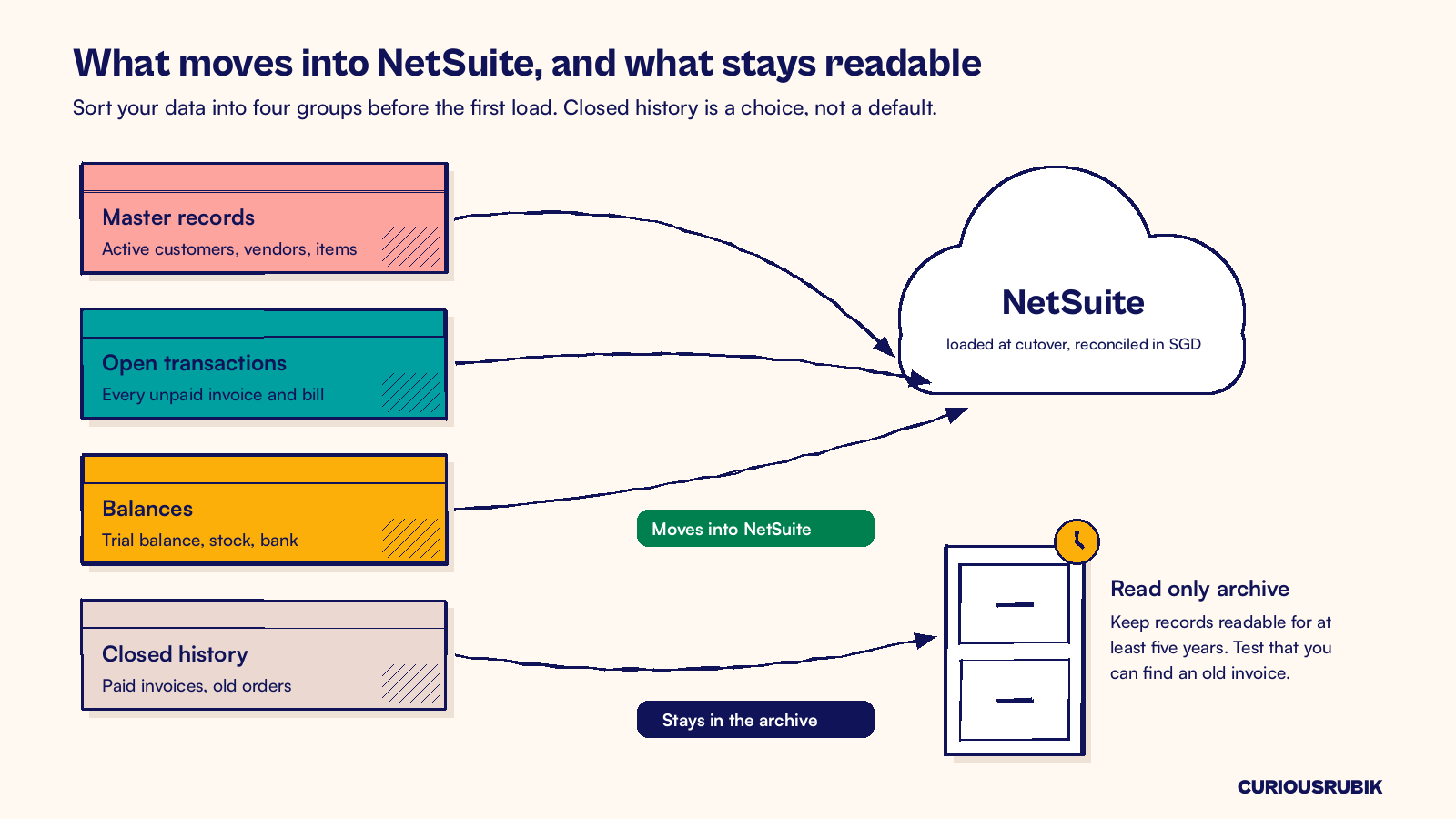
Sort everything you hold into four groups. Each group has a different owner and a different rule.
- Master records. Customers, vendors, items, employees and the chart of accounts. Move only active records, such as those used in the last 24 months.
- Open transactions. Unpaid customer invoices, unpaid vendor bills, open sales orders and open purchase orders. Move every one, item by item.
- Balances. The trial balance, stock quantities and costs, bank balances and fixed assets at the cutover date.
- Closed history. Paid invoices, old orders and prior year journals. This is where scope grows fast.
History is the biggest choice. This table shows the three common options.
| Option | What moves into NetSuite | Good fit for | Effort |
|---|---|---|---|
| Open items and balances only | Open AR, open AP, stock and trial balance | Fast moves, simple reporting needs | Lowest |
| Open items plus monthly summaries | The above plus monthly balances by account for one or two years | Most Singapore SMEs that want year on year reports | Medium |
| Open items plus detailed history | The above plus closed transactions for one or two years | Teams that need line level history for service or analysis | Highest |
Whatever you choose, keep the old data readable. IRAS expects businesses to keep records for at least five years.
Keep the old system in read only mode or export full reports to a secure archive. Then test that someone can actually find an old invoice. Our guide to answering a historical Singapore GST query after a NetSuite migration shows how to run that test.
How do you pick the cutover date?
Pick the last day of a GST quarter. The old system then prepares the last GST F5 return before the switch, and NetSuite prepares the first one after it. No return is split across two systems.
A financial year end is cleaner still, since you carry no year to date profit and loss. If that is too far away, a quarter end is the usual choice. Avoid the weeks around Chinese New Year and your busiest trading period. Then work backwards from the date to plan at least two practice loads and user testing on migrated data.
Load your data in the right order
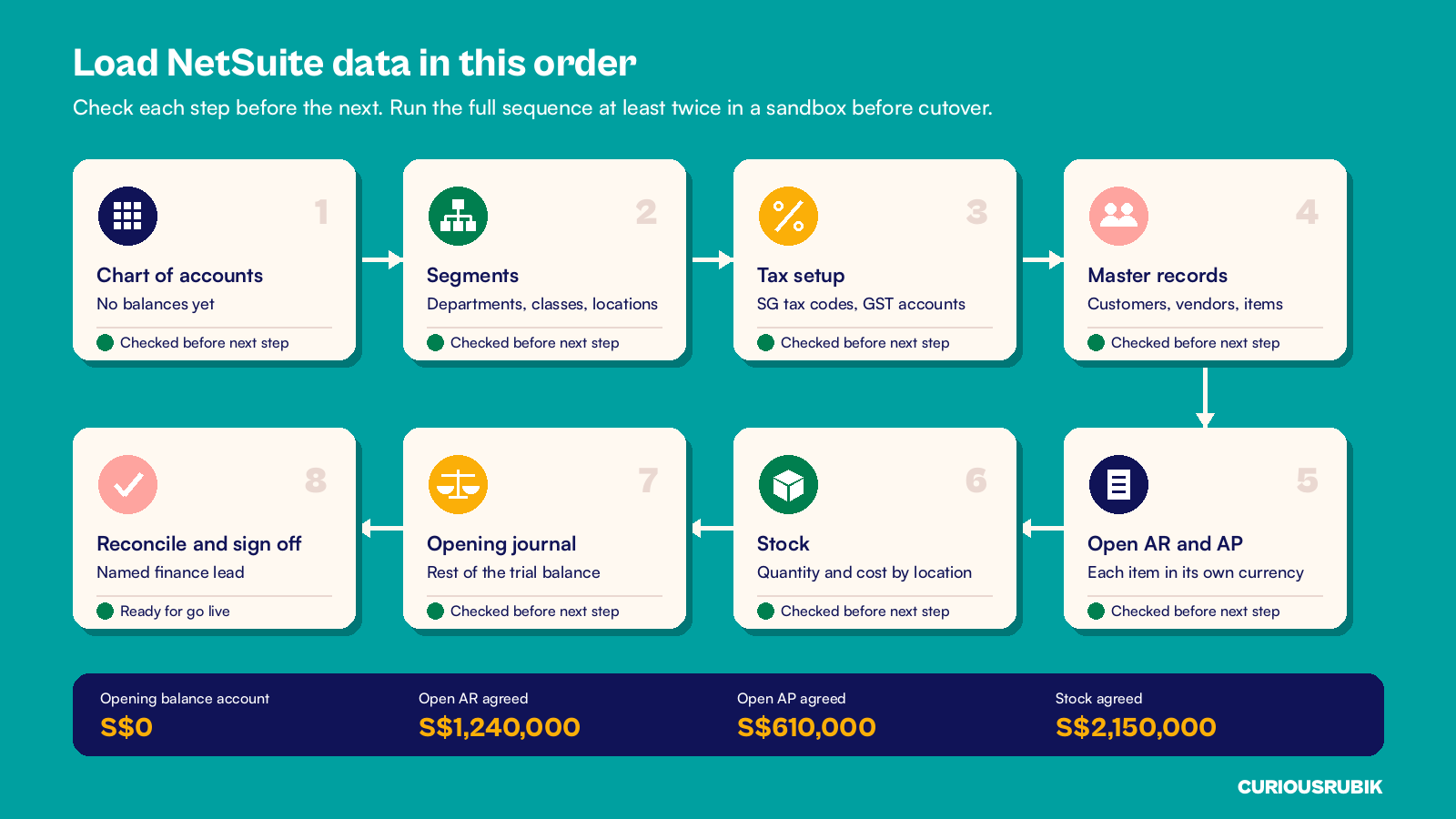
NetSuite records depend on each other. An invoice needs a customer, and a customer needs a subsidiary and a currency. Load in this order and check each step before you start the next.
- Chart of accounts. Import accounts without balances. Balances come later as journals.
- Segments. Departments, classes and locations.
- Tax setup. Confirm Singapore tax codes and GST control accounts, including any you need to create for disallowed or deferred GST.
- Master records. Customers, vendors and items, each with currency, terms and tax code.
- Open AR and AP. Load each open invoice and bill with its original number, date, due date, currency and amount.
- Stock. Quantities and unit costs by item and location.
- Opening journal. Load the remaining trial balance as journal entries. Each entry needs balanced lines and a unique external ID.
- Reconcile and sign off. Agree every control account to the old system and get a named sign off.
Load the open items against a temporary opening balance account. When every piece is in, that account should be zero. If it is not, something is missing or doubled. Our post on NetSuite opening balance reconciliation before go live covers that check in detail.
Run this whole sequence at least twice in a sandbox before the real cutover. The guide to rehearsing a Singapore NetSuite migration explains what each practice load should prove.
How do you keep GST and SGD balances right?
Three details trip up Singapore migrations more than any others.
- GST on open invoices. The GST on an open invoice was already reported in the old system. Load open items with a tax code that does not report again on the GST F5. Confirm the code with your tax adviser.
- Foreign currency items. Load USD or other foreign currency invoices in their own currency, with the original exchange rate. NetSuite then works out the gain or loss when the customer pays and at each month end revaluation.
- InvoiceNow documents in flight. Write a rule for invoices sent through InvoiceNow before the switch. Decide which system raises any credit note against them, and tell your team before go live.
Treat the first NetSuite GST F5 as a test. Agree each box to the tax codes and the ledger before you file. Our guide to the NetSuite GST F5 return shows how to review it.
A hypothetical Singapore trading company's migration
A hypothetical Singapore trading company goes live on NetSuite on 1 October 2026. Its GST quarter ends on 30 September, so the cutover balances are taken at the close of that day.
The old system holds 3,100 customers, 900 vendors and 4,000 items. Only 1,850 customers, 520 vendors and 2,600 items were used in the last 24 months, so those move. The rest stay in the archive.
Open AR is 410 invoices worth S$1,240,000. Of these, 350 are in SGD and total S$997,000. The other 60 are in USD and total US$180,000. To keep the example simple, all were booked at a rate of 1.35, which is S$243,000.
Open AP is 230 bills worth S$610,000. Stock is 2,600 items worth S$2,150,000.
The team loads everything against the opening balance account. After the first practice load, AR shows S$1,222,500, which is S$17,500 too low. The cause is 9 USD invoices worth US$50,000 that were loaded as S$50,000 instead of S$67,500.
After the fix, AR agrees at S$1,240,000 and the opening balance account is zero. The second practice load matches on the first try, and finance signs off.
At CuriousRubik, we treat migration as a finance task first and a technical task second. Every load ends with a reconciliation that a named person signs. CuriousRubik's NetSuite data migration service can map, clean, load and reconcile your Singapore data with your team. Our NetSuite Singapore page explains how we support local businesses from the first workshop to go live.
Frequently asked questions
How long does NetSuite data migration take in Singapore?
For a single entity SME, plan six to ten weeks of data work inside the wider project. That covers mapping, cleaning, two practice loads and the final load. More entities, currencies or years of history add time. Start cleaning master records early, since that step usually takes longer than the loads themselves.
Should we migrate all our old transactions into NetSuite?
Usually not, because you only need open items, stock and balances. Closed history is a choice. Many Singapore companies bring monthly summaries for one or two years and keep detail in a readable archive. Keep old records for at least five years and test that you can find an old invoice when someone asks.
What tool do we use to load data into NetSuite?
NetSuite's CSV Import Assistant handles most records, including customers, vendors, items, open transactions and journal entries. Save each import map so practice loads and the final load use the same settings. Larger or more complex migrations may also use SuiteScript or an integration tool, set up and tested by your partner.
When is the best time to cut over in Singapore?
The last day of a GST quarter works for most companies, because each GST F5 return then comes from one system. A financial year end is cleaner still. Avoid Chinese New Year and your peak trading weeks, and leave time for two practice loads and user testing before the date.
How do we prove the migrated data is correct?
Agree every control account to the old system at the cutover date: AR, AP, stock, bank and GST. The opening balance account must be zero. Then sample real records, such as ten customer balances and ten stock items, and check them line by line. A named finance lead signs off before go live.
Related reading
Rehearsing a Singapore NetSuite Migration Across Balances, Stock and Recovery
What each practice load should prove before the real cutover weekend.
NetSuite Opening Balance Reconciliation Before Go Live
How to agree opening balances to your source books before you switch on NetSuite.
NetSuite GST F5 Return: Preparation and Review
How to prepare and check your first GST F5 return from NetSuite.