For US finance and IT leads checking who owns each NetSuite problem before the next busy month.
Last reviewed: 15 November 2026. Product details reflect this review date. Availability and behavior can vary by account, role and release.
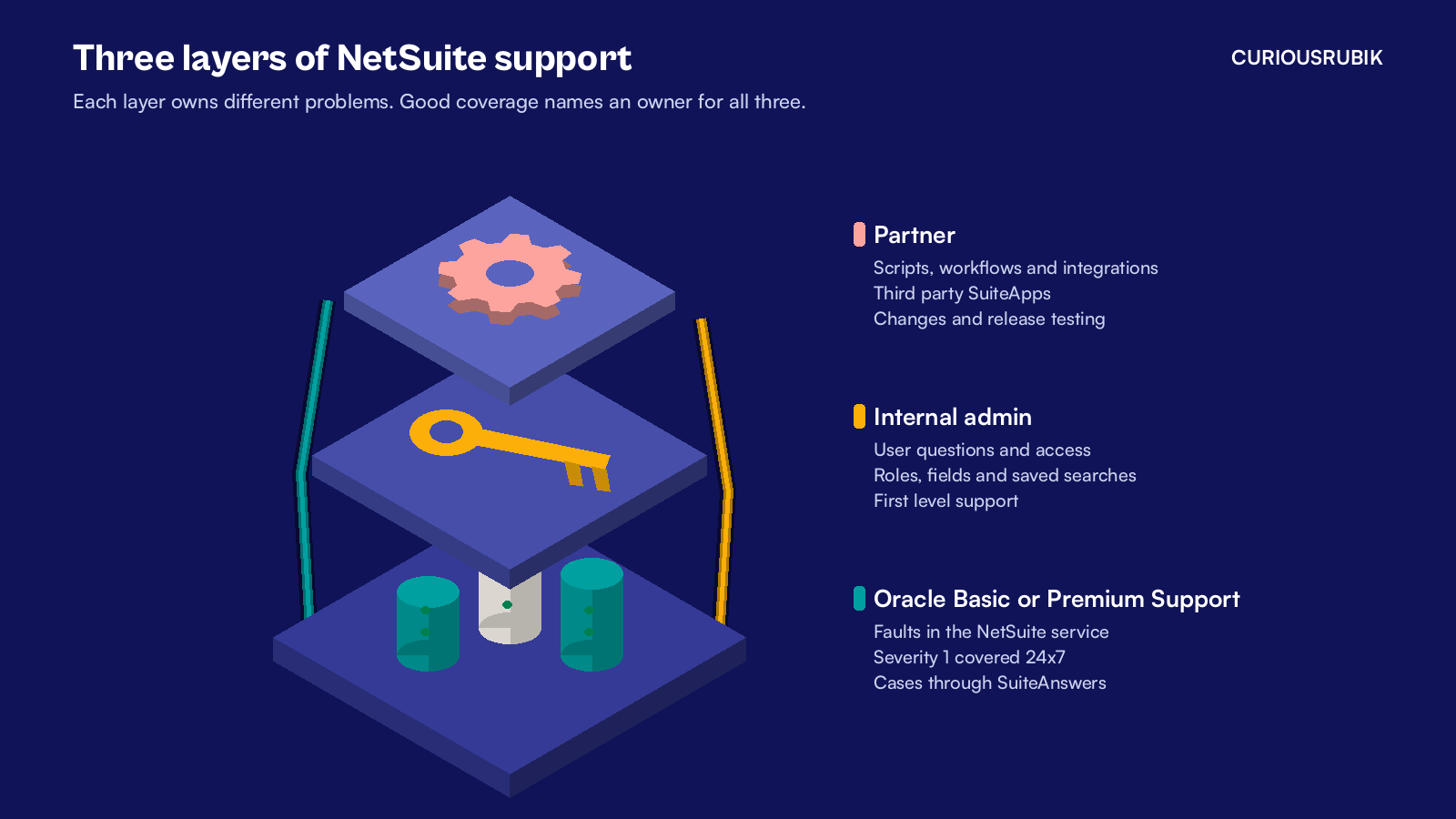
NetSuite support for US companies comes in three layers. Oracle fixes problems with the NetSuite service itself through Basic or Premium Support. Your internal administrator answers user questions and keeps roles and settings tidy. A partner handles your custom work and integrations, with an owner named for each layer.
Key takeaways
- Basic Support comes with every NetSuite subscription. Premium Support adds wider hours, more contacts and help with usage and configuration.
- Oracle support is for the standard service. Your own customizations, third party SuiteApps and enhancement requests need another owner.
- The US calendar has peaks, such as 1099 season in January, and your support plan should know them in advance.
What does NetSuite support for US companies include?
Basic Support is the level included in every NetSuite subscription. It gives you SuiteAnswers, the knowledge base and case portal, plus online case submission and access to the NetSuite User Community. Severity 1 issues stop production use or prevent business operations from reasonably continuing. Basic covers them around the clock.
Normal support hours run from 8:00 a.m. to 6:00 p.m. on business days, in the time zone of the address on your order, excluding Oracle company holidays. That detail matters for a company with offices on both coasts. If your order lists a New York address, a West Coast team logging a case at 4:00 p.m. Pacific time is already outside normal hours.
Premium Support adds 24x7 coverage for Severity 2 issues, faster response goals, priority queuing and weekend help. It also adds advice on how to use and configure NetSuite, which Basic does not include. Basic allows two authorized contacts, the named people who can log cases, and Premium allows four.
Above Premium, Oracle offers Advanced Customer Support, a paid subscription service that works more like a standing advisory team. Your exact terms sit in your order and the Oracle support policy, so read those before you plan around any response goal.
Which problems go to Oracle, your admin or a partner?
Oracle's support terms leave four kinds of work with you. First level support means answering your own users' questions and fixing their access or browser problems. Customizations include scripts, workflows and anything built with SuiteScript, and third party SuiteApps are supported by the company that built them. Enhancement requests ask NetSuite to do something new, so they are product feedback rather than support cases.
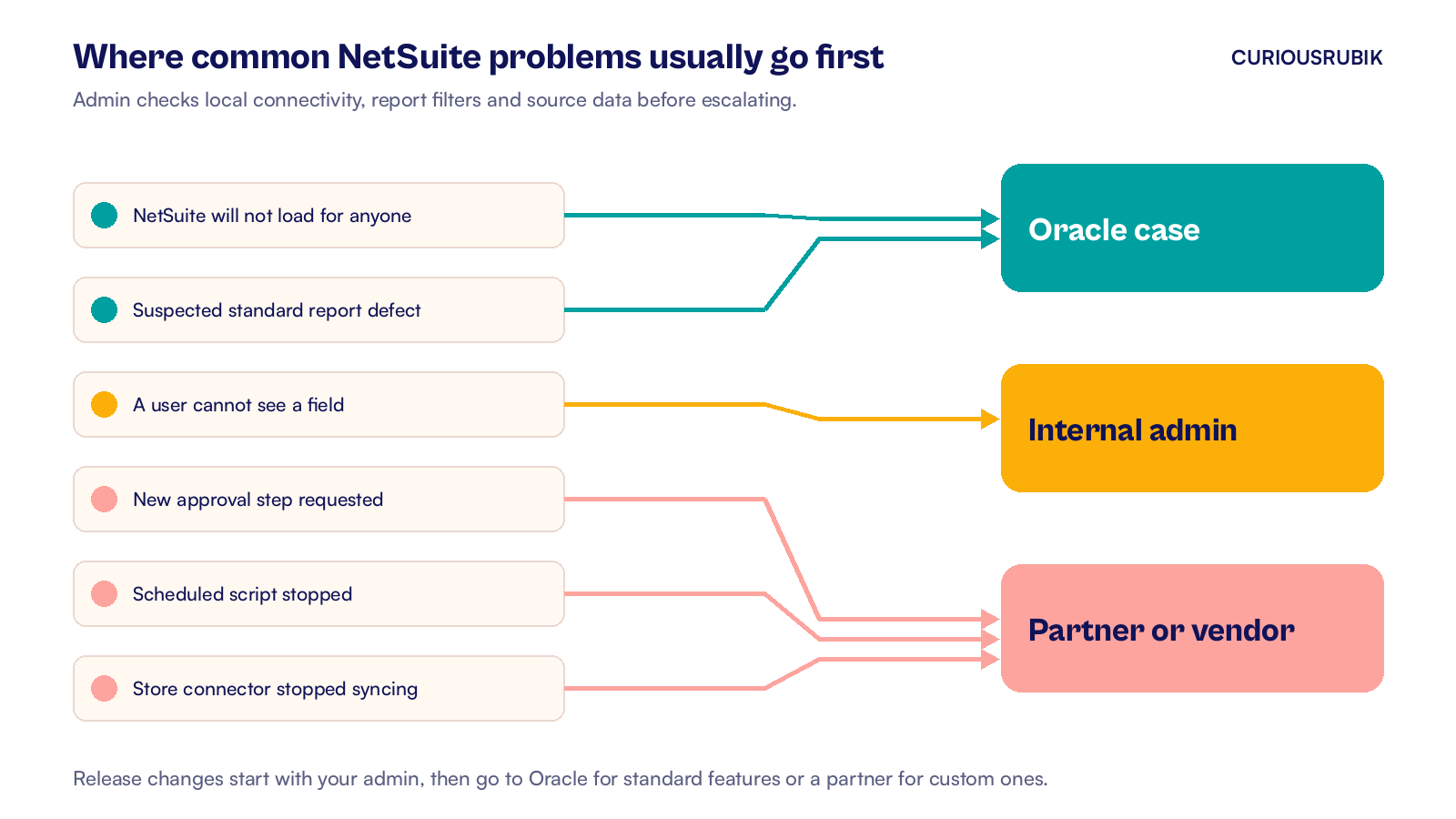
That is why most US companies pair Oracle support with an internal admin and a partner. The table shows where common problems usually land.
| Problem | First stop | Why |
|---|---|---|
| NetSuite will not load for any user | Admin checks local connectivity, then Oracle for a service outage | Severity 1 if production use has stopped |
| A standard report shows wrong totals for everyone | Admin checks filters and source data, then Oracle for a suspected defect | Possible product defect |
| A user cannot see a field or record | Internal admin | Roles and permissions are yours |
| A scheduled script stopped creating invoices | Partner or developer | Custom code is outside Oracle support |
| The ecommerce connector stopped syncing orders | Connector vendor or partner | Third party app |
| Finance wants a new approval step | Partner, as a small change | Scoped implementation work, while Premium can advise on configuration |
| A field changed behavior after a release | Admin first, then Oracle or partner | Depends on whether it is standard or custom |
If you follow one store order across systems, the routing becomes clearer. An order that fails inside a connector belongs to its vendor. The same order failing at a custom script on save belongs to whoever wrote the script.
A support coverage checklist for US teams
Use these nine checks to test your current setup. Each one helps you assign work before a problem interrupts billing or close.
Contacts and severity
- Name your authorized contacts. Keep the list current in NetSuite, because a case from someone who has left the company slows everything down.
- Use Oracle's severity scale internally. If your team calls everything urgent, Oracle and your partner will triage differently from you.
- Write down your support hours. Note the time zone on your order and decide who covers the gap for other offices.
Custom work and apps
- List every script, workflow and SuiteApp with an owner. This is the work Oracle support does not cover, so each item needs a named person or partner.
- Decide who handles first level support. Password resets, role changes and how do I questions should reach your admin, not wait in an Oracle queue. Assign a backup if your admin is away during close.
- Agree how small changes get approved. A new field or approval step is a change request with a cost and an owner, not a support case.
The US calendar
- Plan for 1099 season. Form 1099-NEC is generally due to recipients and the IRS by January 31. Weekend and legal holiday deadlines move to the next business day. Book support time for vendor data checks in December, using our NetSuite 1099 reporting guide.
- Cover sales tax filing dates and year end close. Make sure your support plan has hours free in the weeks you file and close, not just during normal months.
- Book time for the two yearly releases. NetSuite has two major releases each year. Request a Release Preview account to test before your upgrade. Someone has to test your scripts and integrations there before the upgrade date.
A well written case also speeds every layer up. Oracle measures its response goal once it has all required information. This is a goal for contact, not a promised resolution time. Our NetSuite support ticket checklist lists what to include.
For companies that would rather hand most of this to one team, our guide to NetSuite managed services for US companies explains what a monthly plan should cover. The same thinking applies to services firms abroad, as our view on NetSuite professional services in Australia shows for project billing.
What to check this week
You can test your coverage in under an hour. Work through these five checks with your admin.
- Open your Oracle order and confirm your support level and the address that sets your support hours.
- Check that your authorized contacts still work at the company.
- Export your list of scripts and installed SuiteApps and write an owner beside each one.
- Pick the last three support problems your team had and note who fixed each one and how long it took.
- Put January 1099 work and the next release date on the team calendar.
If two or more of those checks surprise you, your coverage has a gap worth closing before year end. CuriousRubik's NetSuite managed support team can take on the partner layer, from scripts and integrations to release testing, for companies across the United States.
Related reading
NetSuite Managed Services for US Companies: What to Cover
What a US managed services plan should include and how many hours a month an account needs.
NetSuite Support Ticket Evidence That Helps Diagnosis
The details to include in a support case so it can be diagnosed on the first pass.
NetSuite 1099 Reporting: Vendor Setup and Year End Checks
How to prepare vendor records and accounts for 1099 filing in NetSuite.