For Singapore finance teams who want every invoice NetSuite prints to meet IRAS rules, and to know where each field comes from.
Last reviewed: 28 October 2026. Product details reflect this review date. Availability and behavior can vary by account, role and release.
The NetSuite tax invoice template for Singapore is a ready made print layout that comes with Oracle's Singapore localization SuiteApp. It prints the words Tax Invoice, your legal name, UEN and GST registration number, each line with its GST rate, and the totals IRAS asks for. You switch it on per invoice form, then check the source fields.
- IRAS lists the fields a tax invoice must show. The template prints each one from a field you already keep in NetSuite.
- Your GST registration number prints from the Singapore nexus on the subsidiary, so check that record first.
- Invoices in other currencies get a GST Summary in SGD section without any extra build.
- Print and check a small set of test invoices before the first real one goes to a customer.
What does a Singapore tax invoice need to show?
A tax invoice is the document a GST registered supplier issues so that a GST registered customer can claim the GST back as input tax. IRAS expects it within 30 days of the time of supply. Both sides keep it for at least five years.
You do not need one for customers who are not GST registered, or for zero rated, exempt or deemed supplies. A receipt or a normal invoice covers those.
IRAS also asks that all required details sit on one document. If a field is missing, your customer may not be able to claim the GST. That makes the print layout as important as the tax codes behind it.
Here is the IRAS list, with the NetSuite field each item prints from.
| IRAS requirement | Where NetSuite takes it from |
|---|---|
| The words "Tax Invoice" in a prominent place | The template title |
| Supplier name and address | Legal Name and address on the subsidiary record (Name if Legal Name is blank) |
| Supplier GST registration number | Tax Registration Number for the Singapore nexus, on the subsidiary's Tax Registrations subtab |
| Invoice number and date of issue | Invoice No. and Date on the invoice |
| Customer name and address | Customer and billing address on the invoice |
| Description of goods or services | Item name and description on each line |
| GST rate | Tax rate of the tax code on each line |
| Total excluding GST, GST amount and total including GST | Subtotal, GST and Total, plus SGD figures when the invoice is in another currency |
The template also prints your UEN, phone and email.
IRAS shows common ways to display the GST number. When your UEN and GST number are the same, one line can carry both. They differ when the GST number starts with M, for example. Then print both and label each one clearly, so the customer's AP team can find the GST number fast.
How does the NetSuite tax invoice template for Singapore fill each field?
The template is an Advanced PDF/HTML template. That means it is a layout file with placeholder tags that pull values from the invoice and its related records each time you print or email.
The printout is only as good as the records behind it. Here is where each part comes from, and what to check.
Your company block. The name prints from the Legal Name field on the subsidiary. Use the exact name registered with ACRA, not a short trading name. The address, phone and email come from the same record.
UEN and GST number. The UEN prints from the UEN field that the localization SuiteApp adds to the subsidiary. The GST number, labeled GST Reg. No. on the printout, does not come from the subsidiary header.
It comes from the Tax Registration Number entered for the Singapore nexus, on the subsidiary's Tax Registrations subtab. This field is easy to miss, so check it first.
The lines. Each line shows a number, the item and description, quantity, unit price, tax rate, net amount, GST and gross total. The description prints as you wrote it on the item or the line, so plain descriptions matter.
The totals. The footer shows the subtotal before GST, the GST and the total.
Some lines use a tax code set for customer accounting. Customer accounting means the GST registered customer, not you, accounts for the GST on certain prescribed goods, such as mobile phones. The template marks those lines with an asterisk and leaves their GST out of the GST total. A note then tells the customer to pay that GST to IRAS.
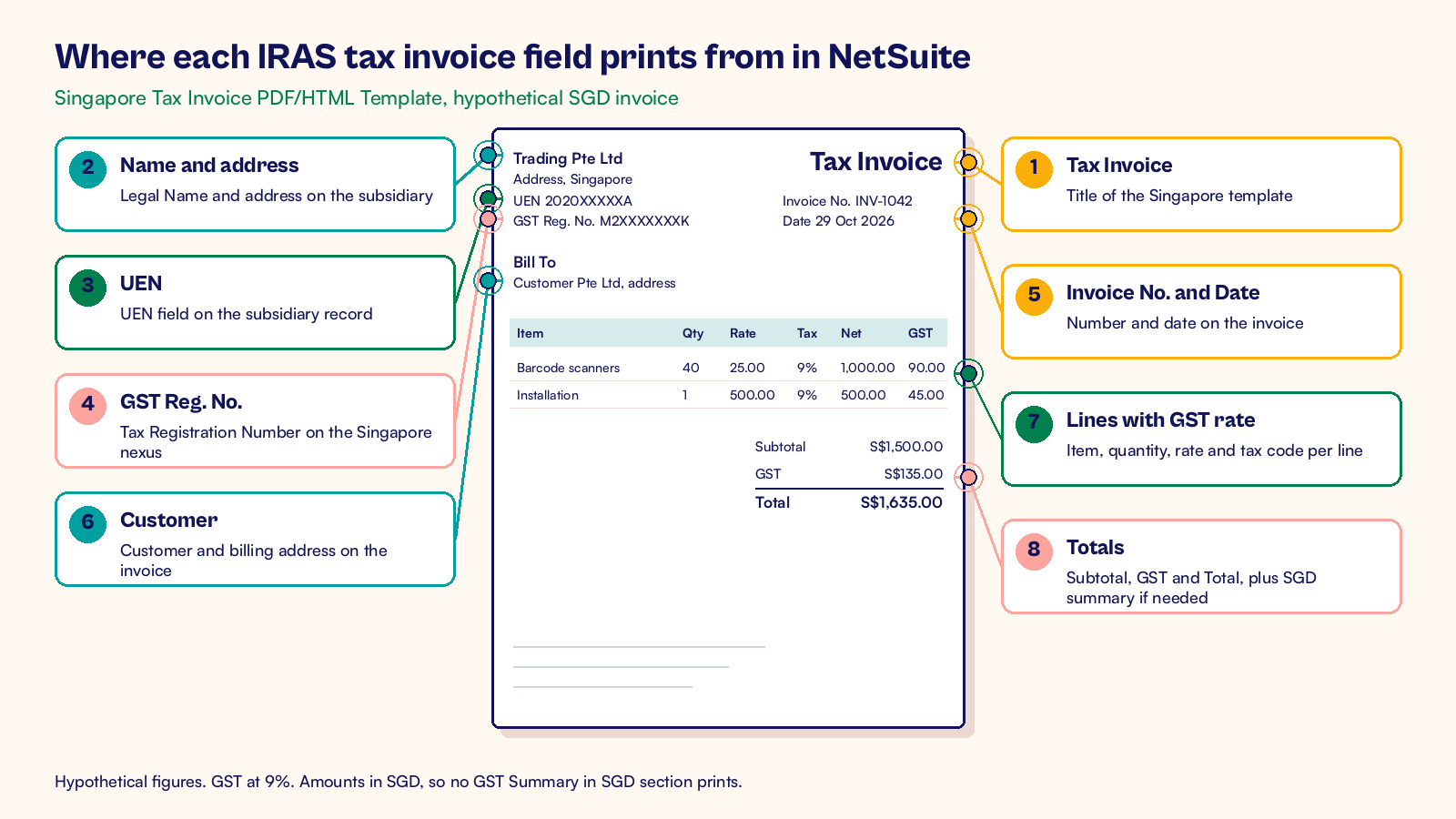
A hypothetical invoice, line by line
A hypothetical Singapore trading company bills a GST registered customer in SGD.
| Line | Quantity and rate | Net amount | GST at 9% | Total |
|---|---|---|---|---|
| Barcode scanners | 40 at S$25.00 | S$1,000.00 | S$90.00 | S$1,090.00 |
| Installation service | 1 at S$500.00 | S$500.00 | S$45.00 | S$545.00 |
| Invoice total | S$1,500.00 | S$135.00 | S$1,635.00 |
IRAS accepts GST worked out line by line or on the subtotal, as long as you use one method every time. Here both give S$135.00, because each line comes to whole cents. The GST Summary in SGD section does not print on this invoice, because it uses one currency and one tax code. Pick your method with your tax adviser and keep it the same across forms.
How do you switch the template on for your invoices?
The template sits in your account once the SuiteApp is installed. It does nothing until you attach it to an invoice form. These are the steps.
- Confirm the Singapore localization SuiteApp is installed. Depending on your account, it is Singapore Localization (for SuiteTax accounts) or Southeast Asia Localization.
- Open each Singapore subsidiary at Setup > Company > Subsidiaries. Check Legal Name, address, phone, email and UEN.
- On the same subsidiary, open the Tax Registrations subtab and check the Tax Registration Number on the Singapore nexus row. This is the number that prints as GST Reg. No.
- Go to Customization > Forms > Advanced PDF/HTML Templates and find the Singapore Tax Invoice PDF/HTML Template.
- Go to Customization > Forms > Transaction Forms. Click Customize next to a standard invoice form, or Edit next to your custom one.
- Set Printing Type to Advanced. In Print Template, select Singapore Tax Invoice PDF/HTML Template. If you email invoices from NetSuite, select the same template in Email Template too.
- Name the form so users can spot it, such as "SG Tax Invoice". Check Form Is Preferred if it should be the default for that subsidiary's users.
- Save. Repeat the same steps for your credit memo form with the Singapore Credit Note PDF/HTML Template.
If you change the layout, for example to add your bank details or PayNow details, edit a copy. Save it under a new name so the original stays clean when the SuiteApp updates. Our guide to testing NetSuite Advanced PDF templates covers how to test a changed layout.
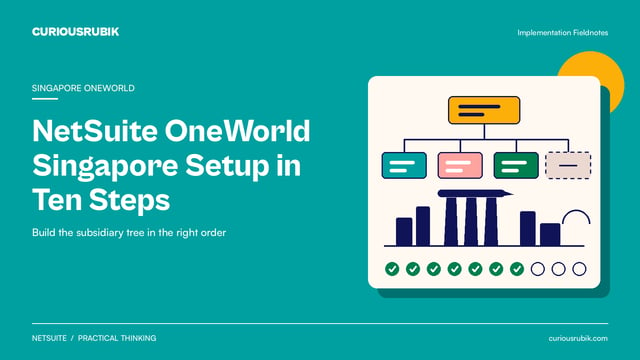
For a group of companies, do steps 2 and 3 for every Singapore subsidiary. Our OneWorld setup for Singapore groups shows where these fields sit in the build order.
What changes for foreign currency, simplified invoices and credit notes?
Most invoices print the same way. A few cases need a closer look.
Invoices in USD or another currency
IRAS asks you to show the total excluding GST, the GST and the total including GST in Singapore dollars, at an approved rate. The template handles this for you. When the invoice is not in SGD, it adds a GST Summary in SGD section. That section lists each tax code with its tax basis and tax amount, then the totals in SGD.
The same section appears when one invoice uses more than one tax code. Our post on checking SGD amounts on foreign currency tax invoices explains how to confirm the rate and the converted figures.
Small sales and customers who are not GST registered
IRAS allows a simplified tax invoice when the total including GST is S$1,000 or less. It needs fewer details, plus a statement such as "Price payable includes GST". You can always issue a full tax invoice instead, so many teams use one layout for all sales. If you make many small sales, a copy of the template with the simplified layout is a small change.
For customers who are not GST registered, a receipt is enough. Keep the full tax invoice for GST registered customers.
Credit notes
A credit note must show the number and date of the original tax invoice. It also lists what is credited, the GST rate and the GST amount credited.
Create the credit memo from the original invoice in NetSuite, so the Singapore Credit Note template can print that invoice's number and date. On a credit memo not created from an invoice, those two fields print blank. The reason for the credit prints from the Memo field, so fill it in.
InvoiceNow
The template covers the document your customer reads. IRAS is also phasing in InvoiceNow, where GST registered businesses send invoice data to IRAS through an InvoiceNow Ready Solution. The printed layout and the data file should match. Our guide to planning Singapore GST and InvoiceNow in NetSuite covers that side.
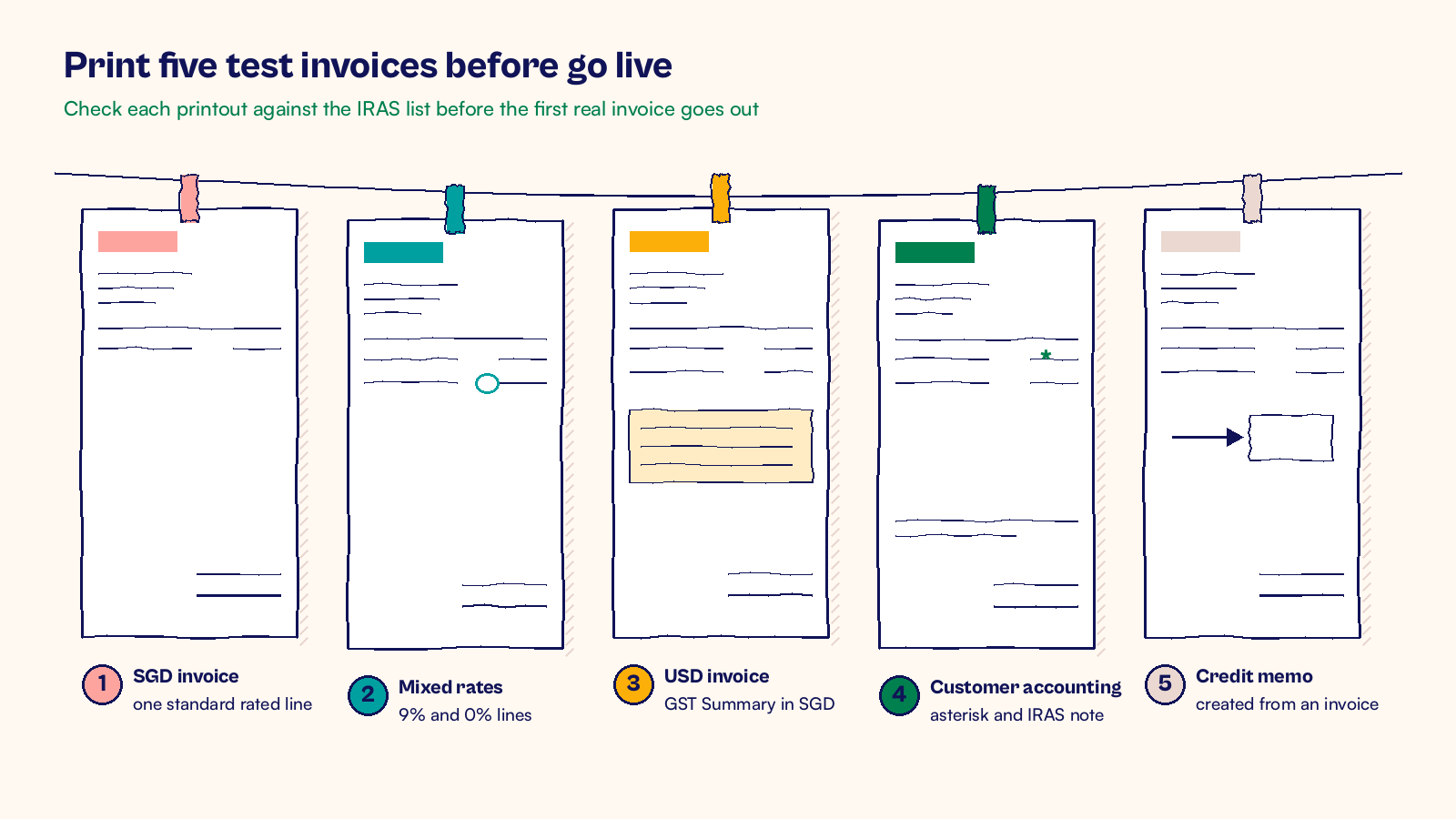
Print five test invoices before go live
Before the first real invoice leaves NetSuite, print these and check each against the IRAS list.
- A plain SGD invoice with one standard rated line.
- An invoice with standard rated and zero rated lines, so the 0% rate shows.
- A USD invoice, to see the GST Summary in SGD.
- An invoice that uses a customer accounting tax code, to check the asterisk and the note.
- A credit memo created from one of the invoices above.
At CuriousRubik, we set up and adjust these templates as part of our NetSuite customization services, from subsidiary fields to a tested layout. You can also see how we work with NetSuite clients in Singapore.
Related reading
NetSuite GST F5 Return: Preparation and Review
How to prepare and check the quarterly GST F5 return from NetSuite figures.
Reconcile Singapore GST Reporting in NetSuite
How to trace each GST figure from the invoice to the return before you file.
Test Singapore GST Registration Changes in NetSuite
How to test the effective date when a Singapore company registers for GST or deregisters.